
ASRock B550M Pro4 vs ASRock B550 Phantom Gaming 4: Which Should You Buy?
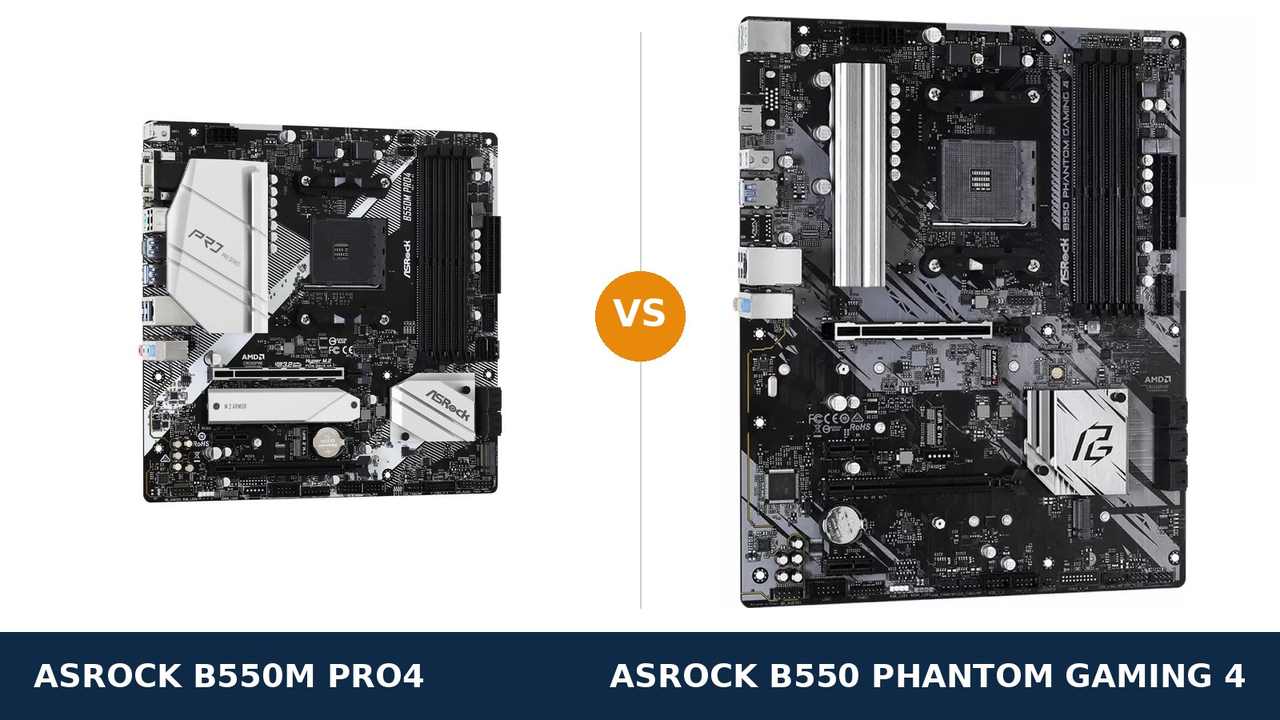
In a product listing, this comparison looks rigged. One board is a full-size ATX slab with “Gaming” written into its name. The other is a square micro-ATX board carrying the plainer badge.
Most buyers back the bigger board on sight. In this matchup, that instinct is precisely the trap.
Read the two spec sheets line by line and something odd happens: they agree. The same 8-phase power design. The same four memory slots and 128 GB ceiling. The same M.2 speeds, the same six SATA ports, the same network chip, the same audio codec.
ASRock did not build a fast board and a slow board. It built one platform twice — once compact and well-connected, once large and sparsely equipped. The real differences live in the rear panel, the slot count and the footprint, not in performance.
Every figure below comes from ASRock's own product pages and user manuals. The verdict follows the spec sheets, not the box art.
Key Takeaways
- The B550M Pro4 owns the modern rear panel. USB 3.2 Gen2 in Type-A and Type-C, three display outputs, and the only M.2 heatsink in this pairing.
- The Phantom Gaming 4's advantage is physical. An ATX layout, a fourth expansion slot, and debug LEDs that name the failed part at start-up.
- The performance hardware is shared outright. Power design, memory support, storage speeds, LAN and audio are ties, not talking points.
- For an APU build this is not close. The Pro4 drives three monitors from integrated graphics; the Phantom Gaming 4 drives one.
- Neither board includes Wi-Fi or 2.5G networking. Both leave an empty M.2 Key E slot for owners who want to add wireless themselves.
Quick Verdict
Buy the ASRock B550M Pro4 unless you have a specific reason not to. It is the better-specified board here.
It gives up nothing on power, memory or storage speed. Then it adds the ports the Phantom omits entirely: 10 Gb/s USB in both plug shapes, a DisplayPort output for APU builds, and twice the front-panel USB support.
It also mounts in every case that accepts the Phantom Gaming 4, plus the smaller cases that shut the bigger board out. Smaller and better equipped is a rare combination.
Buy the B550 Phantom Gaming 4 when the build is planned around its size. Two small add-in cards. A 22110-length drive. Debug LEDs you intend to rely on.
Or buy it when its price undercuts the Pro4 by enough that the missing ports stop mattering. Just buy it as a layout choice, eyes open about the connectivity being surrendered.
The Scorecard
The scores below are read straight off the manufacturer specifications compared in this guide — phase counts, slot counts, port counts and supported standards. Treat them as a reading aid, not benchmark results.
| Category | B550M Pro4 | B550 Phantom Gaming 4 | ||
|---|---|---|---|---|
| Power delivery | 8 / 10 | 8 / 10 | ||
| Memory | 9 / 10 | 9 / 10 | ||
| USB connectivity | 9 / 10 | 5 / 10 | ||
| Display outputs (APU builds) | 9 / 10 | 4 / 10 | ||
| Storage | 9 / 10 | 8 / 10 | ||
| Expansion & layout | 7 / 10 | 9 / 10 | ||
| Networking & audio | 7 / 10 | 7 / 10 | ||
| Overall | 8.3 / 10 | 7.1 / 10 | ||
It is a rare comparison where shrinking the board improved it. The Phantom Gaming 4 wins only the categories where centimetres themselves are the feature.
At a Glance: Who Each Board Fits
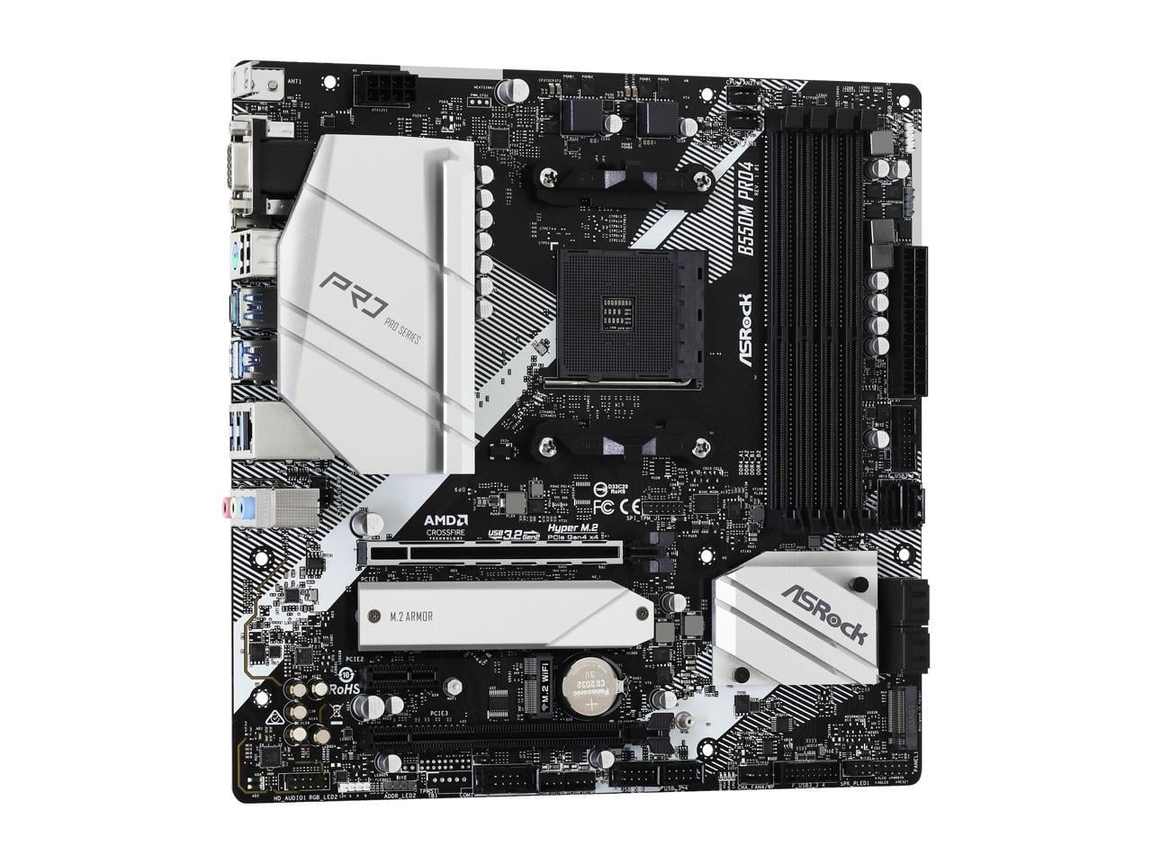
ASRock B550M Pro4
- Micro ATX, 24.4 × 24.4 cm — at home in compact and full-size cases
- Rear USB 3.2 Gen2 Type-A and Type-C, both running at 10 Gb/s
- Three APU display outputs: D-Sub, HDMI 2.1 and DisplayPort 1.4
- M.2 Armor heatsink fitted over the primary SSD slot
- Two front USB 3.2 Gen1 headers, feeding four fast front ports
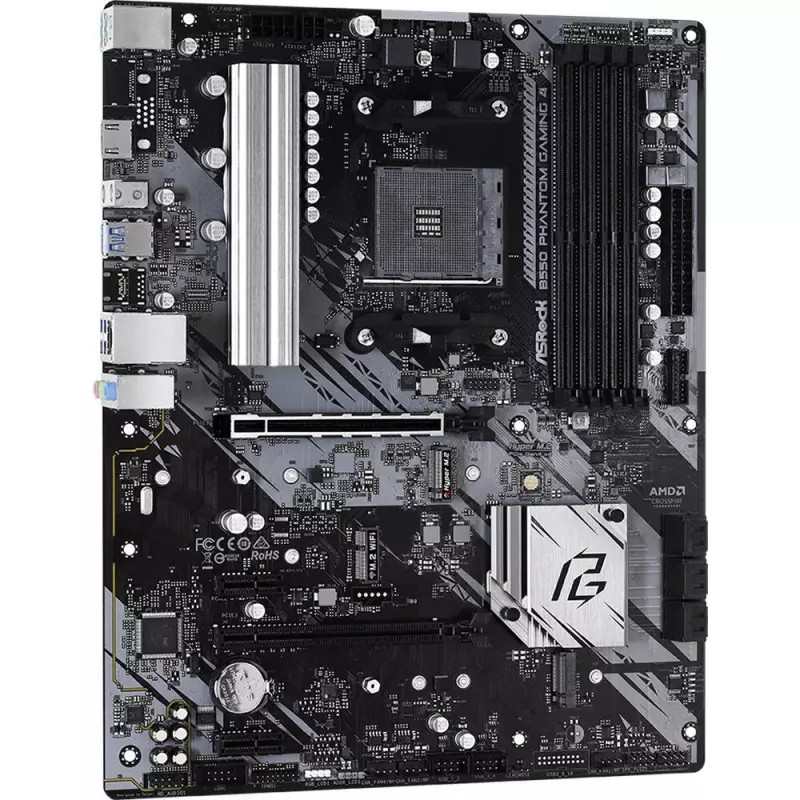
ASRock B550 Phantom Gaming 4
- Full ATX, 30.5 × 24.4 cm — mid-tower cases and larger
- Four expansion slots, two of them PCIe x1
- Post Status Checker LEDs flag CPU, memory, graphics and boot faults
- Primary M.2 slot accepts longer 22110 drives
- 8-pin + 4-pin CPU power connectors
Choose the B550M Pro4 if…
Your case is micro-ATX or a compact tower. The Phantom Gaming 4 physically cannot mount there; the Pro4 was drawn for exactly that space.
External storage is part of your routine. A Gen2 port feeds a fast SSD enclosure at twice the rate of anything on the Phantom's back panel.
A Ryzen G-series chip is in the build, or might arrive later as a stopgap. Three display outputs is a capability; a single one is a limitation you cannot patch.
Choose the B550 Phantom Gaming 4 if…
Your parts list already names two small expansion cards. The Pro4 runs out of slots one card earlier, and no adapter fixes an absent slot.
This is a first build or a test bench. Debug LEDs tell you which component is unhappy instead of leaving you reseating parts at random.
Its price on the day clearly beats the Pro4, and your build uses neither USB-C peripherals nor integrated graphics. Then the trade is honest.
As an Amazon Associate I earn from qualifying purchases at no extra cost to you.
Specifications: The Specs That Actually Matter
Every figure below is drawn from ASRock's published specifications and the two user manuals, checked against the manufacturer's own product data.
Because both boards descend from the same ASRock B550 design, most rows match to the letter. The rows that part company are the ones your money should follow.
| Specification | ASRock B550M Pro4 | ASRock B550 Phantom Gaming 4 |
|---|---|---|
| Form factor | Micro ATX, 24.4 × 24.4 cm, 2oz copper PCB | ATX, 30.5 × 24.4 cm, 2oz copper PCB |
| Socket / chipset | AMD AM4 / B550 | AMD AM4 / B550 |
| CPU support | Ryzen 5000, 5000 G, 4000 G, 3000 series | Ryzen 5000, 5000 G, 4000 G, 3000 series |
| Power design | 8-phase Digi Power, 50A chokes, XXL alloy heatsink | 8-phase Digi Power, 50A chokes, XXL alloy heatsinks |
| CPU power connectors | 1 × 8-pin | 8-pin + 4-pin |
| Memory | 4 × DDR4 DIMM, up to 128 GB, 4733+ MT/s (O.C.), XMP, ECC | 4 × DDR4 DIMM, up to 128 GB, 4733+ MT/s (O.C.), XMP, ECC |
| Graphics outputs (APU) | D-Sub, HDMI 2.1, DisplayPort 1.4 — triple monitor | HDMI 2.1 only |
| Expansion slots | PCIe 4.0 x16 + PCIe 3.0 x16 (x4) + PCIe 3.0 x1, M.2 Key E (Wi-Fi) | PCIe 4.0 x16 + PCIe 3.0 x16 (x4) + 2 × PCIe 3.0 x1, M.2 Key E (Wi-Fi) |
| M.2 storage | 2 slots: PCIe 4.0 x4 (2280) + PCIe 3.0 x2 / SATA (2280), M.2 heatsink | 2 slots: PCIe 4.0 x4 (2260/2280/22110) + PCIe 3.0 x2 / SATA (2242/2260/2280) |
| SATA | 6 × SATA 6 Gb/s, RAID 0/1/10 | 6 × SATA 6 Gb/s, RAID 0/1/10 |
| LAN | Gigabit, Realtek RTL8111H | Gigabit, Realtek RTL8111H |
| Audio | Realtek ALC1200 7.1 HD, Nahimic Audio | Realtek ALC1200 7.1 HD, Nahimic Audio |
| USB (rear) | USB 3.2 Gen2 Type-A + Type-C (10 Gb/s), 4 × Gen1, 2 × USB 2.0 | 6 × USB 3.2 Gen1 — no Gen2, no Type-C |
| USB (front headers) | 2 × USB 3.2 Gen1 headers (4 ports), 2 × USB 2.0 headers | 1 × USB 3.2 Gen1 header (2 ports), 2 × USB 2.0 headers |
| Fan headers | CPU + CPU/water pump + 4 × chassis/water pump | CPU + CPU/water pump + 4 × chassis/water pump |
| Troubleshooting | None fitted | Post Status Checker LEDs (CPU / DRAM / VGA / Boot) |
| I/O shield | Separate shield in the box | Separate shield in the box |
One storage warning covers both boards. The second M.2 slot on each borrows its lanes from SATA ports 5 and 6. Fill that slot and those two SATA ports drop out — so the six-port headline behaves like four in any build that uses both M.2 slots.
One audio warning too. ASRock's shop pages print “ALC1220/ALC1200” for both boards, while both user manuals specify the ALC1200. This guide follows the manuals — which makes audio a tie, whatever the marketing pages imply.
The Differences That Actually Matter
1. USB — where the smaller board laps the bigger one
Flip both boards over and read the rear panels. The Pro4 offers a USB 3.2 Gen2 Type-A port and a Gen2 Type-C port, each rated at 10 Gb/s.
The Phantom Gaming 4 offers neither shape at that speed. All six of its rear ports run at USB 3.2 Gen1, 5 Gb/s, and USB-C is absent altogether.
Keyboards and headsets will never notice. An external SSD, a fast card reader or a drive dock notices immediately: Gen2 doubles the ceiling, and external storage is where home storage keeps expanding.
The front panel tells the same story. The Pro4 carries two USB 3.2 Gen1 headers, enough for four fast case-front ports. The Phantom carries a single header — two ports — so a case with twin fast front ports leaves one unserved.
One detail from the Pro4's manual, for completeness: its four rear Gen1 ports run through an ASMedia ASM1074 hub. That is ordinary practice at this price and changes nothing in daily use.
And one shared failure: neither board provides a front-panel USB-C header. A case-front Type-C port stays dark on both. It is the only USB criticism that lands on the pair equally.
2. Display outputs — three doors versus one
The Pro4 leaves its APU three ways out: D-Sub, HDMI 2.1 and DisplayPort 1.4. ASRock rates the board for triple-monitor duty from a Ryzen G-series processor.
The Phantom Gaming 4 provides a single HDMI 2.1 port. That is the complete list.
Fit a discrete graphics card and this section goes quiet — the card's outputs take over. But APU machines are a real slice of AM4: office PCs, home theatre builds, and gaming rigs riding out card prices on a 5600G.
For those builders, one HDMI port means one screen without workarounds and no DisplayPort ever. The Pro4 runs a two- or three-monitor desk from integrated graphics without adapters or compromises.
Even committed gamers should count it, lightly, for the Pro4. Integrated graphics are the backup display when a card dies. A backup with three outputs rescues more situations than a backup with one.
3. Size and shape — the one decision you cannot undo
The Pro4 is a square micro-ATX board, 24.4 × 24.4 cm. The Phantom Gaming 4 stretches to 30.5 cm deep in full ATX form.
That fact fires before any other. A micro-ATX or compact mini-tower case closes the debate on the spot: the Phantom does not fit inside it.
Where both fit — a mid-tower — the ATX board buys elbow room. Connectors along the bottom edge are easier to reach, cables route with less fighting, and a thick graphics card crowds its neighbours less.
What size never buys is speed. Every shared component behaves identically on either PCB, so treat the footprint as a fit question, not a performance question.
Our rule: if the case is small, the case decides. If both boards fit, let the remaining sections decide — and there the Pro4 wins more than it loses.
4. Expansion — the Phantom's genuine counterpunch
The shared ground first: each board gives the graphics card a steel-reinforced PCIe 4.0 x16 slot, adds a second physical x16 slot wired at x4, and includes an M.2 Key E slot for a Wi-Fi module bought separately.
The Phantom then plays its card: a second PCIe 3.0 x1 slot, four slots in total against the Pro4's three.
The audience for that slot is narrow but real. A sound card beside a capture card. A legacy serial controller. A second network adapter. If two small cards are already on your parts list, the Pro4 has nowhere to put the second one.
The wider ATX spacing quietly helps the same builders. On the compact Pro4, a fat dual-slot graphics card can lean on the slot beneath it; on the Phantom there is simply more air.
Score the section for the Phantom, honestly. Then check your actual parts list before letting one unused slot outvote the ports above.
5. Storage — identical speeds, different small print
Start with the headline, because it is a tie. A Hyper M.2 slot at PCIe 4.0 x4 for the boot drive. A second M.2 at PCIe 3.0 x2 with SATA mode. Six SATA ports with RAID 0, 1 and 10 on both.
Boot times, game loads and bulk copies will land within a second of each other whichever board you choose. Neither is a storage upgrade over the other.
The small print splits in opposite directions. The Pro4 bolts a heatsink — its M.2 Armor — over the primary slot, which keeps a hard-working Gen4 drive cooler across long writes.
The Phantom's primary slot is more permissive about length: 2260, 2280 and the long 22110 form, where the Pro4 accepts 2280 only. Its second slot reaches down to short 2242 drives as well.
Both boards then share the trap flagged under the spec table: populate the second M.2 slot and SATA ports 5 and 6 switch off. Four usable SATA ports is the real planning number for a dual-M.2 build on either board.
Net call: a narrow Pro4 edge for the heatsink, because 2280 is the drive length nearly everyone buys. Already own a 22110 drive, and the edge flips to the Phantom.
6. Power delivery — a true tie, and ignore the extra plug
Strip the heatsinks away mentally and the two boards converge. Each is built on ASRock's 8-phase Digi Power stage, premium 50A chokes and a 2oz copper PCB, with XXL aluminium heatsinks sitting over the MOSFETs.
That design carries the whole AM4 range — Ryzen 5, 7 and 9 — at stock settings and sensible overclocks, and it carries them identically on both boards. There is no power-delivery argument for either side.
The Phantom does add a 4-pin CPU power connector next to the main 8-pin. It photographs like extra headroom. In practice a single 8-pin EPS connector already supplies far beyond what any AM4 processor draws in normal service.
File the extra connector under presentation, not specification. When a listing leads with it, the seller has exhausted the real differences — this section is a draw.
7. The small stuff — one diagnostic gift, several shared gaps
The Phantom Gaming 4 carries ASRock's Post Status Checker: four LEDs reporting CPU, DRAM, VGA and Boot status at every power-on.
When a new build refuses to start, those lights compress an hour of swapping parts into a thirty-second reading. First-time builders and bench builders feel that value immediately. The Pro4 ships with no equivalent.
The rest of the small print is mostly mirrored. The same Realtek RTL8111H gigabit LAN, with no 2.5G step-up on either board — a genuine shared ceiling. Nahimic-tuned ALC1200 audio, identical on both. Four chassis fan headers apiece, a pair each of RGB and addressable headers, and a PS/2 combo port for a legacy keyboard round out the mirror.
Wireless is mirrored too: an empty M.2 Key E slot on both boards. Bring your own module and antennas, or start from one of ASRock's Wi-Fi-fitted variants — the buying guide below names that trap.
