
ASRock B650M Pro RS vs MSI B650M Gaming Plus WiFi: Which Should You Buy?
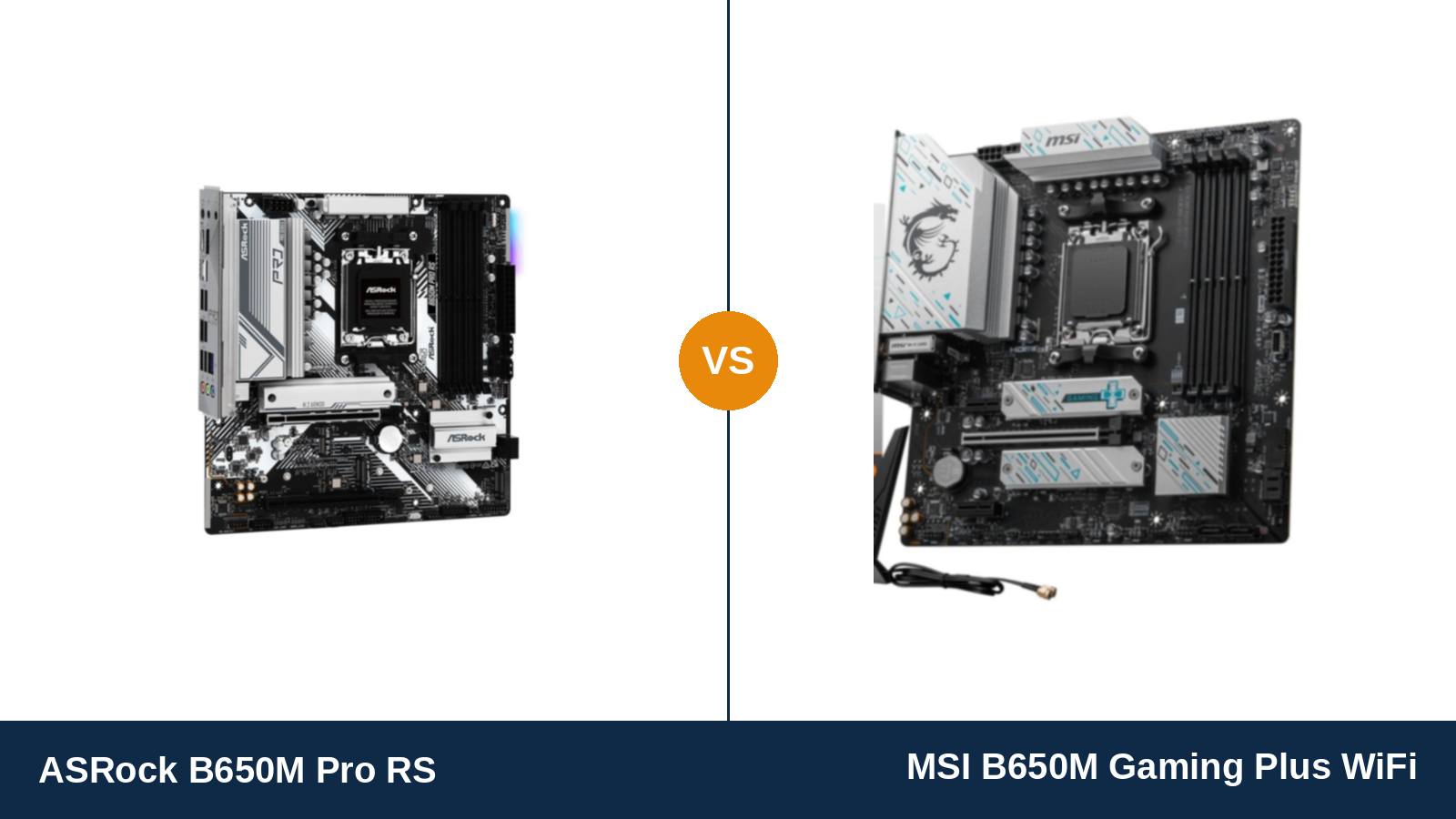
On paper, this should not be a contest. Both boards are Micro ATX B650 designs on six-layer PCBs, both take four DDR5 sticks, both feed the graphics card at PCIe 4.0 x16, and both wire up the same Realtek 2.5-gigabit Ethernet chip and the same Realtek audio codec.
Look closer and the two spec sheets start arguing. One board carries three M.2 sockets, one of them Gen5. The other carries Wi-Fi 6E, a ten-phase power design and a rear panel where every single USB port runs at 5 Gb/s or faster.
They are aimed at different builders who happen to shop in the same price aisle. ASRock built the B650M Pro RS for wired, storage-hungry systems. MSI built the B650M Gaming Plus WiFi for buyers who want the wireless card already fitted and the power delivery already settled.
This guide works through both manufacturers’ specification pages and manuals, line by line. Where the boards tie, we call it a tie. Where they do not, the gaps are bigger than the shared B650 badge suggests.
Key Takeaways
- The MSI is the better all-rounder. Wi-Fi 6E and Bluetooth fitted at the factory, a 10+2+1 power design with dual 8-pin CPU connectors, and the fastest rear USB panel of the two.
- The ASRock wins storage outright. Three M.2 sockets against two, and its fastest socket runs a Gen5 SSD at full PCIe 5.0 x4 speed. The MSI tops out at Gen4.
- The wireless gap is total, not partial. The Pro RS has no Wi-Fi and no Bluetooth at all — just an empty M.2 Key E slot. A separate Pro RS WiFi model exists; this is not it.
- Audio is an honest tie. Both boards are built on the same Realtek ALC897 codec. The difference is software — Nahimic on the ASRock, Audio Boost tuning on the MSI.
- The ASRock hides two workstation tricks. ECC memory support and a Thunderbolt 4 add-in-card header, neither of which the MSI offers.
Quick Verdict
Buy the MSI B650M Gaming Plus WiFi if you want the complete board out of the box. Wireless fitted, Bluetooth for your controller and headset, power delivery that shrugs at a Ryzen 9, and USB ports that never bottleneck a fast external drive.
For most gaming and general-purpose builds, that completeness is worth more than any single specification the ASRock wins. Nothing needs adding later, and nothing needs apologising for.
Buy the ASRock B650M Pro RS if your build is wired and storage-led. Three SSD sockets, a Gen5 flagship drive at full speed, a second full-length PCIe slot, and ECC support if the machine doubles as a home server.
It is also the board to pick when the MSI’s premium buys you features you will never switch on. A desktop that lives beside the router does not need Wi-Fi 6E — it needs somewhere to put its drives.
The Scorecard
Every score below is read off the manufacturer specifications compared in this guide — power-stage design, port counts, slot wiring and supported standards. Treat the numbers as a summary of the spec sheets, not as test-bench results.
| Category | ASRock B650M Pro RS | MSI B650M Gaming Plus WiFi | ||
|---|---|---|---|---|
| Power delivery | 7.5 / 10 | 8.5 / 10 | ||
| Networking | 5.5 / 10 | 9.5 / 10 | ||
| Audio | 7.0 / 10 | 7.0 / 10 | ||
| Storage | 9.5 / 10 | 7.5 / 10 | ||
| Memory | 8.5 / 10 | 8.0 / 10 | ||
| Expansion & USB | 7.5 / 10 | 8.0 / 10 | ||
| Overall | 7.6 / 10 | 8.1 / 10 | ||
The pattern is consistent: the ASRock takes the categories decided by sockets and slots, the MSI takes the ones decided by silicon and radios. Which set matters more depends entirely on the machine you are building.
At a Glance: Who Each Board Fits
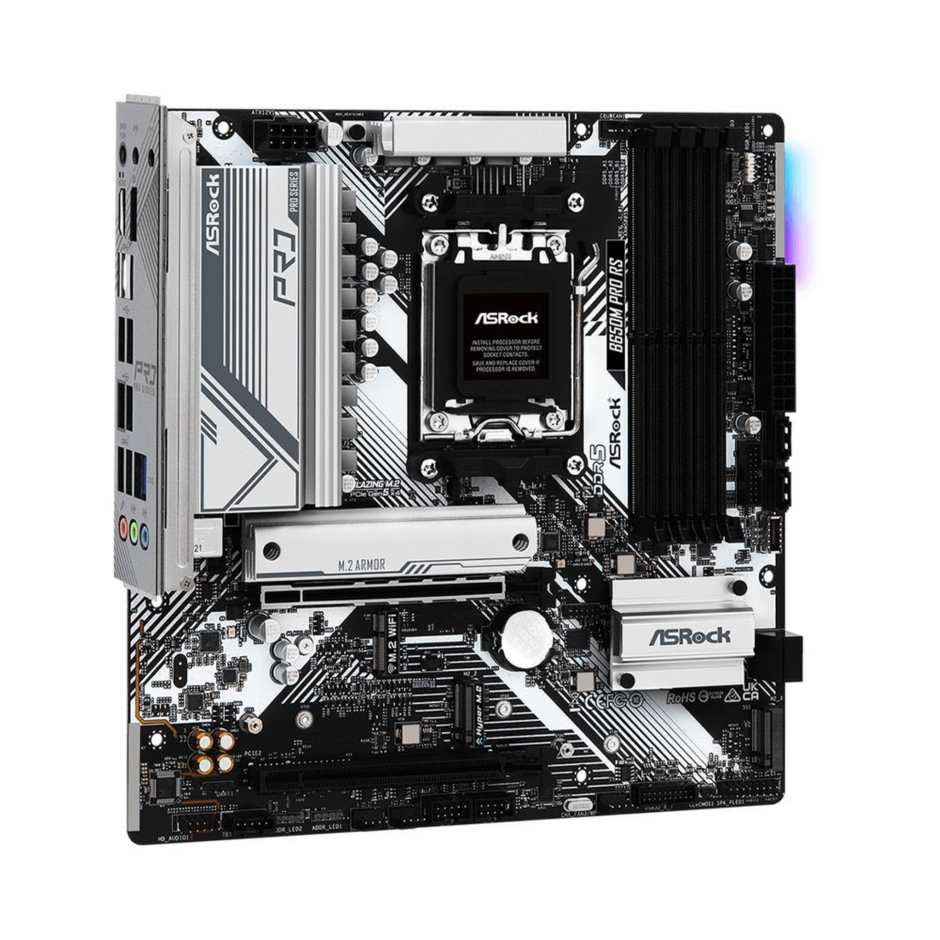
ASRock B650M Pro RS
- Three M.2 sockets: Gen5 x4, Gen4 x4 and Gen4 x2, plus 4 × SATA
- 8+2+1 Dr.MOS power design (50A stages), single 8-pin CPU power
- Second full-length PCIe slot (3.0 x4) for capture or storage cards
- ECC memory support and a Thunderbolt 4 AIC header
- No Wi-Fi or Bluetooth — 2.5 GbE wired networking only
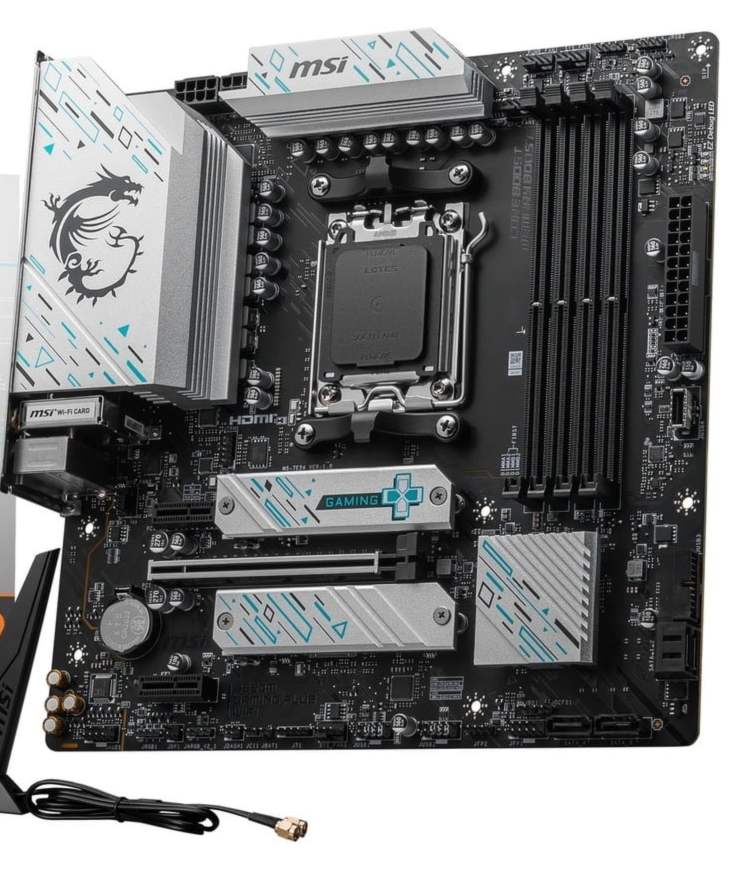
MSI B650M Gaming Plus WiFi
- Wi-Fi 6E and Bluetooth 5.3 pre-installed, antenna in the box
- 10+2+1 Duet Rail power design, dual 8-pin (8+8) CPU power
- Eight rear USB ports, all 5 Gb/s or faster — four at 10 Gb/s
- Two M.2 sockets, both PCIe 4.0 x4, with Shield Frozr heatsink cooling
- Steel Armor reinforced PCIe 4.0 x16 graphics slot
Choose the ASRock B650M Pro RS if…
Your desk is wired. The router sits within cable reach, Bluetooth peripherals are not part of the setup, and the money MSI charges for a wireless card is better spent elsewhere.
You hoard storage. A Gen5 boot drive today, two more NVMe drives as the library grows, maybe a SATA array behind them — this board swallows all of it.
Or the machine moonlights as a server. ECC memory, a second full-length slot for a network or storage card, and a Thunderbolt header make the Pro RS the quiet workstation pick of the pair.
Choose the MSI B650M Gaming Plus WiFi if…
The PC will live somewhere a cable cannot follow. Wi-Fi 6E and Bluetooth arrive fitted, with the antenna in the box — no add-in card, no second order, no compromise.
You are building around a Ryzen 7 or Ryzen 9 and want the power design conversation finished. Ten phases and two 8-pin feeds end it.
Or your desk runs on USB. Fast external SSDs, capture gear and docks all meet a rear panel with no slow ports hiding in it.
As an Amazon Associate I earn from qualifying purchases at no extra cost to you.
Specifications: The Specs That Actually Matter
Each figure below comes from ASRock’s and MSI’s published specification pages and user manuals for these two boards.
The shared platform means the interesting rows are the divergent ones: storage wiring, wireless hardware, power design and port speeds. Two production notes follow the table — read them before quoting a memory or SSD figure from this page.
| Specification | ASRock B650M Pro RS | MSI B650M Gaming Plus WiFi |
|---|---|---|
| Form factor | Micro ATX, 24.4 × 24.4 cm | Micro ATX, 24.4 × 24.4 cm |
| Socket / chipset | AMD AM5 / B650 | AMD AM5 / B650 |
| CPU support | Ryzen 9000 / 8000 / 7000 series | Ryzen 9000 / 8000 / 7000 series |
| VRM design | 8+2+1 Dr.MOS, 50A stages, single 8-pin CPU power | 10+2+1 Duet Rail, dual 8-pin (8+8) CPU power |
| Memory | 4 × DDR5, up to 256 GB, 7200+ MT/s (OC), ECC + non-ECC, EXPO / XMP | 4 × DDR5, up to 256 GB, 7200+ MT/s (OC), EXPO / XMP |
| Graphics outputs (APU) | HDMI + DisplayPort | HDMI 2.1 + DisplayPort 1.4 |
| Expansion slots | PCIe 4.0 x16 + PCIe 3.0 x16 (x4 mode) + M.2 Key E (empty) | PCIe 4.0 x16 (Steel Armor) + 2 × PCIe 3.0 x1 |
| M.2 storage | 3 sockets: PCIe 5.0 x4 + PCIe 4.0 x4 + PCIe 4.0 x2 | 2 sockets: PCIe 4.0 x4 + PCIe 4.0 x4 |
| SATA | 4 × SATA 6 Gb/s, RAID 0/1/10 | 4 × SATA 6 Gb/s |
| LAN | Realtek RTL8125BG, 2.5 Gb/s | Realtek RTL8125BG, 2.5 Gb/s |
| Wireless | None fitted (Key E slot only) | Wi-Fi 6E + Bluetooth 5.3, pre-installed |
| Audio | Realtek ALC897, 7.1 HD, Nahimic software | Realtek ALC897, 7.1 HD, Audio Boost |
| USB (rear) | 1 × Gen2 Type-A, 1 × Gen2 Type-C, 2 × Gen1, 4 × USB 2.0 | 4 × 10 Gb/s (3 Type-A + Type-C), 4 × 5 Gb/s Type-A |
| USB (front headers) | Gen1 Type-C header + Gen1 + USB 2.0 headers | 10 Gb/s Type-C header + 5 Gb/s + USB 2.0 headers |
| BIOS flashing | BIOS Flashback button | Flash BIOS Button |
| Extras | Thunderbolt 4 AIC header, Post Status Checker, pre-installed I/O shield | M.2 Shield Frozr heatsinks, pre-installed I/O shield |
Variant and revision notes: ASRock sells a separate B650M Pro RS WiFi model with a wireless module fitted — it is a different product from the board compared here, and the two are easy to confuse in listings. Check the exact model name before ordering either way.
ASRock’s current product page rates the Pro RS at 256 GB of memory, while its launch-era manual prints 192 GB; the page figure reflects later 64 GB module support and is the one quoted above. On the MSI, the second M.2 socket drops to x2 speed when a Ryzen 8500 or 8300 is fitted — MSI states this in its own specification notes.
The Differences That Actually Matter
1. Wireless — the widest gap on the page
The MSI arrives with Wi-Fi 6E and Bluetooth 5.3 already installed. The module sits under the I/O cover, the antenna screws onto the rear panel, and the board is on your network minutes after the first boot.
The ASRock arrives with neither. There is an M.2 Key E slot waiting for a wireless card, but the card itself is not in the box, and ASRock sells the factory answer as a separate model — the B650M Pro RS WiFi.
This matters beyond convenience. Bluetooth runs the controller, the headset and the wireless keyboard on a modern desk, and retrofitting it later means either the Key E card, a PCIe adapter that has to fight the graphics card for slot space, or a USB dongle.
If wireless is even a maybe in your build’s future, this section settles the comparison. The MSI is the only one of the two that ships ready.
2. Storage — the ASRock’s rout
Turn the boards over to storage and the result inverts. The Pro RS carries three M.2 sockets: a Blazing M.2 wired to the CPU at PCIe 5.0 x4, a Hyper M.2 at PCIe 4.0 x4, and a third socket at PCIe 4.0 x2 — plus four SATA ports behind them.
The MSI carries two M.2 sockets, both PCIe 4.0 x4, and the same four SATA ports. Two fast drives is enough for most gaming builds, but a third drive has nowhere to go, and a Gen5 flagship SSD runs at half its rated link speed.
One MSI caveat deserves print. With a Ryzen 8500 or 8300 fitted, its second M.2 socket drops to x2 width. The board still works exactly as a two-drive board should — just know the figure before pairing it with an entry APU and two drives.
Verdict: builders measuring their library in terabytes take the ASRock. Builders with one or two drives lose nothing on the MSI — and gain heatsink cooling over the slots from its Shield Frozr covers.
3. Power delivery — more phases, more feed
MSI gives the Gaming Plus a 10+2+1 Duet Rail design fed by two 8-pin CPU connectors. ASRock gives the Pro RS an 8+2+1 design built from 50A Dr.MOS stages, fed by a single 8-pin.
Neither board will trouble a Ryzen 5 or Ryzen 7 at stock settings, and both will run a Ryzen 9. The difference is margin: sustained all-core work on a 7900X or 7950X, and any manual overclocking, sits more comfortably on the board with more phases and a second power feed behind them.
Honesty requires the footnote. A single 8-pin connector delivers more current than any AM5 processor draws at stock, so the MSI’s second connector is headroom rather than necessity. But headroom is what you buy a board for when the CPU upgrade is already pencilled in.
4. USB — every port fast, or half of them slow
Count the rear ports and the boards tie at eight apiece. Read the speeds and they do not. The MSI’s rear panel is all USB 3.2: three 10 Gb/s Type-A ports, a 10 Gb/s Type-C, and four 5 Gb/s Type-A ports. There is not a USB 2.0 socket on it.
The ASRock splits its eight into two 10 Gb/s ports (one Type-A, one Type-C), two 5 Gb/s ports, and four USB 2.0 ports. Keyboards and mice will never notice the slow four. An external NVMe enclosure notices immediately — it runs at a fraction of its speed on the wrong port.
The front-panel story matches. MSI’s Type-C header runs at 10 Gb/s; ASRock’s runs at Gen1 speed. If your case has a front USB-C port and you actually use it, the MSI feeds it twice the bandwidth.
5. Expansion and the workstation tricks
Below the graphics slot, the ASRock keeps a second full-length PCIe slot wired at 3.0 x4. Capture cards, quad-NVMe adapters, 10-gigabit network cards and SAS controllers all fit it. The MSI offers two PCIe 3.0 x1 slots instead — fine for a sound card or a port expander, useless for anything hungry.
The ASRock also supports ECC memory, unbuffered, with a compatible Ryzen — a feature most B650 boards quietly omit and home-server builders actively hunt for. And it carries a header for ASRock’s Thunderbolt 4 add-in card, should you ever want one.
MSI’s counterpoint is smaller but real: its graphics slot is Steel Armor reinforced, built to shrug off the weight of a flagship card. The diagnostic point, though, also belongs to ASRock — its Post Status Checker puts boot-stage LEDs on the board to speed up troubleshooting.
Net: the ASRock is the more expandable board. For a gaming rig that will never host a second card, that advantage stays theoretical; for a hybrid gaming-and-server build, it is the whole argument.
6. Audio — the same chip wearing two badges
Both boards are built on the Realtek ALC897, a competent mainstream codec, and both present it under a gaming brand: Nahimic software on the ASRock, Audio Boost on the MSI.
We score it level because the silicon is level. Software equalisers and virtual surround differ in taste, not in capability, and neither board pretends to the flagship ALC1220 tier found further up each maker’s range.
If onboard audio quality is a deciding factor in your build, the honest answer is that it decides nothing here. Put the money toward the board that wins your other categories, and toward headphones that deserve either.
7. Memory — a ceiling tie, an ECC split
Both boards quote DDR5 speeds of 7200+ MT/s under overclocking and both now rate four slots at up to 256 GB. For a gaming build running a 32 GB or 64 GB EXPO kit at 6000 MT/s — the AM5 sweet spot — there is nothing to choose between them.
The split is ECC. ASRock lists ECC unbuffered module support; MSI does not. It costs the gaming buyer nothing and means a great deal to the builder who will one day hand this board a NAS or a workstation’s second life.
One caution covers both: B650 boards are DDR5-only. Memory from a DDR4 build cannot come across, and the cost of new sticks belongs in either board’s budget.
CPU Pairing Guide
Pick the processor first and most of this comparison settles itself. The whole argument, compressed into a single table:
| Your processor | ASRock B650M Pro RS | MSI B650M Gaming Plus WiFi | Our call |
|---|---|---|---|
| Ryzen 5 7600 / 7500F | Excellent | Excellent | Either — decide on storage vs wireless |
| Ryzen 7 7700 / 7800X3D | Very good | Excellent — 10+2+1 VRM margin | MSI B650M Gaming Plus WiFi |
| Ryzen 9 7900X / 7950X | Good at stock | Very good — dual 8-pin feed | MSI; heavy sustained pros should look at X670E |
| Ryzen 9000 series (9700X / 9900X) | Excellent with a current BIOS | Excellent with a current BIOS | Either; both flash without a CPU fitted |
| Ryzen 8000G APU (8700G / 8600G) | Very good — HDMI + DisplayPort | Very good — but M.2_2 drops to x2 on 8500/8300 | ASRock if two fast drives join the APU |
One warning covers both boards, and it catches people out. AM5 is a clean break: no Ryzen processor from the AM4 era fits either socket, and DDR4 memory stays behind too. If you are upgrading, budget for the chip and the memory kit together.
The 30-Second Decision
| If this sounds like you… | Buy this |
|---|---|
| “No lecture. Which board is better overall?” | MSI B650M Gaming Plus WiFi |
| “The PC lives nowhere near the router.” | MSI B650M Gaming Plus WiFi (Wi-Fi 6E + Bluetooth fitted) |
| “Three NVMe drives, one of them Gen5.” | ASRock B650M Pro RS |
| “A Ryzen 9 now, or as the planned upgrade.” | MSI B650M Gaming Plus WiFi (10+2+1, dual 8-pin) |
| “It doubles as a home server — ECC matters.” | ASRock B650M Pro RS |
| “Fast external drives plug in every day.” | MSI B650M Gaming Plus WiFi (no USB 2.0 on the rear panel) |
| “Wired desk, one GPU, drives over radios.” | ASRock B650M Pro RS |
Ready to check today’s price?
Both boards sell through Amazon. Prices move, so check the live figure on the board that fits your build.
View on Amazon — ASRock B650M Pro RSView on Amazon — MSI B650M Gaming Plus WiFiWhat You Gain. What You Give Up.
ASRock B650M Pro RS
You gain: the strongest storage layout in this class — three M.2 sockets with a Gen5 drive at full speed — plus a second full-length expansion slot, ECC memory support, a Thunderbolt 4 card header and boot diagnostics, usually at the lower price of the two.
You give up: wireless entirely. Four of your eight rear USB ports run at USB 2.0 speed, the front Type-C header is Gen1, and the power design, while honest, carries less Ryzen 9 margin than the MSI’s.
MSI B650M Gaming Plus WiFi
You gain: a board that needs nothing added — Wi-Fi 6E, Bluetooth 5.3, a 10+2+1 power design on dual 8-pin feeds, a rear USB panel with no slow ports, heatsink cooling over both SSDs and a reinforced graphics slot.
You give up: the third M.2 socket and any Gen5 storage speed. The second full-length slot, ECC support and the Thunderbolt header stay on ASRock’s side of the page — and the second M.2 socket narrows to x2 behind an entry Ryzen 8000 chip.
Pros and Cons
ASRock B650M Pro RS — Pros
- Three M.2 sockets, the fastest at full PCIe 5.0 x4
- Second full-length PCIe slot (x4) for real expansion cards
- ECC memory support — rare at this level
- Thunderbolt 4 AIC header; Post Status Checker diagnostics
- Pre-installed I/O shield; BIOS Flashback
Cons
- No Wi-Fi or Bluetooth fitted
- Four rear USB 2.0 ports; Gen1 front Type-C header
- Single 8-pin CPU power; 8+2+1 VRM
- Third M.2 socket runs at x2 width
MSI B650M Gaming Plus WiFi — Pros
- Wi-Fi 6E + Bluetooth 5.3 in the box
- 10+2+1 VRM with dual 8-pin CPU power
- All eight rear USB ports at 5 Gb/s or faster
- Shield Frozr heatsinks over both M.2 slots
- Steel Armor graphics slot; Flash BIOS Button
Cons
- Only two M.2 sockets, both Gen4 — no Gen5 storage
- Second M.2 drops to x2 with Ryzen 8500/8300
- Expansion limited to two x1 slots
- No ECC support
Before You Order: Three Name Traps and a Memory Bill
Trap one: the other Pro RS. ASRock sells the B650M Pro RS and the B650M Pro RS WiFi as separate products. The WiFi model costs more and fits a different buyer. Listings shorten names; order the exact model in the title, and if wireless arrives on a board you ordered as wired, check the box before you build.
Trap two: the other Gaming Plus. MSI’s B650 Gaming Plus WiFi — no M — is the larger ATX sibling of this board, with a different layout and its own listing. And the B650M Gaming WiFi, without the Plus, is a cheaper, lesser board again. Three products, one careless search apart.
Trap three: yesterday’s memory figure. Early Pro RS documentation prints a 192 GB memory ceiling; the current rating is 256 GB. Either figure is beyond any sensible gaming kit — but if a listing quotes 192 GB, it is quoting the launch manual, not a different board.
The memory bill. Both boards are DDR5-only, so an AM4 upgrader is buying a memory kit alongside the board. Price a 32 GB DDR5-6000 EXPO kit into the build before comparing what these two boards cost — it narrows the gap between them to less than it first looks.
In the boxes. The MSI includes its Wi-Fi antenna; remember to fit it, because the module’s range without it is poor. Both boards ship with the I/O shield pre-installed, which quietly removes the most-forgotten step in any build.
The Upgrade Path Test
AM5 is a young socket with a long runway, and both boards stand on it equally: Ryzen 7000 today, 8000 and 9000 chips by BIOS update, and AMD’s stated support horizon for the platform beyond them. Both boards flash new firmware without a CPU fitted, so a future chip never strands you behind an old BIOS.
Where the paths diverge is in what grows. On the MSI, the growth is in the processor: the 10+2+1 design and dual power feeds mean the Ryzen 9 upgrade is a drop-in, not a re-think. On the ASRock, the growth is around the processor — the third drive, the Gen5 flagship, the expansion card, the ECC kit.
Graphics upgrades treat both boards identically. Each feeds a single card at PCIe 4.0 x16, which costs nothing measurable against PCIe 5.0 with any current GPU, and neither board splits lanes for a second card.
So the upgrade question is not which board lasts longer — the socket sees to that. It is which kind of change your PC is more likely to ask for: a bigger processor, or a bigger everything else.
When to Skip Both
You want a Gen5 graphics slot or flagship power delivery. That is B650E and X670E territory, priced accordingly. Neither board here pretends to it.
You need more than two fast USB-C devices or 20 Gb/s USB. Look at X870-class boards, whose USB4 ports neither of these can answer.
The build is a budget esports box. Cheaper B650 boards — including MSI’s own non-Plus models — run a Ryzen 5 and a mid-range card just as fast. The features on this page are worth paying for only if you will use them.
You are not ready to leave AM4. If a Ryzen 5000 system still does the work, the honest upgrade is a graphics card, not a platform. Both of these boards demand a new processor and new memory before they give anything back.
BIOS and Long-Term Support
Platform-level truths first. Both makers publish regular BIOS updates for their B650 ranges, and AM5’s ongoing processor generations make those updates a fact of ownership rather than a favour. Buy either board expecting to flash it when a new chip family lands.
Both boards protect that process with a rear-panel flash button that works with no processor, memory or graphics card installed. It is the single most useful support feature on either spec sheet, and it is present on both.
The ASRock adds its Post Status Checker — four LEDs that report which boot stage a failed start reached. It is a small thing until the first build that will not POST, at which point it is the only thing.
Warranty terms vary by region for both brands, so check the figure that applies where you live rather than trusting a number quoted for another market. Neither board’s support story changes this verdict.
Final Verdict
The MSI B650M Gaming Plus WiFi wins this comparison, on completeness.
It is the board that asks nothing of its owner afterwards. Wireless and Bluetooth are fitted, the power design is finished, every rear USB port is a fast one, and both SSDs sit under heatsinks. For the mainstream gaming and family-PC builds that make up most of the Micro ATX market, that is the correct set of priorities.
The ASRock is not a consolation prize — it is a specialist that wins its specialty by a distance. No board at this level matches three M.2 sockets with a Gen5 flagship, and the ECC support, second full-length slot and Thunderbolt header give it a second career in a server or workstation that the MSI cannot follow it into.
Buy the ASRock B650M Pro RS if the build is wired, storage-led or server-bound — and bank the saving toward the Gen5 drive it deserves.
View on Amazon — ASRock B650M Pro RS
Buy the MSI B650M Gaming Plus WiFi for everything else: wireless desks, Ryzen 7 and 9 builds, fast USB peripherals, and any PC that should simply be complete on day one.
View on Amazon — MSI B650M Gaming Plus WiFi
Frequently Asked Questions
Does the ASRock B650M Pro RS have Wi-Fi?
No. The Pro RS is a wired-only board: 2.5-gigabit Ethernet, no Wi-Fi and no Bluetooth, with an empty M.2 Key E slot where a wireless card could be fitted. ASRock sells a separate B650M Pro RS WiFi model with the module installed — check which of the two a listing actually describes before ordering.
Can the ASRock run a Gen5 SSD at full speed?
Yes. Its Blazing M.2 socket is wired to the CPU at PCIe 5.0 x4, so a Gen5 NVMe drive runs at its full link speed. The MSI’s two sockets are both PCIe 4.0 x4, which halves the ceiling for a Gen5 drive — the drive still works, at Gen4 speed.
Which board is better for a Ryzen 9 7950X?
The MSI. Its 10+2+1 power design and dual 8-pin CPU connectors carry more margin for sustained all-core loads. The ASRock’s 8+2+1 Dr.MOS design runs the chip at stock settings without complaint, but the MSI is the more comfortable home for it — and for a future drop-in upgrade.
How many SSDs can each board take?
The ASRock takes three M.2 drives (Gen5 x4, Gen4 x4 and Gen4 x2) plus four SATA drives. The MSI takes two M.2 drives, both Gen4 x4, plus four SATA. Note that on the MSI, the second M.2 socket narrows to x2 speed when a Ryzen 8500 or 8300 is installed.
Is the audio really identical on both boards?
The hardware is: both use the Realtek ALC897 codec. ASRock pairs it with Nahimic software and MSI with its Audio Boost tuning, which changes the software features rather than the sound hardware. Buyers who care deeply about onboard audio should be looking at ALC1220-class boards above both of these.
Does either board support ECC memory?
The ASRock does — ECC unbuffered DDR5 is on its specification sheet, which is why it doubles as a home-server board. The MSI does not list ECC support. For a gaming build this changes nothing; for a NAS or workstation build it can be the deciding line.
Can I update the BIOS before installing a processor?
Yes, on both. The ASRock’s BIOS Flashback and the MSI’s Flash BIOS Button both write firmware from a USB stick with only power connected — no CPU, memory or graphics card required. It is the safe way to prepare either board for a Ryzen 9000 processor.
Will my DDR4 memory or AM4 processor work in either board?
Neither. AM5 is a new socket with DDR5 memory only, so an upgrade to either board means a Ryzen 7000, 8000 or 9000 processor and a DDR5 kit in the same basket. Factor both into the budget before the price difference between these boards starts to look decisive.
Sources & Verification
ASRock B650M Pro RS official product page, specifications and user manual (asrock.com) • MSI B650M GAMING PLUS WIFI official product page and specifications (msi.com) • Manufacturer product data via ASK Corporation (MSI board photography) and Alternate (ASRock board photography) • ASIN records via manuals.plus (ASRock) and Amazon India’s exact-title listing (MSI). Specifications verified November 2026.

James Wilson
James has been building and benchmarking PCs for over a decade and writes Honestly Compared’s motherboard and component guides. His rule for every comparison: the verdict has to survive the spec sheet, not the marketing page.