
MSI B650 Gaming Plus WiFi vs MSI MAG B650 Tomahawk WiFi: Which Should You Buy?
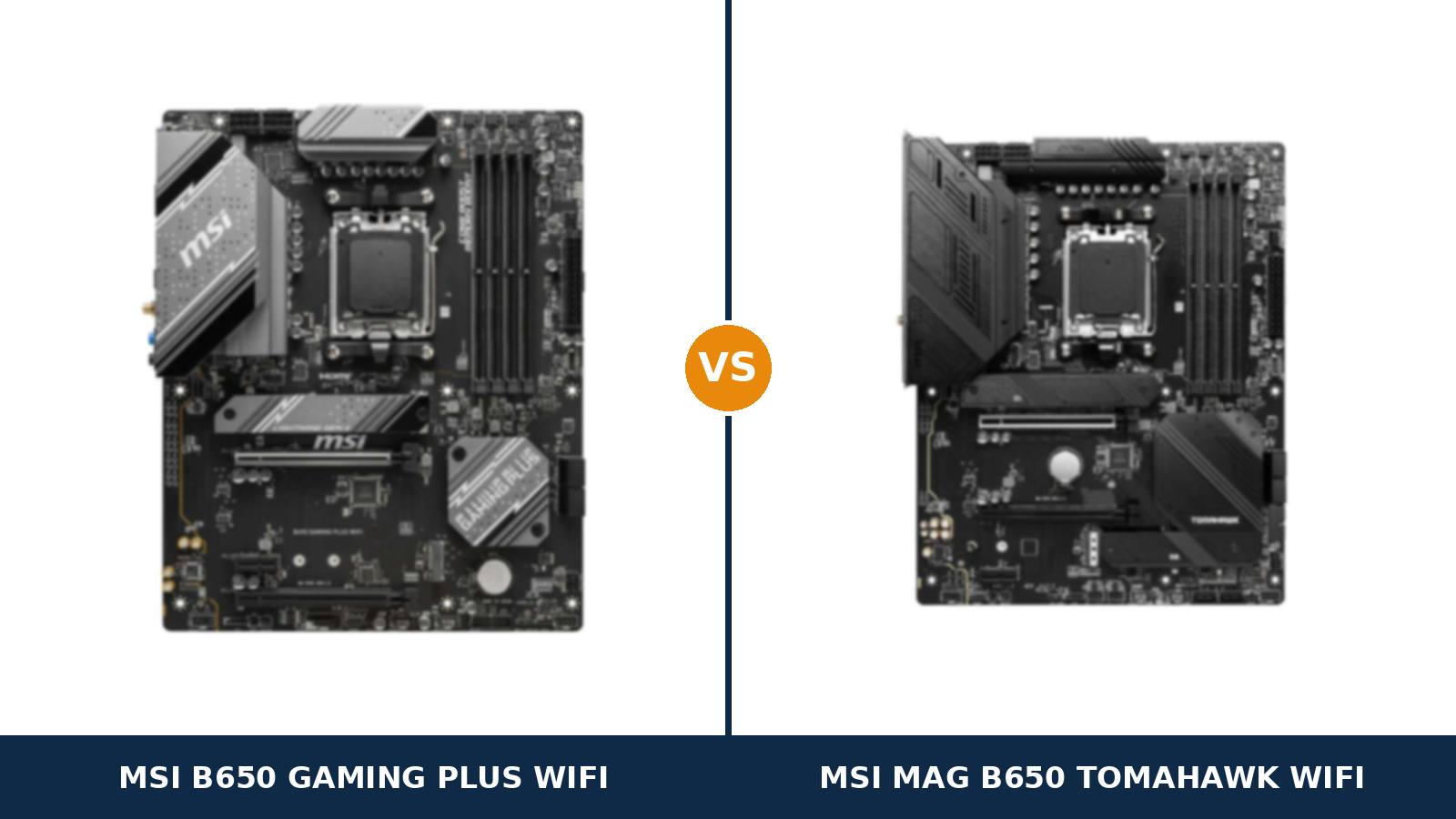
Read these two boards the way you would read a car brochure: they are trim levels of the same model.
The MSI B650 Gaming Plus WiFi is the base trim. The MSI MAG B650 Tomahawk WiFi is the same platform with the options boxes ticked. Underneath both sits the identical foundation — B650 chipset, AM5 socket, six-layer PCB, the same network controller, the same wireless standard.
Most of the options list behaves exactly as you would predict. Pay the step-up and you collect more power phases, an extra drive bay, a better audio codec, a longer row of rear ports.
Then one line runs backwards. The base trim’s second expansion slot is wired with twice the lanes of the flagship’s. Which means the honest question is not “which board is better?” — it is “which of these options will your build ever switch on?”
This guide itemises the whole list from MSI’s own specification pages, so the step-up has to justify itself in hardware, not badge.
Key Takeaways
- One platform, two trims. Chipset, socket, 2.5G LAN chip, Wi-Fi 6E and the 20Gbps rear USB-C port are shared hardware, not Tomahawk exclusives.
- The step-up buys reserves. A 14+2+1 power design on rated 80A stages, a third M.2 slot, six SATA ports and an optical audio output.
- The base trim wins one row outright. The Gaming Plus wires its second PCIe slot at x4; the Tomahawk manages only x2 there.
- Settled builds feel no difference. A Ryzen 5 or Ryzen 7, one graphics card and two drives never reach the hardware the Gaming Plus leaves out.
- The name is a trap. No “MPG” version of this board exists, and the B650M namesake is a smaller, different motherboard.
Quick Verdict
Buy the MSI MAG B650 Tomahawk WiFi for a machine that will grow. Every meaningful option is fitted as standard.
Power stages rated at 80 amps. Three M.2 slots. Six SATA ports. An optical output for the amplifier on your desk. It is the trim for Ryzen 9 processors, migrating drive collections and PCs that get opened again.
Buy the MSI B650 Gaming Plus WiFi for a machine that is finished. The platform underneath is unchanged — the same networking, the same memory support, the same fast USB-C.
And if a second add-in card features in your plans, skip the word “compromise” entirely. On that line of the sheet, the base trim is simply the better-equipped board.
The Scorecard
Scores below are derived directly from the manufacturer specifications compared in this guide — phase counts, slot counts, port counts and supported standards. They are a reading aid, not benchmark results.
| Category | B650 Gaming Plus WiFi | B650 Tomahawk WiFi | ||
|---|---|---|---|---|
| Power delivery | 7 / 10 | 9 / 10 | ||
| Storage | 7 / 10 | 9 / 10 | ||
| Expansion | 8 / 10 | 7 / 10 | ||
| Memory | 8 / 10 | 9 / 10 | ||
| USB connectivity | 8 / 10 | 9 / 10 | ||
| Networking & audio | 6 / 10 | 9 / 10 | ||
| Overall | 7.3 / 10 | 8.6 / 10 | ||
Notice the shape of that table. The Tomahawk’s lead is built from depth — more of everything a spec sheet can count. The Gaming Plus’s single win sits in the column spec sheets usually bury.
At a Glance: Who Each Board Fits
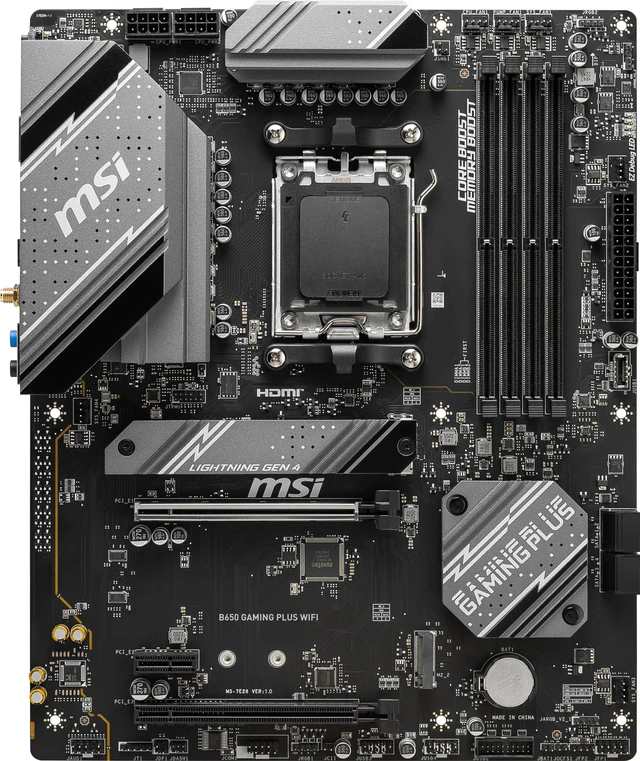
MSI B650 Gaming Plus WiFi
- 12+2+1 Duet Rail power design, dual 8-pin CPU power
- Second PCIe slot wired at x4 — double the Tomahawk
- Two M.2 slots, both CPU-fed at full x4 speed
- Wi-Fi 6E and 2.5G LAN, identical to the Tomahawk
- EZ M.2 Clip for tool-less SSD fitting
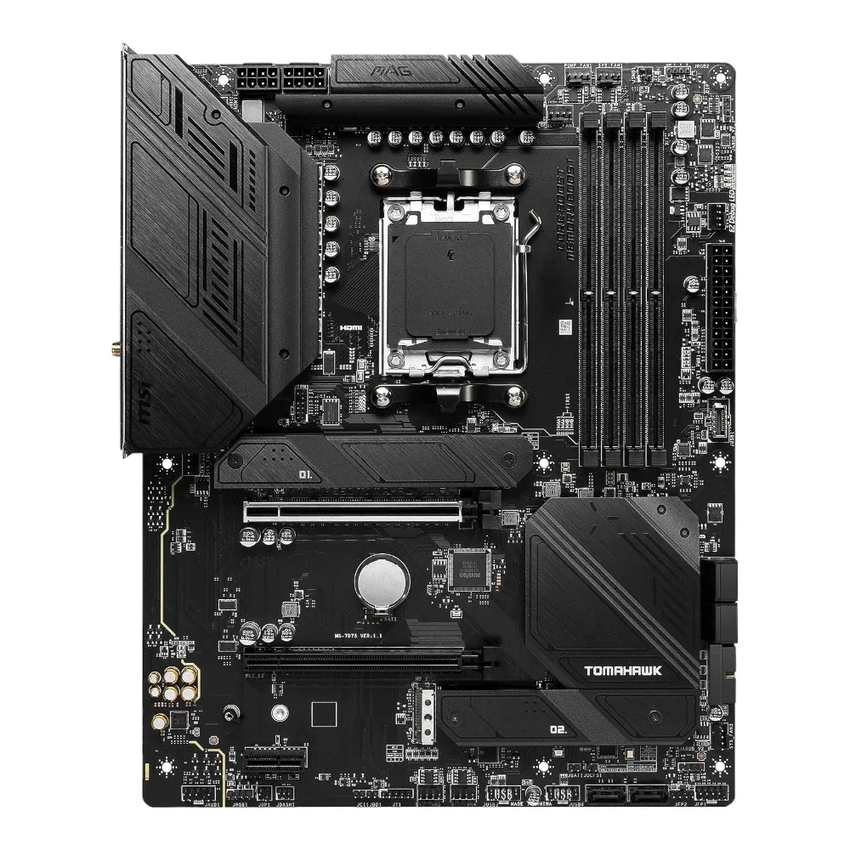
MSI MAG B650 Tomahawk WiFi
- 14+2+1 Duet Rail power design, 80A Smart Power Stages
- Three PCIe 4.0 M.2 slots and six SATA ports
- ALC4080 audio with optical S/PDIF output
- Ten rear USB ports, six system fan headers
- DDR5 support rated to 7600+ MT/s (OC)
Choose the B650 Gaming Plus WiFi if…
The parts list is already written: a Ryzen 5 or Ryzen 7, one graphics card, a boot drive and a game drive. Hardware beyond that specification is decoration you would never use.
A capture card, fast network card or NVMe carrier is on the roadmap. The x4-wired second slot is the single most future-proof feature in this entire comparison for card-based upgrades.
Or the money saved here moves a visible part up a tier. A larger SSD and a better memory kit change every session; an empty third M.2 slot changes none.
Choose the MAG B650 Tomahawk WiFi if…
A Ryzen 9 is fitted now, or pencilled in for when prices soften. Sustained sixteen-core work is precisely the duty cycle its rated power stages were specified around.
Your storage arrives from a previous machine in a stack. Three NVMe slots and six SATA ports take the lot without adapters or a cull.
Your audio leaves the PC through an optical cable. One of these rear panels has the socket. The other never will.
As an Amazon Associate I earn from qualifying purchases at no extra cost to you.
Specifications: The Specs That Actually Matter
Everything in the table comes from MSI’s published specification pages for these two boards, checked against MSI’s own product data.
One disagreement lives inside MSI’s own pages — it concerns the Gaming Plus’s memory figures. Rather than pick quietly, we flag it in the notes below the table.
| Specification | MSI B650 Gaming Plus WiFi | MSI MAG B650 Tomahawk WiFi |
|---|---|---|
| Form factor | ATX, 30.5 × 24.4 cm | ATX, 30.5 × 24.4 cm |
| Socket / chipset | AMD AM5 / B650 | AMD AM5 / B650 |
| CPU support | Ryzen 9000, 8000, 7000 series | Ryzen 9000, 8000, 7000 series |
| VRM design | 12+2+1 Duet Rail, 8+8-pin | 14+2+1 Duet Rail, 80A Smart Power Stages, 8+8-pin |
| PCB | 6-layer, 2 oz thickened copper | 6-layer, 2 oz thickened copper |
| Memory | 4 × DDR5, up to 256 GB, 7200+ MT/s (O.C.), EXPO | 4 × DDR5, up to 256 GB, 7600+ MT/s (O.C.), EXPO |
| Graphics slot | PCIe 4.0 x16, Steel Armor | PCIe 4.0 x16, Steel Armor |
| Other expansion | PCIe 4.0 x16 slot (x4 wired) + PCIe 3.0 x1 | PCIe 4.0 x16 slot (x2 wired) + PCIe 3.0 x1 |
| M.2 storage | 2 slots, both PCIe 4.0 x4 from the CPU | 3 slots, all PCIe 4.0 x4 |
| SATA | 4 × SATA 6 Gb/s, RAID 0/1 | 6 × SATA 6 Gb/s, RAID 0/1/10 |
| Display outputs (iGPU) | HDMI 2.1 (4K 60Hz), DisplayPort 1.4 (4K 60Hz) | HDMI 2.1 (4K 60Hz), DisplayPort 1.4 (8K 60Hz) |
| LAN | Realtek RTL8125BG 2.5 GbE | Realtek RTL8125BG 2.5 GbE |
| Wireless | Wi-Fi 6E, Bluetooth 5.3 | Wi-Fi 6E, Bluetooth 5.3 |
| Audio | Realtek ALC897, 7.1 | Realtek ALC4080, 7.1, optical S/PDIF out |
| USB (rear) | 4 × 5Gbps A, 3 × 10Gbps A, 1 × 20Gbps C | 2 × USB 2.0, 4 × 5Gbps A, 3 × 10Gbps A, 1 × 20Gbps C |
| Front USB-C header | USB 3.2 Gen 2, 10 Gbps | USB 3.2 Gen 2, 10 Gbps |
| Fan headers | CPU + pump + 4 system | CPU + pump + 6 system |
| BIOS flashing | Flash BIOS Button (rear panel) | Flash BIOS Button (rear panel) |
| Debug aids | 4 × EZ Debug LED | 4 × EZ Debug LED |
Memory note: MSI’s current specification page rates the Gaming Plus at 256 GB maximum and DDR5-7200+ under overclocking. The MSI US store page for the same board still carries the launch figures — 192 GB and 6000+.
Our table follows the current specification page. In practice the argument is academic: DDR5-6000 with an EXPO profile is the AM5 sweet spot, and both boards run it identically.
Lane-sharing note: on the Tomahawk, the third M.2 slot and the second PCIe slot feed from the same chipset bandwidth. Fill both and each drops to x2. The Gaming Plus carries no such footnote — its two M.2 slots hang directly off the processor, so there is nothing to share.
APU note: the smaller Ryzen G-series chips reclaim lanes the board cannot replace. With an 8500G or 8300G fitted, the Tomahawk’s second M.2 slot goes unavailable and the Gaming Plus’s second slot falls to x2; the 8700G and 8600G narrow the graphics slot to x8 on either board. Count a G-series processor’s lanes before counting the board’s slots.
The Differences That Actually Matter
1. Power delivery — the option the step-up mostly buys
Compare how MSI describes each design. The Tomahawk’s is quoted in full: a 14+2+1 Duet Rail layout built on Smart Power Stages, each one rated at 80 amps.
The Gaming Plus gets the phase count — 12+2+1 Duet Rail — and no stage rating at all. Manufacturers publish the numbers they are proudest of. The omission tells its own story about where the two designs sit.
The supporting cast is shared, and it is not flimsy on either board. Dual 8-pin EPS connectors. A six-layer PCB with 2 oz thickened copper. Extended heatsinks over the power stages on both.
Where the difference shows is in duration, not drama. Hold a sixteen-core Ryzen 9 at full load for an hour and the Tomahawk spreads that current across more, stronger stages, each cruising further below its ceiling.
Run a Ryzen 5 or Ryzen 7 instead — most AM5 builds — and both boards hold boost clocks without complaint. Twelve phases is a ceiling most owners never reach.
So score this section as headroom accounting. Buying the Tomahawk for a Ryzen 7 is buying capacity you store rather than use. Buying it for a Ryzen 9 is buying the right tool.
2. Expansion — the line that runs backwards
Start with the tie. Both graphics slots are PCIe 4.0 x16 fed by the processor, reinforced with Steel Armor, and neither board offers PCIe 5.0 in any slot — graphics or storage.
Drop one slot down and the brochure logic inverts. In the Gaming Plus, the second full-length slot runs at x4 on chipset lanes. In the Tomahawk, the same slot runs at x2.
Two lanes will run a basic network card or a sound card without protest. What they will not run properly is the hardware people bolt in during year two — a capture card chasing its top format, a 10-gigabit adapter, an NVMe carrier. Those cards ask for four lanes, and on the Tomahawk they get half their design speed or refuse the job.
Keep the proportion, though. The typical gaming PC never hosts a second card in its life, and for that machine this section settles nothing. For streamers, home-server builders and workstation tinkerers, it may settle everything.
3. Storage — three bays and a footnote, against two bays and none
On counts, the Tomahawk walks it. Three M.2 slots, each PCIe 4.0 x4. Six SATA ports carrying RAID 0, 1 and 10. The Gaming Plus answers with two M.2 slots, four SATA ports and RAID 0 and 1.
On wiring, the picture politely reverses. Both of the Gaming Plus’s slots connect straight to the CPU at full width — no chipset detour, no conditions, the same speed on day one and day one thousand.
The Tomahawk’s third slot is the chipset’s, and it shares its lanes with that x2-wired PCIe slot. Populate both homes and both tenants run at x2. Gen4 storage at half width is still brisk, but anyone filling every socket deserves the footnote before the screwdriver.
Cooling scales with the count: Shield Frozr heatsinks dress the Tomahawk’s primary M.2 positions; the Gaming Plus lists the coverage in leaner form.
Call it by use. A drive collection moving house, or a home server running parity RAID, belongs on the Tomahawk. A boot drive plus a game drive belongs on either — and arrives with fewer asterisks on the Gaming Plus.
4. Audio — one socket settles the whole section
The Tomahawk runs Realtek’s ALC4080, the flagship codec in MSI’s Audio Boost 5 line, with 32-bit/384 kHz playback at the front panel. Its headline feature, though, is a physical socket: an optical S/PDIF output on the rear panel.
The Gaming Plus runs the ALC897, an honest industry workhorse that handles headsets and desktop speakers without any drama worth reporting. What it cannot do, at any price and with any cable, is output optical — the socket does not exist.
That turns this section into a question about furniture rather than electronics. Audio travelling over HDMI, or into a USB headset? Dead tie; the codec names are spec-sheet jewellery.
Audio travelling into an AV receiver, a soundbar or a DAC over TOSLINK? The comparison ends on this line, and the Tomahawk is the only board still in it.
5. USB — level on speed, apart on sockets
Align the fast ports and the boards match device for device: four 5Gbps Type-A, three 10Gbps Type-A and one 20Gbps Type-C apiece on the rear panel. Fast external drives and docks cannot tell the two apart.
The Tomahawk then adds a pair of USB 2.0 sockets the Gaming Plus leaves off, taking its rear total to ten against eight. Dismiss that as filler and count what permanently occupies USB 2.0 at a real desk: receiver dongles, a printer, a UPS data link, a stream controller, a DAC.
At the front of the case there is nothing between them. Both carry a 10Gbps USB-C header, so a front Type-C port on your case runs at full speed whichever board sits behind it.
Net result: bandwidth is a draw, elbow room is not. Desks that run on dongles will feel those two sockets.
6. Networking — call it early, there is nothing here
Some sections earn their place in a comparison by being declared a draw quickly. This is that section.
Wired networking runs through Realtek’s RTL8125BG on both boards: one controller, one driver, the same 2.5-gigabit throughput.
Wireless is equally matched. Wi-Fi 6E with the 6 GHz band on both, Bluetooth 5.3 on both, antennas packed in both boxes. MSI fits an AMD-branded module to the Gaming Plus in place of the Tomahawk’s unit, but the delivered standard is identical.
If fast wired networking and modern Wi-Fi top your requirements list, congratulations — you already have both, on either board. Spend the decision on the sections where the two genuinely diverge.
7. Fan headers, display outputs and the last page of the sheet
Cooling headers are the final hardware gap. Six system fan headers sit alongside the Tomahawk’s CPU and pump pair; the Gaming Plus offers four system headers beside the same pair.
Four covers a normal case — intakes, exhaust, radiator fans — with splitters in reserve. Six is what a fan-stacked case or a custom loop asks for, each fan group on its own header.
The shared toolkit is generous on both sides: a four-LED EZ Debug strip for first-boot diagnosis, a rear-panel Flash BIOS Button that updates the BIOS with no processor installed, and HDMI plus DisplayPort outputs for integrated graphics — the Tomahawk’s DisplayPort rated for 8K output, the Gaming Plus’s for 4K.
One Gaming Plus footnote refuses to be skipped: a legacy serial COM header survives on the base trim. Gamers will never touch it. Anyone driving industrial, lab or point-of-sale hardware from a modern PC has just found the only board in this comparison that still speaks to it.
CPU Pairing Guide
Trim level only matters relative to the engine you install. Find your processor in this table and most of the decision makes itself.
| Your processor | B650 Gaming Plus WiFi | B650 Tomahawk WiFi | Our call |
|---|---|---|---|
| Ryzen 5 7600 / 9600X | Excellent | Excellent | Gaming Plus — keep the step-up money |
| Ryzen 7 7700X / 7800X3D / 9700X / 9800X3D | Excellent at stock settings | Excellent | Either; Tomahawk for aggressive PBO tuning |
| Ryzen 9 7900X / 7950X / 9900X / 9950X | Capable at stock; its VRM works hardest here | Excellent — rated stages, headroom in reserve | B650 Tomahawk WiFi |
| Ryzen 7 8700G / Ryzen 5 8600G (APU) | Good — graphics slot narrows to x8 | Good — graphics slot narrows to x8 | Either; the chip, not the board, sets the limits |
| Ryzen 5 8500G / 8300G | Workable — second M.2 slot drops to x2 | Workable — second M.2 slot unavailable | Gaming Plus, narrowly — its second slot survives |
Study the last two rows before buying either board for an APU build. The smaller G-series processors bring fewer PCIe lanes to the socket than the desktop range, so features vanish from the spec sheet no matter which trim you pay for. It is a processor limitation — but it does sting less on the cheaper board.
The 30-Second Decision
| If this sounds like you… | Buy this |
|---|---|
| “A Ryzen 9 goes in now, or when prices drop.” | B650 Tomahawk WiFi (80A power stages) |
| “Ryzen 5 or 7, one graphics card, one or two SSDs.” | B650 Gaming Plus WiFi |
| “Old drives are coming with me — several of them.” | B650 Tomahawk WiFi (3 M.2 + 6 SATA) |
| “A capture card or second add-in card is planned.” | B650 Gaming Plus WiFi (x4 second slot) |
| “My amplifier only takes optical.” | B650 Tomahawk WiFi (S/PDIF out) |
| “The difference would buy a better GPU tier.” | B650 Gaming Plus WiFi |
Ready to check today’s price?
The gap between the two trims moves around. Check today’s figure on the board your build points to.
View on Amazon — B650 Gaming Plus WiFiView on Amazon — B650 Tomahawk WiFiWhat You Gain. What You Give Up.
MSI B650 Gaming Plus WiFi
You gain: the full platform at the lower price — Wi-Fi 6E, 2.5G Ethernet, the 20Gbps rear Type-C, four DDR5 slots and a 10Gbps front USB-C header all survive the trim. The better second slot, wired at x4. And an M.2 layout with no sharing rules: both slots CPU-fed, full speed, permanently.
You give up: reserves. VRM headroom for the flagship processors, the third drive slot, two SATA ports, optical audio, and two each of USB sockets and fan headers. Not one of those absences is felt on the first day; every one of them is felt on an upgrade day.
MSI MAG B650 Tomahawk WiFi
You gain: the completely specified power design — 14+2+1 phases on 80A stages under the bigger heatsinks. Storage in depth: three M.2 slots and six SATA ports, RAID 10 among them. The ALC4080 codec with its optical output. A longer rear panel, two more fan headers, and the higher memory rating.
You give up: money, first of all. And then, quietly, second-card bandwidth — the full-length slot below your graphics card runs at x2, half the wiring of the board that costs less, and shares its lanes with the third M.2 slot besides.
Pros and Cons
B650 Gaming Plus WiFi — Pros
- Full headline spec — Wi-Fi 6E, 2.5G LAN, 20Gbps USB-C — at the lower price
- Second PCIe slot wired at x4
- Both M.2 slots CPU-fed at full x4 speed, no sharing
- Dual 8-pin CPU power on a 12+2+1 design
- EZ M.2 Clip for tool-less drive fitting
Cons
- ALC897 audio, and no optical output
- Two M.2 slots and four SATA ports only
- No published VRM stage rating
- Four system fan headers
- No PCIe 5.0 anywhere
B650 Tomahawk WiFi — Pros
- 14+2+1 VRM with published 80A Smart Power Stages
- Three M.2 slots and six SATA ports, RAID 10
- ALC4080 audio with optical S/PDIF output
- Ten rear USB ports including 20Gbps Type-C
- Six system fan headers plus a dedicated pump header
Cons
- Second PCIe slot wired at only x2
- Third M.2 slot shares bandwidth with that slot
- No PCIe 5.0 anywhere — same as the Gaming Plus
- The pricier of the two boards
Read the Full Name Before You Read the Price
Confirm which board is actually in the listing. MSI’s B650 range hides three separate traps, and each one changes what arrives in the box.
The board in this comparison is the MSI B650 Gaming Plus WiFi, full ATX, model code 7E26-001R. Note carefully what its name leaves out: no “MPG” edition of it exists. The MPG B650 boards — Edge WiFi, Carbon WiFi — are different products a tier higher, and any listing blending the two names is mislabelled.
Then there is the B650M Gaming Plus WiFi. One letter smaller, and a different motherboard: micro-ATX format, a 10+2+1 power design, rearranged slots. A wired-only Gaming Plus also circulates in some regions, so treat the “WiFi” in the title as load-bearing, not decorative.
The Tomahawk name needs the mirror-image check. This comparison is the MAG B650 Tomahawk WiFi; the B550 and X870 Tomahawks wear the same badge on entirely different chipsets.
Check which memory figures the page is quoting. Reseller listings — and MSI’s own US store — still show the Gaming Plus at its launch numbers: 6000+ MT/s and 192 GB.
The current specification page rates the identical board at 7200+ and 256 GB. Nothing about the hardware changed; the published support grew around it. Judge the board by the current page.
Check the processor pairing. A Ryzen 9000 chip may ask for a younger BIOS than the board shipped with. Both boards answer the problem identically — a rear-panel Flash BIOS Button that performs the update with no CPU fitted whatsoever.
Check the bundle. Board, Wi-Fi antennas and SATA cables from both boxes, with the Gaming Plus adding its EZ M.2 clip. Nothing in either carton should move this decision.
The Upgrade Path Test
AM5 is a keeper socket: three Ryzen generations already pass through it, and both boards take all three. So judge a board by what it absorbs in years two and three, not this year.
Storage is usually the first upgrade. A second NVMe drive fits both boards. A third fits only the Tomahawk. The drives inherited from the machine being replaced fit both too — six SATA devices on the Tomahawk, four on the Gaming Plus.
The processor is usually the second. A discounted Ryzen 9 drops confidently into the Tomahawk’s 80-amp stages, and into the Gaming Plus with a longer thought about sustained loads. The socket accepts the chip on both; the power sections differ in how hard they work for it.
The third upgrade is the one nobody schedules: the add-in card. The capture card when streaming starts. The fast network card when the home server arrives. Here the ledger flips — the Gaming Plus’s x4 slot is waiting at full width, and the Tomahawk’s x2 slot becomes the bottleneck in the system.
So refuse the lazy version of the question. It is not which board upgrades better. It is which upgrades are actually yours: drives and processors lean one way, expansion cards lean the other, and a machine destined for outright replacement in four years leans to the cheaper board without hesitation.
When to Skip Both
A few requirements exit this comparison altogether, and it is cheaper to discover that on this page than at checkout.
Skip both for PCIe 5.0 — in the graphics slot, in storage, or as a matter of future-proofing principle. On these two boards, Gen4 is all you get, in every slot there is. That feature set begins at B650E and X870.
Skip both for USB4, which lives in those same higher tiers. Skip both for a micro-ATX or mini-ITX case: these are full-size ATX boards, and smaller variants exist elsewhere in MSI’s range.
And skip both if memory overclocking is the hobby in itself. Record-chasing belongs to specialised two-slot boards; four-slot boards like these are built to be run.
For the mainstream AM5 gaming or mixed-use build, though, the answer is sitting in this comparison. The sections above exist to tell you which one of the two it is.
BIOS and Long-Term Support
A kept socket keeps its support pages alive, and MSI maintains both of these boards actively for exactly that reason.
Expect a BIOS release for every new Ryzen generation, current chipset and LAN drivers, and full CPU and memory compatibility lists. And because both boards flash their BIOS with no processor installed, an upgrade can never strand you holding a chip the board refuses to meet.
The four-LED EZ Debug strip earns its keep on both boards as well. When a first boot fails, the board identifies the stage — processor, memory, graphics, boot device — instead of sending you reseating components at random.
Keep the standing habits whichever trim you buy: update the BIOS before a processor swap, note your memory kit’s EXPO profile first, and leave the antennas fitted even on a wired desk. The Wi-Fi you never use remains the finest backup connection going.
Final Verdict
Our pick for most builders is the MSI MAG B650 Tomahawk WiFi.
Not because the Gaming Plus falls short — across a whole spec sheet it plainly does not — but because of what kind of things the Tomahawk’s advantages are. Power stages, drive bays, SATA ports and an optical socket are cast into the board at the factory. They cannot be bought separately, fitted later or worked around; the Gaming Plus’s counter-advantages are its price and a single slot’s wiring.
The Tomahawk is the board for the PC that gets reopened: a Ryzen 9 in waiting, a storage library still growing, an amplifier expecting an optical feed.
Buy the Tomahawk WiFi for top-end processors, storage-heavy builds and optical-fed audio — and for any build you intend to upgrade rather than replace.
View on Amazon — B650 Tomahawk WiFi
Buy the B650 Gaming Plus WiFi if the build is complete the day it first boots. Ryzen 5 or 7, one graphics card, a drive or two — and doubly so if a capture card or second add-in card is planned, where its x4 slot does not merely compete with the Tomahawk but beats it.
It keeps every headline feature the platform advertises and charges less for the privilege. Buy it knowing the saving was taken from reserves you may never call on, not from the machine in front of you.
View on Amazon — B650 Gaming Plus WiFi
Frequently Asked Questions
What exactly does the Tomahawk’s step-up buy?
An itemised answer: a 14+2+1 VRM on published 80A stages, a third M.2 slot, six SATA ports, RAID 10, the ALC4080 codec with an optical output, two extra rear USB sockets, two extra fan headers and a higher memory rating. What it does not buy is a better second expansion slot — that goes the other way.
Does MSI make an MPG B650 Gaming Plus?
No. MSI’s official name for the board is the B650 Gaming Plus WiFi, with no MPG prefix anywhere in it — the MPG B650 models are the Edge WiFi and Carbon WiFi, a tier above. If a listing says otherwise, verify the model code 7E26-001R before paying for anything.
Which board should I buy for a Ryzen 7 7800X3D?
Either, with a lean towards the Gaming Plus. The 7800X3D is not a heavy current draw, both boards run it at full stock performance, and the money saved buys memory or storage you will notice daily. Reserve the Tomahawk for builders who plan to tune hard now or step up to a Ryzen 9 later.
Can the Gaming Plus WiFi run a Ryzen 9 9950X?
Yes — its 12+2+1 design with dual 8-pin power is rated across the full AM5 range, and at stock settings it runs the flagship properly. Under long sustained all-core loads, the Tomahawk’s published 80A stages hold more headroom in reserve, which is why workstation builds get steered there. Check MSI’s CPU support list and update the BIOS first, on either board.
Which board should capture-card and second-card builders choose?
The Gaming Plus, clearly. Its second full-length slot carries four chipset lanes; the Tomahawk’s equivalent carries two. Capture cards, 10-gigabit adapters and NVMe carriers designed around four lanes run at full speed in the Gaming Plus, and at half speed — or not at all — in the Tomahawk.
How many drives can each board hold?
The Tomahawk holds three M.2 NVMe drives and six SATA drives, with RAID 0, 1 and 10 across the SATA side — though its third M.2 slot shares bandwidth with its second PCIe slot, so filling both settles each at x2. The Gaming Plus holds two M.2 drives, both wired directly to the CPU at full x4 with nothing shared, plus four SATA drives.
Do both boards have Wi-Fi 6E and 2.5-gigabit Ethernet?
Yes, and identically. Each ships with Wi-Fi 6E including the 6 GHz band, Bluetooth 5.3 and antennas in the box, and each wires networking through Realtek’s RTL8125BG 2.5-gigabit controller. Networking is a genuine tie — do not let it influence the choice in either direction.
Which DDR5 kit suits these boards?
The same kit for both: DDR5-6000 with an EXPO profile. That is the speed at which the AM5 memory controller runs its happiest ratio. The Tomahawk’s 7600+ and the Gaming Plus’s 7200+ ratings describe overclocking headroom, not purchasing targets — chasing them typically buys instability, not frames.
Sources & Verification
MSI B650 GAMING PLUS WIFI official product page, specification and datasheet, msi.com • MSI MAG B650 TOMAHAWK WIFI official product page and specification, msi.com • MSI-US store product data for both boards • Amazon listing data used for model and ASIN confirmation only (Gaming Plus model 7E26-001R, UPC 824142324080; Tomahawk UPC 824142301036). Specifications verified November 2026.

James Wilson
James has been building and benchmarking PCs for over a decade and writes Honestly Compared’s motherboard and component guides. His rule for every comparison: the verdict has to survive the spec sheet, not the marketing page.