
MSI B850 Gaming Plus WiFi vs MSI MAG B850 Tomahawk MAX WiFi: Which Should You Buy?
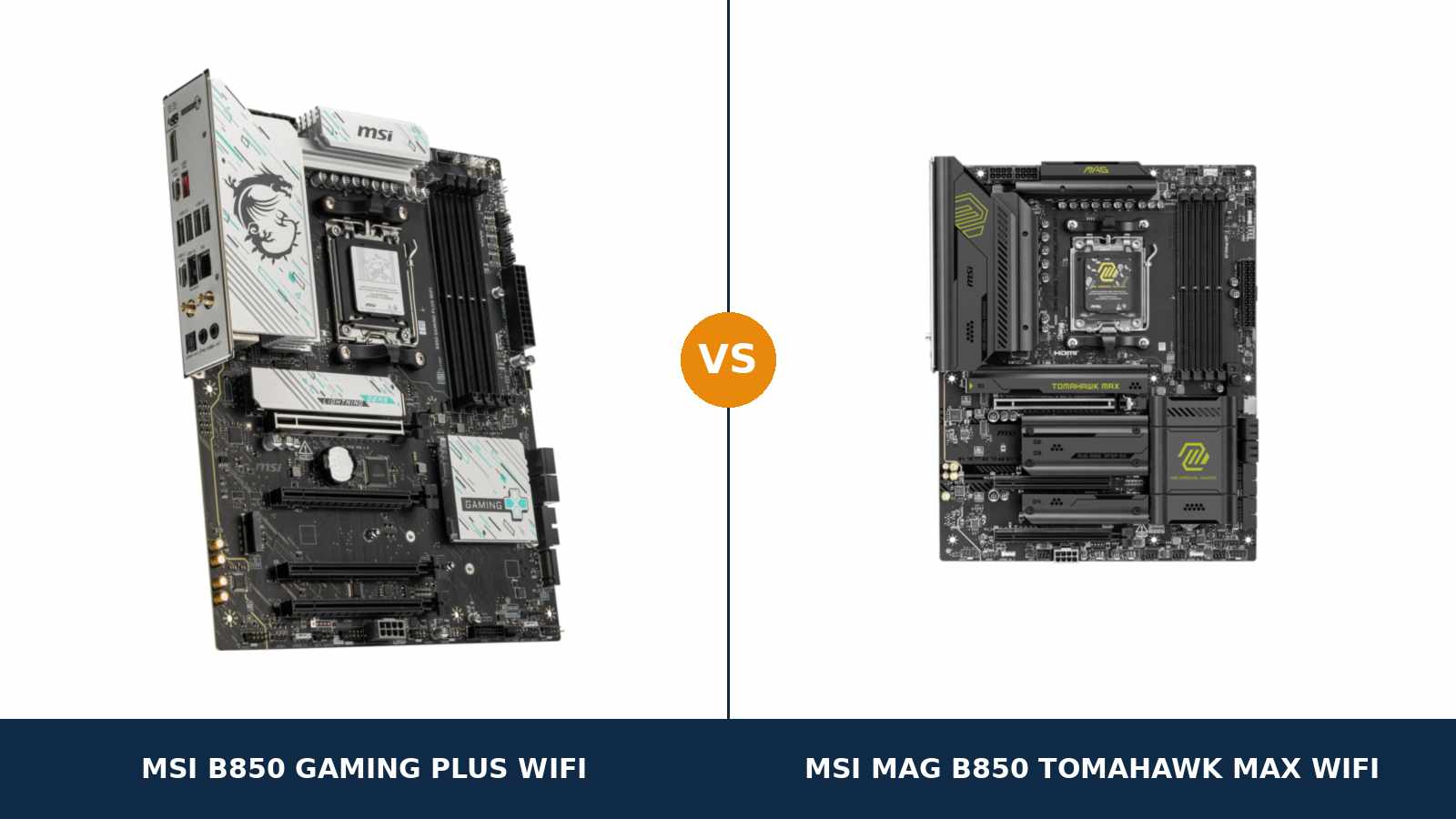
Same brand. Same chipset. Same socket, same memory, same networking chips, same box colour scheme on the shelf.
The MSI B850 Gaming Plus WiFi and the MSI MAG B850 Tomahawk MAX WiFi are the two boards most AM5 builders narrow it down to, and on a quick spec glance they look separated by little more than a price gap and a paint job — silver heatsinks on one, black on the other.
That glance misleads. These are two different briefs. The Gaming Plus is MSI's value board, trimmed where most builders never look. The Tomahawk MAX is the enthusiast board, reinforced in exactly those places: power delivery, storage and audio.
One naming warning matters here. There is no plain “B850 Tomahawk” in MSI's line-up — it is sold as the MAG B850 Tomahawk MAX WiFi, and that is the board compared here, not the later MAX WiFi II variant or the Gaming Plus side's WiFi6E namesake. The buying guide below lists every lookalike to avoid.
Every specification here comes from MSI's own published data, and the verdict is the one we would give a friend spending their own money.
Key Takeaways
- The Tomahawk MAX WiFi is the stronger board. A 14+2+1 VRM with 80A stages, four M.2 slots with two Gen5, and flagship-class USB audio.
- The Gaming Plus WiFi is the smarter value buy. It keeps the same 5G LAN, Wi-Fi 7, Gen5 graphics slot and memory support for less money.
- Networking is a tie. Both boards run the same Realtek 5G LAN and Wi-Fi 7, and both take 256 GB of DDR5.
- The Gaming Plus honestly wins two rounds. It has four expansion slots to the Tomahawk's three, and it is the only one of the two with SATA RAID.
- Each board has exactly one display output — a different one. DisplayPort on the Gaming Plus, HDMI 2.1 on the Tomahawk. APU builders, choose carefully.
Quick Verdict
Buy the MSI MAG B850 Tomahawk MAX WiFi for most performance builds. It is the more complete motherboard.
Its 14+2+1 Duet Rail VRM uses 80A Smart Power Stages on an 8-layer, 2oz-copper PCB. It fits four M.2 drives, two of them PCIe 5.0. Its ALC4080 audio, ten rear USB ports and eight fan headers are all a class above.
Building around a Ryzen 7 or Ryzen 9, or planning to keep the board through a CPU upgrade? This is the one.
Buy the MSI B850 Gaming Plus WiFi for a Ryzen 5 or Ryzen 7 gaming PC if the Tomahawk's extras would sit unused. The platform experience is identical: same chipset, Gen5 GPU slot, 5-gigabit LAN and Wi-Fi 7.
It even fights back in places: four expansion slots instead of three, SATA RAID the Tomahawk drops, DisplayPort for monitor-based APU builds. Spend the saving on the graphics card, where it shows up in frame rates.
The Scorecard
Scores below are derived directly from the manufacturer specifications compared in this guide — phase counts, slot counts, port counts and supported standards. They are a reading aid, not benchmark results.
| Category | B850 Gaming Plus WiFi | MAG B850 Tomahawk MAX WiFi | ||
|---|---|---|---|---|
| Power delivery | 7 / 10 | 9 / 10 | ||
| Storage | 7 / 10 | 9 / 10 | ||
| Expansion | 8 / 10 | 7 / 10 | ||
| Memory | 8 / 10 | 9 / 10 | ||
| Networking & audio | 7 / 10 | 9 / 10 | ||
| USB & connectivity | 7 / 10 | 9 / 10 | ||
| Display outputs (APU builds) | 7 / 10 | 8 / 10 | ||
| Overall | 7.3 / 10 | 8.6 / 10 | ||
The pattern is one-directional: the Tomahawk MAX is the upgraded board in nearly every fixed specification. The Gaming Plus closes the gap by costing less, and by keeping a few features the Tomahawk oddly gives up.
At a Glance: Who Each Board Fits
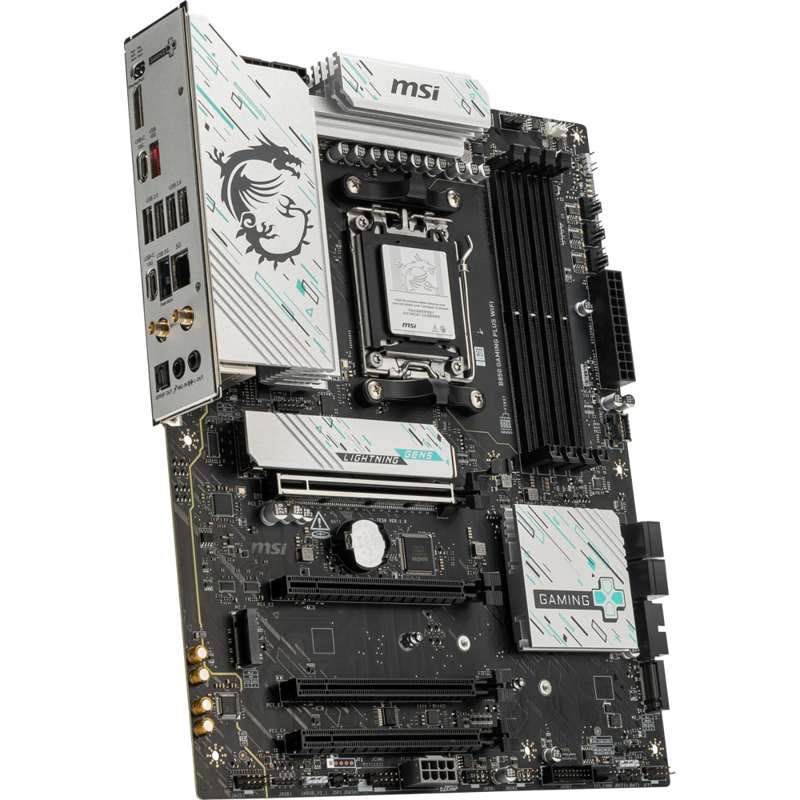
MSI B850 Gaming Plus WiFi
- 12+2+1 Duet Rail power system, dual 8-pin CPU power
- Four expansion slots — the most in this comparison
- Three M.2 slots, one PCIe 5.0 x4
- DisplayPort output for APU builds
- SATA and NVMe RAID 0/1 support
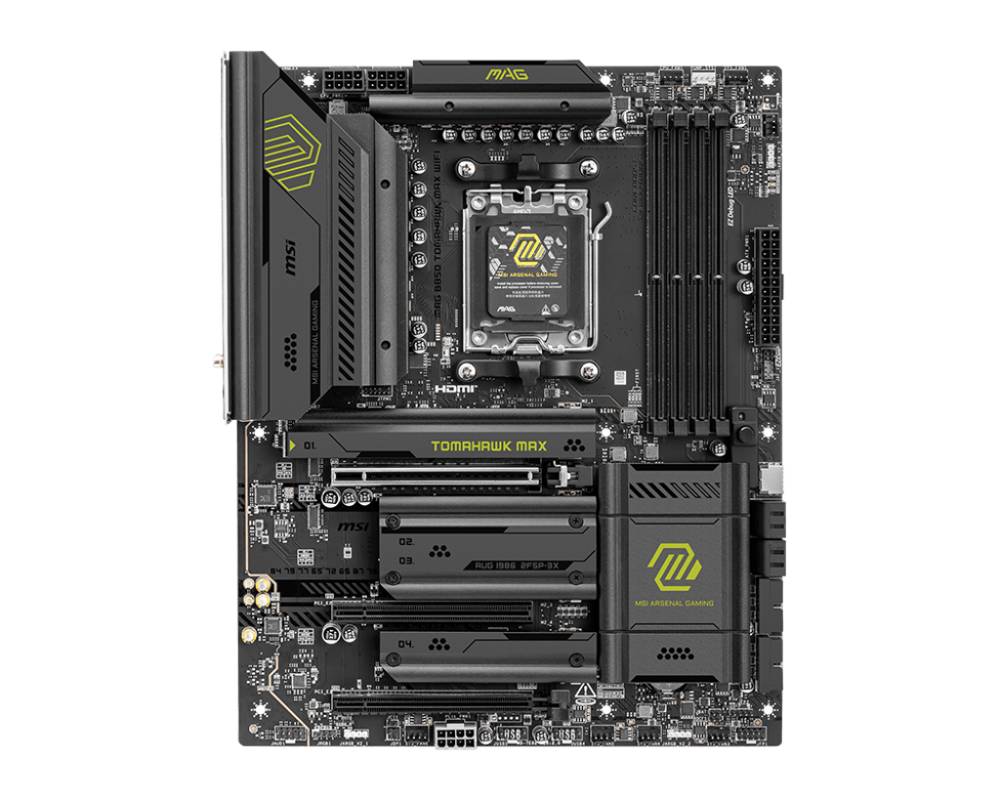
MSI MAG B850 Tomahawk MAX WiFi
- 14+2+1 Duet Rail VRM, 80A stages, 8-layer 2oz PCB
- Four M.2 slots, two of them PCIe 5.0 x4
- Realtek ALC4080 USB audio with Audio Boost 5
- Ten rear USB ports, 20Gbps front-panel USB-C
- Eight fan headers and EZ Memory Detection LED
Choose the B850 Gaming Plus WiFi if…
Your processor is a Ryzen 5 or Ryzen 7 and your priority is frames per money spent. The platform underneath is identical.
You want the extra expansion slot. A capture card, a sound card, a second network adapter — the Gaming Plus physically has room for one more card than the Tomahawk.
You are carrying SATA drives over from an older PC and want a mirrored or striped array. The Gaming Plus still supports SATA RAID. The Tomahawk does not.
Or you are building around an APU and a PC monitor. DisplayPort is the output you want, and only the Gaming Plus has it.
Choose the MAG B850 Tomahawk MAX WiFi if…
You are building with a Ryzen 9, or an X3D chip you plan to push for years. VRM headroom and the 8-layer board are the foundation for that.
You fill storage slots. Four M.2 bays, two of them Gen5, will not need an adapter card later.
You care about onboard audio, fast USB, or a case full of fans. The Tomahawk wins all three — and its front-panel USB-C header runs at 20Gbps, not 5.
As an Amazon Associate I earn from qualifying purchases at no extra cost to you.
Specifications: The Specs That Actually Matter
Every figure below comes from MSI's published specifications and datasheets for these two exact models.
| Specification | MSI B850 Gaming Plus WiFi | MSI MAG B850 Tomahawk MAX WiFi |
|---|---|---|
| Form factor | ATX, 243.84 × 304.8 mm | ATX, 243.84 × 304.8 mm |
| Socket / chipset | AMD AM5 / B850 | AMD AM5 / B850 |
| CPU support | Ryzen 9000, 8000 and 7000 series | Ryzen 9000, 8000 and 7000 series |
| VRM design | 12+2+1 Duet Rail Power System | 14+2+1 Duet Rail, 80A Smart Power Stages, 8-layer 2oz PCB |
| CPU power | 2 × 8-pin EPS + supplemental 8-pin PCIe power | 2 × 8-pin EPS + supplemental 8-pin PCIe power |
| Memory | 4 × DDR5, up to 256 GB, 8200+ MT/s (OC) | 4 × DDR5, up to 256 GB, 8400+ MT/s (OC) |
| Graphics slot | PCIe 5.0 x16 (from CPU) | PCIe 5.0 x16 (from CPU) |
| Expansion slots | 4: x16 Gen5, x4 Gen4, 2 × x1 Gen3 | 3: x16 Gen5, x4 Gen4, x1 Gen3 |
| M.2 storage | 3 slots: 1 × PCIe 5.0 x4, 1 × PCIe 4.0 x4, 1 × PCIe 4.0 x2 | 4 slots: 2 × PCIe 5.0 x4, 1 × PCIe 4.0 x4, 1 × PCIe 4.0 x2 |
| SATA / RAID | 4 × SATA 6 Gb/s, RAID 0/1 (SATA and NVMe) | 4 × SATA 6 Gb/s, RAID 0/1/10 (NVMe only) |
| LAN | Realtek 8126VB 5 Gbps | Realtek 8126VB 5 Gbps |
| Wireless | Wi-Fi 7, Bluetooth 5.4 | Wi-Fi 7, Bluetooth 5.4 |
| Audio | Realtek ALC897, 7.1 HD, S/PDIF out | Realtek ALC4080 (USB), Audio Boost 5, S/PDIF out |
| Display output | 1 × DisplayPort 1.2 (4K @ 60 Hz) | 1 × HDMI 2.1 FRL (8K @ 60 Hz) |
| USB (rear) | 8 ports: 4 × USB 2.0, 1 × Type-A 5Gbps, 1 × Type-A 10Gbps, 2 × Type-C 10Gbps | 10 ports: 4 × USB 2.0, 3 × Type-A up to 10Gbps, 3 × Type-C 10Gbps |
| USB-C front panel | USB 5Gbps header | USB 20Gbps header |
| Fan headers | 6 (CPU, pump combo, 4 × system) | 8 (CPU, pump combo, 6 × system) |
| Debug / extras | EZ Debug LED, EZ M.2 Shield Frozr II, Flash BIOS Button | EZ Debug LED, EZ Memory Detection LED, EZ PCIe Release, EZ M.2 Shield Frozr II, Flash BIOS Button |
Variant note: the name on the box has to match exactly. A “B850 GAMING PLUS WIFI6E” is a different, lesser board — Wi-Fi 6E, 2.5G LAN, PCIe 4.0 graphics slot — and the Tomahawk's later “MAX WIFI II” sibling is a separate listing.
Everything in this guide describes the B850 Gaming Plus WiFi with Wi-Fi 7, and the original MAG B850 Tomahawk MAX WiFi (MSI model 7E62). The buying guide below walks through each namesake.
The Differences That Actually Matter
1. Power delivery — the Tomahawk's headline advantage
The Gaming Plus runs a 12+2+1 Duet Rail power system. That is a respectable design for this price class, fed by dual 8-pin EPS connectors.
The Tomahawk MAX runs 14+2+1 phases with 80A Smart Power Stages. It also moves to an 8-layer PCB with 2oz copper, which spreads both current and heat better than a mainstream board layup.
Be precise about what this buys. A Ryzen 5 9600X or Ryzen 7 9700X at stock will never trouble either VRM. Frame rates will be identical.
The difference appears at the top of the stack. A Ryzen 9 9950X under sustained all-core load is exactly the workload the Tomahawk's extra phases and heavier board were built for.
Here is the principle that decides this section: the VRM is the one part of a motherboard you cannot upgrade later. If your plans include the top of the AM5 range at any point, buy the headroom now.
2. Storage — four M.2 slots and two Gen5 lanes beat three and one
The Gaming Plus offers three M.2 slots: one PCIe 5.0 x4 from the CPU, one PCIe 4.0 x4, and one PCIe 4.0 x2 from the chipset. A Gen5 boot drive plus two game drives is a perfectly good layout.
The Tomahawk MAX offers four M.2 slots, two of them PCIe 5.0 x4 — a genuine enthusiast-grade arrangement at this level.
A second Gen5 slot matters because your next fast drive will not evict your current boot drive to a slower bay.
Both boards make you read the lane-sharing notes before filling every slot. On the Gaming Plus, populating the second or fourth PCIe slot drops the third to x2.
On the Tomahawk, using the third M.2 slot reduces its third PCIe slot to x2 — or a BIOS setting can hold that slot at x4 and disable the M.2 slot instead. Neither board gives you something for nothing.
Then there is the round the Gaming Plus wins outright: RAID 0 and 1 on both SATA and NVMe drives. The Tomahawk's RAID 0/1/10 is NVMe only — its SATA ports run without array support.
Almost nobody builds a SATA array in a new gaming PC. But if you are migrating a mirrored pair of SATA drives from an older machine, the value board still speaks your language.
3. Expansion — the Gaming Plus fits one more card
Both boards give the graphics card a full PCIe 5.0 x16 slot from the CPU. With a Ryzen 8000 G-series APU fitted, that slot runs at x8 on both boards, and at x4 behind the entry-level 8500 and 8300 chips. Platform behaviour, identical on both.
Below that slot, the value board pulls ahead. The Gaming Plus has four physical slots in total: the x16, an x16-length slot wired at PCIe 4.0 x4, and two x1 slots.
The Tomahawk has three: the x16, the x4-wired slot, and a single x1. Its fourth M.2 bay took the space, and the space had to come from somewhere.
For most builders this never matters — a graphics card is the only card they will ever fit.
For builders who stream, capture, or add fast networking, one extra slot is the difference between an upgrade and a workaround. Score this round to the Gaming Plus, honestly.
4. Audio — a real gap, not a spec-sheet technicality
The Gaming Plus uses the Realtek ALC897, a capable 7.1 HD codec found across the mainstream range, with optical S/PDIF out. It drives typical headsets and speakers without complaint.
The Tomahawk MAX jumps two classes. Its Realtek ALC4080 is a USB-interface codec, and MSI pairs it with Audio Boost 5 circuitry.
MSI also rates its front-panel output at up to 32-bit/384kHz playback, a figure the mainstream codec does not approach.
If you use a USB headset, this entire section is moot — your headset carries its own audio hardware. If you plug analogue headphones into the case, the Tomahawk's advantage is one you will hear.
5. USB and the rear panel — the Tomahawk simply has more
Count the rear panel. The Gaming Plus provides eight USB ports: four USB 2.0, one 5Gbps and one 10Gbps Type-A, two 10Gbps Type-C.
The Tomahawk provides ten: the same four USB 2.0, one 5Gbps Type-A, two 10Gbps Type-A and three 10Gbps Type-C.
Neither board is short of USB for a normal desk. The Tomahawk's edge shows with a loaded setup — wheel, pedals, stream gear, external drives — where spare 10Gbps ports stop the hub juggling.
The bigger single difference hides at the front of the case. The Gaming Plus's front-panel USB-C header runs at 5Gbps. The Tomahawk's runs at 20Gbps.
If your case has a front USB-C port and you move large files through it, the Tomahawk feeds it four times the bandwidth. If it only ever charges a phone, you will never notice.
Fans tell the same story: six headers on the Gaming Plus is enough for a typical case; the Tomahawk's eight suit larger, fan-heavy setups without splitters.
6. Display outputs — one port each, and they are not the same port
This section only matters with integrated graphics and no graphics card — an 8700G build, or a placeholder build waiting on a GPU. Everyone else can skip it; both boards' outputs will sit dark.
The Gaming Plus offers a single DisplayPort 1.2, good for 4K at 60 Hz — the natural output for a desk monitor.
The Tomahawk offers a single HDMI 2.1 port with FRL, rated for 8K at 60 Hz. On paper it is the stronger standard, and for a living-room PC driving a modern TV it is the right port.
So the winner depends entirely on your screen. Desk monitor: the Gaming Plus's DisplayPort is the more useful single port, even though the standard is older. Television: the Tomahawk's HDMI 2.1, and it is not close.
7. Memory and networking — near-ties, with one shared bill of health
Memory is where marketing earns its keep and spec sheets stay honest. Both boards take four DDR5 modules, up to 256 GB.
The Tomahawk lists the higher overclocking ceiling: 8400+ MT/s against 8200+. Read both correctly — these are validated overclocking limits, not guaranteed kit speeds, and both depend on the processor's memory controller.
For gaming, a quality 6000 MT/s kit is the sensible buy on either board. The 200 MT/s of headline ceiling changes no frames.
Networking is a genuine dead tie, and a strong one. Both boards carry the same Realtek 8126VB 5-gigabit LAN, the same Wi-Fi 7 module and Bluetooth 5.4.
The value board was not trimmed here at all. Network hardware is identical either way.
The extras drift the Tomahawk's way: an EZ Memory Detection LED for memory training issues, and EZ PCIe Release for easier graphics card removal. Both boards share EZ M.2 Shield Frozr II heatsinks, EZ Debug LEDs, pre-installed I/O shields and a Flash BIOS Button.
CPU Pairing Guide
The fastest way to choose is to start from your processor. This table is the whole comparison in one view.
| Your processor | B850 Gaming Plus WiFi | MAG B850 Tomahawk MAX WiFi | Our call |
|---|---|---|---|
| Ryzen 9 9950X / 9900X | Workable — the sensible ceiling | Excellent — VRM and PCB built for it | MAG B850 Tomahawk MAX WiFi |
| Ryzen 7 9800X3D / Ryzen 9 9950X3D | Excellent | Excellent — more headroom to keep it | Tomahawk for a long-keep build; either for gaming today |
| Ryzen 7 9700X / Ryzen 5 9600X | Excellent | Excellent | Gaming Plus WiFi — put the saving in the GPU |
| Ryzen 7 8700G / 8600G (APU) | Good — DisplayPort suits a desk monitor | Good — HDMI 2.1 suits a TV | Whichever output your screen needs; GPU slot runs x8 on both |
| Ryzen 5 7600 / 7500F | Excellent | Excellent | Gaming Plus WiFi, unless the Tomahawk is on sale |
Read the Ryzen 9 row carefully. Both boards run the flagship chips; the difference is how much electrical and thermal headroom surrounds them while they work. That is where the Tomahawk earns its premium.
The APU row deserves a second look. With an 8000-series G chip, the graphics slot drops to x8 on both boards, so a later GPU upgrade runs at the same bandwidth either way. The deciding factor is the display output, and it flips with your screen.
Ready to check today’s price?
Both boards sell through Amazon. Prices move, so check the live figure on the board that fits your build.
View on Amazon — B850 Gaming Plus WiFiView on Amazon — MAG B850 Tomahawk MAX WiFiThe 30-Second Decision
| If this sounds like you… | Buy this |
|---|---|
| “One board that handles any AM5 CPU I might buy, for years.” | MAG B850 Tomahawk MAX WiFi |
| “Ryzen 5 or 7 gaming build — every spare dollar goes to the graphics card.” | B850 Gaming Plus WiFi |
| “I want two Gen5 SSDs, or four NVMe drives in total.” | MAG B850 Tomahawk MAX WiFi |
| “I am migrating a SATA RAID array from my old PC.” | B850 Gaming Plus WiFi |
| “APU build on a desk monitor, no graphics card yet.” | B850 Gaming Plus WiFi (DisplayPort) |
| “APU build under the TV.” | MAG B850 Tomahawk MAX WiFi (HDMI 2.1) |
| “I plug good headphones straight into the PC.” | MAG B850 Tomahawk MAX WiFi (ALC4080) |
| “I need a slot free for a capture or network card later.” | B850 Gaming Plus WiFi (4 slots) |
What You Gain. What You Give Up.
MSI B850 Gaming Plus WiFi
You gain: the lower price for the identical platform core — same chipset, Gen5 graphics slot, 5G LAN, Wi-Fi 7 and 256 GB memory ceiling. Plus four expansion slots, SATA RAID, and DisplayPort for APU builds.
You give up: VRM headroom at the top of the CPU range. The fourth M.2 slot and the second Gen5 slot. ALC4080-class audio. Two rear USB ports, the 20Gbps front USB-C header, and two fan headers.
MSI MAG B850 Tomahawk MAX WiFi
You gain: a 14+2+1 VRM with 80A stages on an 8-layer 2oz PCB. Four M.2 slots with dual Gen5. ALC4080 USB audio with Audio Boost 5. Ten rear USB ports, 20Gbps front-panel USB-C, eight fan headers and the better diagnostics set.
You give up: the money — it is the pricier board. One expansion slot, traded for that fourth M.2 bay. SATA RAID support. And DisplayPort: its only display output is HDMI.
Pros and Cons
B850 Gaming Plus WiFi — Pros
- Same 5G LAN, Wi-Fi 7 and Gen5 GPU slot as the Tomahawk
- Four expansion slots — one more than the Tomahawk
- SATA and NVMe RAID support
- DisplayPort output for monitor-based APU builds
- Lower price into the same B850 platform
Cons
- 12+2+1 VRM is outclassed at Ryzen 9 loads
- Three M.2 slots, only one Gen5
- ALC897 audio is a class below the ALC4080
- Front USB-C header limited to 5Gbps
- DisplayPort 1.2 is an ageing standard
MAG B850 Tomahawk MAX WiFi — Pros
- 14+2+1 VRM, 80A stages, 8-layer 2oz PCB
- Four M.2 slots, two of them PCIe 5.0
- ALC4080 USB audio with Audio Boost 5
- Ten rear USB ports; 20Gbps front USB-C
- Eight fan headers, EZ Memory Detection LED
Cons
- Costs more than the Gaming Plus
- Only three expansion slots
- No SATA RAID — arrays are NVMe only
- No DisplayPort for APU builds
- Third M.2 slot shares lanes with the third PCIe slot
Check the Exact Model Name, Not Just the Family
Check which Gaming Plus you are looking at. MSI sells three boards with near-identical names, and they are not the same product.
The board here is the B850 GAMING PLUS WIFI: Wi-Fi 7, 5-gigabit LAN, PCIe 5.0 graphics slot. The WIFI6E version drops to Wi-Fi 6E, 2.5G LAN and a PCIe 4.0 slot — older networking under a similar name.
The B850 GAMING PLUS WIFI PZ is the Project Zero variant with rear-facing connectors for back-connect cases. Buy it only if your case is built for it.
Check which Tomahawk you are looking at. The board compared here is the original MAG B850 TOMAHAWK MAX WIFI, MSI model 7E62.
MSI has since listed a MAG B850 TOMAHAWK MAX WIFI II, and some retailers append “V1” to the original's name. These are separate listings with their own specifications. If a price looks too good, read the full model name before you read the discount.
The Upgrade Path Test
Judge a motherboard by its third year, not its first day.
Year one, a Ryzen 5 or 7 and a mid-range graphics card run identically on both boards. No benchmark and no game would tell you which board is under the desk.
Year two, the upgrade itch arrives. A discounted Ryzen 9. Two more NVMe drives in a sale. Headphones good enough to expose weak onboard audio.
The Tomahawk says yes to all of it. Its VRM was sized for the flagship chips from the start, its fourth M.2 slot and second Gen5 slot are waiting, and its audio does not become the weak link.
The Gaming Plus says yes to the processor, with less headroom around it, and asks you to choose between storage growth and its spare slots. Where it grows gracefully is expansion cards — the one axis the Tomahawk traded away.
That is the honest summary of this matchup. The Tomahawk was built to be upgraded through the platform's life. The Gaming Plus was built to be enough on day one, at a price that leaves money for the parts you can see working.
When to Skip Both
Honesty cuts both ways. There are builders neither of these boards serves best.
Skip both if you want a smaller build. Micro-ATX and Mini-ITX B850 boards exist for compact cases, and a full ATX board in a small case is a compromise, not a saving.
Skip both if you need more than one full-bandwidth expansion card at once, or workstation features like ECC memory validation. A higher board class is the honest answer there.
Skip both if your build depends on a fast front-panel USB-C port and your budget is tight. The Gaming Plus caps that header at 5Gbps; the Tomahawk does it properly, at its higher price.
And skip the Gaming Plus specifically if a Ryzen 9 is already in the parts list. That is not a value saving; that is a mismatch.
Final Verdict
The MSI MAG B850 Tomahawk MAX WiFi is the board we would build on.
It wins on the hardware that is fixed at purchase. A 14+2+1 VRM with 80A stages on an 8-layer 2oz PCB outclasses the 12+2+1 design under sustained top-end loads.
Four M.2 slots with two at Gen5 outlast three with one. The ALC4080 audio, ten rear USB ports, 20Gbps front USB-C and eight fan headers are the daily-use layer of the board, and the Tomahawk's is thicker at every point.
Buy the Tomahawk MAX WiFi for Ryzen 9 and X3D builds, for storage-heavy systems, for analogue headphone users, and for any PC you intend to upgrade rather than replace.
View on Amazon — MAG B850 Tomahawk MAX WiFi
Buy the B850 Gaming Plus WiFi if your processor is a Ryzen 5 or Ryzen 7 and the price difference can move to the graphics card or memory instead. You keep the identical networking, the identical chipset and a Gen5 graphics slot — and you gain an expansion slot and SATA RAID the Tomahawk gives up.
It is the value pick, bought with open eyes: the compromises live in your upgrade ceiling, not today's frame rates.
View on Amazon — B850 Gaming Plus WiFi
Watch Out: Similar Names, Different Boards
MSI's B850 range is a trap for the hurried buyer. Four warnings belong in every version of this guide.
First: the B850 GAMING PLUS WIFI6E is not this article's Gaming Plus. It is a lesser specification — Wi-Fi 6E, 2.5G LAN and a PCIe 4.0 graphics slot. The names differ by two characters.
Second: the B850 GAMING PLUS WIFI PZ moves the connectors to the back of the board for Project Zero cases — a different physical product, not a revision.
Third: the MAG B850 TOMAHAWK MAX WIFI II is a later, separate model, and some shops sell the original with a “V1” suffix. This guide covers the original MAG B850 TOMAHAWK MAX WIFI. Check for the “II” before you compare prices across listings.
Fourth: MSI's US store shortens the name to “B850 TOMAHAWK MAX WIFI”, without the MAG prefix — that is this same board. But if a listing says simply “B850 Tomahawk” with no MAX, slow down and read the full specification.
Match the full model name first, the Wi-Fi generation second, the price third — in that order.
Case, Power and Cabling Notes
Both boards are full ATX at 243.84 × 304.8 mm. They need an ATX-capable case, and they use the standard standoff pattern.
Both take a 24-pin main power connector and dual 8-pin EPS CPU connectors. Any reputable modern power supply covers that without adapters.
Both boards include the supplemental 8-pin PCIe power connector at the bottom edge. Connect it for stable power delivery to the expansion slots, particularly with power-hungry graphics cards.
BIOS and Long-Term Support
Both boards sit on MSI's standard support structure: BIOS updates, chipset and LAN drivers, and a per-model CPU support list.
Both boards carry a Flash BIOS Button and a Clear CMOS button on the rear panel. A bad overclock or a BIOS mismatch with a new processor is a ten-minute fix on either board, not a support ticket.
Debug support tilts toward the Tomahawk. Both boards have EZ Debug LEDs; the Tomahawk adds an EZ Memory Detection LED for memory training problems — the most common first-boot headache on DDR5.
Expect BIOS releases to focus on new CPU support, memory compatibility and security fixes, equally for both boards.
One habit worth keeping: before any CPU upgrade, check the support list for your exact model name and update the BIOS first. Flash BIOS makes that painless with the new processor still sealed in its box.
Frequently Asked Questions
Is the MAG B850 Tomahawk MAX WiFi worth the extra over the Gaming Plus WiFi?
For Ryzen 9 builds, storage-heavy systems and analogue headphone users, yes — the VRM, four M.2 slots with dual Gen5, and ALC4080 audio are real upgrades. For a Ryzen 5 or 7 gaming build, the Gaming Plus delivers the same platform experience for less, and the saving does more work in the graphics card.
Which board is the “B850 Tomahawk”?
MSI sells the B850 Tomahawk as the MAG B850 Tomahawk MAX WiFi — there is no plain “B850 Tomahawk” in the range. MSI has also listed a later MAX WIFI II variant, and its US store shortens the original's name by dropping the MAG prefix. Check the full model name on any listing.
Do both boards support the Ryzen 7 9800X3D and Ryzen 9 9950X?
Yes. Both support Ryzen 9000, 8000 and 7000 processors, and both have a Flash BIOS Button for CPU-free updates. The Tomahawk's 14+2+1 VRM with 80A stages gives the flagship chips more headroom.
How many M.2 SSDs can each board take, and how many are Gen5?
The Gaming Plus takes three M.2 drives: one PCIe 5.0 x4, one PCIe 4.0 x4 and one PCIe 4.0 x2. The Tomahawk takes four: two PCIe 5.0 x4, one PCIe 4.0 x4 and one PCIe 4.0 x2. Both add four SATA ports. On the Tomahawk, the third M.2 slot shares lanes with the third PCIe slot — check the sharing notes before filling everything.
Which board is better for an APU build with no graphics card?
It depends on your screen. The Gaming Plus has the only DisplayPort (1.2, up to 4K at 60 Hz), which suits a desk monitor. The Tomahawk has the only HDMI (2.1, up to 8K at 60 Hz), which suits a modern TV. Each board has exactly one display output, so check your display first. With an 8000-series APU, the graphics slot runs at x8 on both boards if you add a GPU later.
Do both boards have Wi-Fi 7 and 5G Ethernet?
Yes — a genuine tie. Both use the Realtek 8126VB for 5-gigabit Ethernet and carry Wi-Fi 7 with Bluetooth 5.4. Do not confuse this Gaming Plus with the separate WIFI6E variant, which drops to Wi-Fi 6E and 2.5G LAN.
Can I run a RAID array on these boards?
On the Gaming Plus, yes for both drive types: RAID 0 and 1 across its SATA and NVMe storage. On the Tomahawk, RAID 0, 1 and 10 are NVMe only — its SATA ports offer no array support, which matters if you are migrating a mirrored SATA pair from an older PC.
Sources & Verification
MSI B850 GAMING PLUS WIFI official specifications and global datasheet, msi.com • MSI MAG B850 TOMAHAWK MAX WIFI official specifications, msi.com • MSI-US Store product data for MAG B850 TOMAHAWK MAX WIFI (14+2+1 Duet Rail, Audio Boost 5, EZ features) • Manufacturer product data via retail listings for model numbers and variant names. Specifications verified November 2026.

James Wilson
James has been building and benchmarking PCs for over a decade and writes Honestly Compared's motherboard guides. His rule for every comparison: the verdict has to survive the spec sheet, not the marketing page.