
MSI MAG B650 Tomahawk WiFi vs MSI B650 Gaming Plus WiFi: Which Should You Buy?
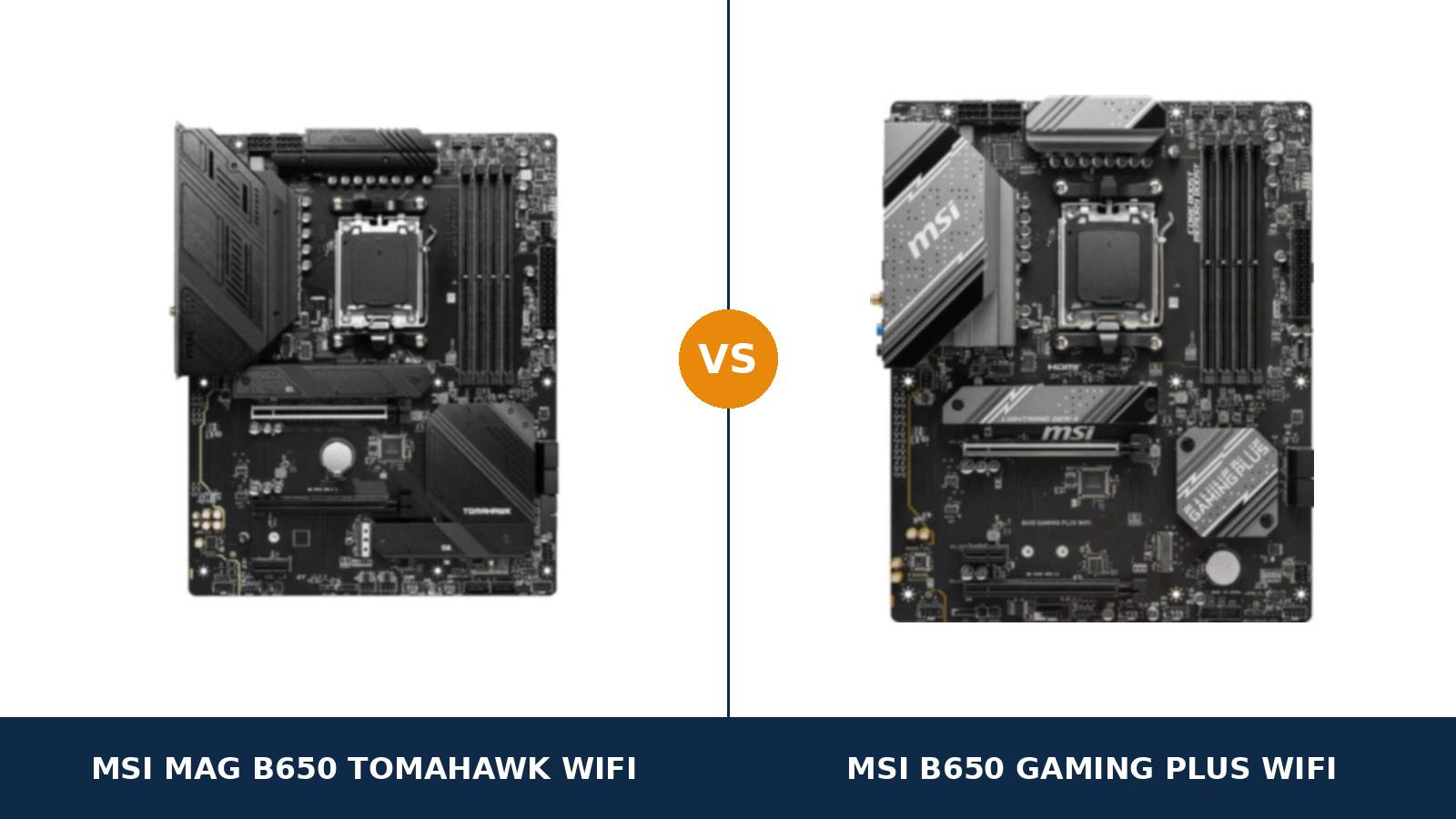
Here is the strangest line in this comparison: the cheaper board wins one.
Read down the two spec sheets and the pattern looks one-way. The MSI MAG B650 Tomahawk WiFi has the bigger power design, the extra drive slot, the better audio codec. Then you reach the expansion row, and the MSI B650 Gaming Plus WiFi — the board that costs less — is wired for twice the lanes in its second slot.
That single row tells you how to read everything else here. MSI did not build a good board and a bad one. It built one board twice: once with depth for builders who expand, and once trimmed to the essentials for builders who do not.
Both share the same B650 chipset, the same AM5 socket, the same 2.5-gigabit LAN chip, the same Wi-Fi 6E radio and the same 20Gbps rear USB-C port. What follows is a full pass through MSI's own published specifications, so you can work out which version of the board your build actually needs.
Key Takeaways
- The Tomahawk is the deeper board. More power phases on rated 80A stages, three M.2 slots, six SATA ports, and an optical audio output.
- The Gaming Plus keeps every headline feature. Wi-Fi 6E, 2.5G Ethernet, a 20Gbps USB-C port and four DDR5 slots all survive the price cut.
- The Gaming Plus wins expansion, honestly. Its second slot runs at x4; the Tomahawk's runs at x2.
- Networking cannot separate them. The same Realtek 2.5G controller and the same Wi-Fi 6E standard sit on both boards.
- The name is a trap. There is no "MPG" B650 Gaming Plus, and the micro-ATX B650M namesake is a different board entirely.
Quick Verdict
Buy the MSI MAG B650 Tomahawk WiFi if this machine will grow. It is the board with reserves.
Fourteen power phases on 80-amp Smart Power Stages. A third M.2 slot. Six SATA ports. An ALC4080 codec with the optical output that home-theatre and DAC owners actually need.
Buy the MSI B650 Gaming Plus WiFi if the build is settled. One graphics card. A Ryzen 5 or Ryzen 7. One or two SSDs. That PC never touches the Tomahawk's extra hardware.
And if your plans include a second add-in card — capture, storage, fast networking — the Gaming Plus is not the compromise choice. On that one specification it is the correct one.
The Scorecard
Scores below are derived directly from the manufacturer specifications compared in this guide — phase counts, slot counts, port counts and supported standards. They are a reading aid, not benchmark results.
| Category | B650 Tomahawk WiFi | B650 Gaming Plus WiFi | ||
|---|---|---|---|---|
| Power delivery | 9 / 10 | 7 / 10 | ||
| Storage | 9 / 10 | 7 / 10 | ||
| Expansion | 7 / 10 | 8 / 10 | ||
| Memory | 9 / 10 | 8 / 10 | ||
| USB connectivity | 9 / 10 | 8 / 10 | ||
| Networking & audio | 9 / 10 | 6 / 10 | ||
| Overall | 8.6 / 10 | 7.3 / 10 | ||
Five categories lean one way, one leans the other, and the shared silicon underneath means the everyday experience — boot times, network speed, memory behaviour — is far closer than the totals suggest.
At a Glance: Who Each Board Fits
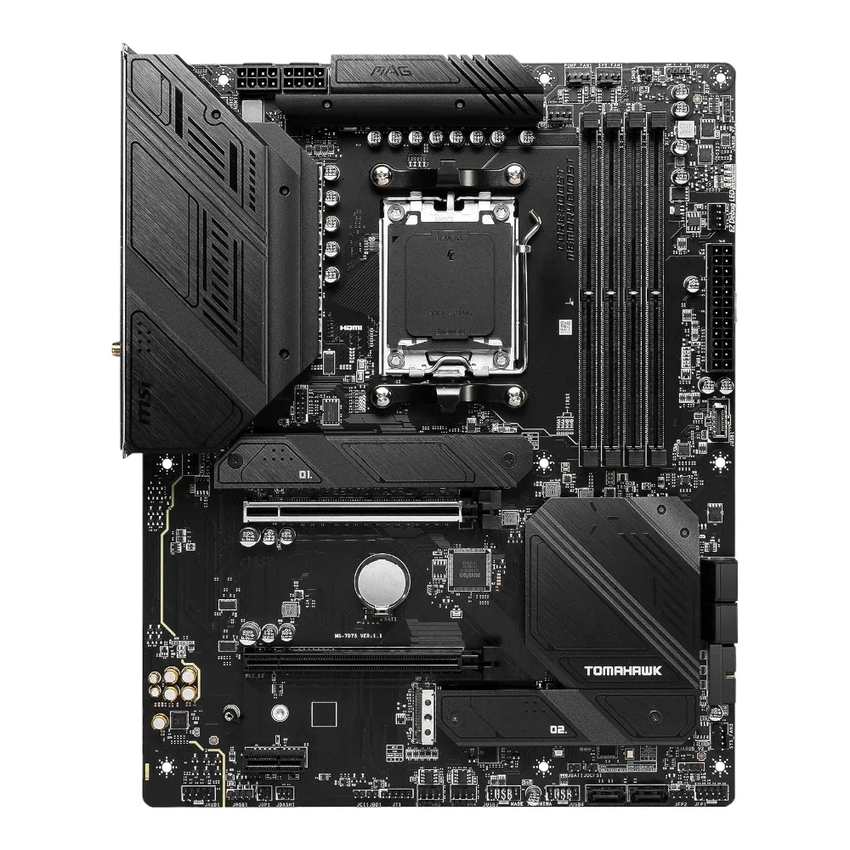
MSI MAG B650 Tomahawk WiFi
- 14+2+1 Duet Rail power design, 80A Smart Power Stages
- Three PCIe 4.0 M.2 slots and six SATA ports
- ALC4080 audio with optical S/PDIF output
- Ten rear USB ports, six system fan headers
- DDR5 support rated to 7600+ MT/s (OC)
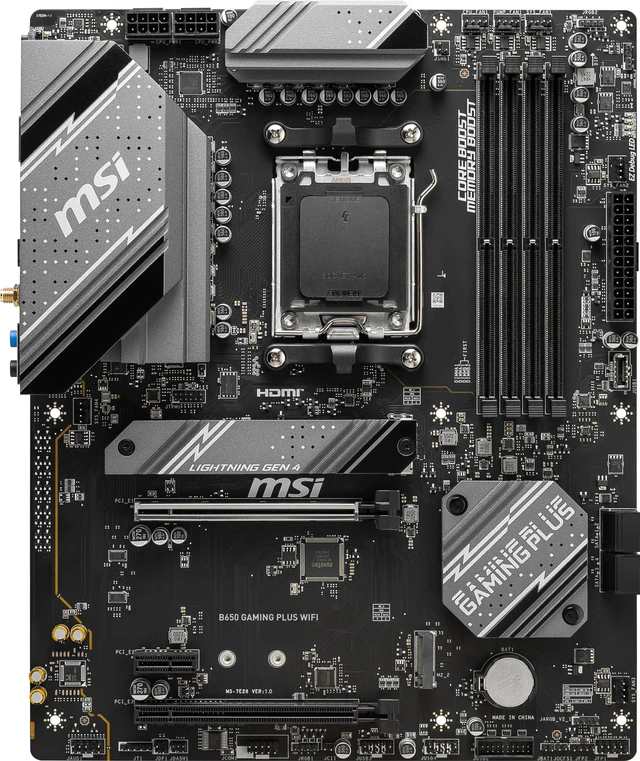
MSI B650 Gaming Plus WiFi
- 12+2+1 Duet Rail power design, dual 8-pin CPU power
- Second PCIe slot wired at x4 — double the Tomahawk
- Two M.2 slots, both CPU-fed at full x4 speed
- Wi-Fi 6E and 2.5G LAN, identical to the Tomahawk
- The same platform for noticeably less money
Choose the MAG B650 Tomahawk WiFi if…
A Ryzen 9 is in the build, or on the upgrade list. Sixteen cores under sustained load is the workload this power design was specified for.
Your storage is migrating from an older PC. Three NVMe slots and six SATA ports swallow a whole drawer of drives without adapters or hard choices.
Your sound runs through an amplifier or DAC with an optical input. Only one of these boards can feed it.
Choose the B650 Gaming Plus WiFi if…
The build is a gaming PC with a fixed spec: Ryzen 5 or 7, one graphics card, a drive or two. Everything beyond that is hardware you would pay for and never switch on.
A second expansion card is part of the plan. Streamers and home-server builders should read the expansion section twice — the cheaper board is better equipped for your card.
Or the price gap is wide enough to upgrade something visible. A faster memory kit or a larger SSD improves every day of ownership; unused slots improve none of them.
As an Amazon Associate I earn from qualifying purchases at no extra cost to you.
Specifications: The Specs That Actually Matter
Every figure below comes from MSI's published specification pages for these two boards, cross-checked against MSI's own product data.
MSI's pages do not always agree with each other — one disagreement affects the Gaming Plus's memory figures, and it is flagged in the notes under the table rather than smoothed over.
| Specification | MSI MAG B650 Tomahawk WiFi | MSI B650 Gaming Plus WiFi |
|---|---|---|
| Form factor | ATX, 30.5 × 24.4 cm | ATX, 30.5 × 24.4 cm |
| Socket / chipset | AMD AM5 / B650 | AMD AM5 / B650 |
| CPU support | Ryzen 9000, 8000, 7000 series | Ryzen 9000, 8000, 7000 series |
| VRM design | 14+2+1 Duet Rail, 80A Smart Power Stages, 8+8-pin | 12+2+1 Duet Rail, 8+8-pin |
| PCB | 6-layer, 2 oz thickened copper | 6-layer, 2 oz thickened copper |
| Memory | 4 × DDR5, up to 256 GB, 7600+ MT/s (O.C.), EXPO | 4 × DDR5, up to 256 GB, 7200+ MT/s (O.C.), EXPO |
| Graphics slot | PCIe 4.0 x16, Steel Armor | PCIe 4.0 x16, Steel Armor |
| Other expansion | PCIe 4.0 x16 slot (x2 wired) + PCIe 3.0 x1 | PCIe 4.0 x16 slot (x4 wired) + PCIe 3.0 x1 |
| M.2 storage | 3 slots, all PCIe 4.0 x4 | 2 slots, both PCIe 4.0 x4 from the CPU |
| SATA | 6 × SATA 6 Gb/s, RAID 0/1/10 | 4 × SATA 6 Gb/s, RAID 0/1 |
| Display outputs (iGPU) | HDMI 2.1 (4K 60Hz), DisplayPort 1.4 (8K 60Hz) | HDMI 2.1 (4K 60Hz), DisplayPort 1.4 (4K 60Hz) |
| LAN | Realtek RTL8125BG 2.5 GbE | Realtek RTL8125BG 2.5 GbE |
| Wireless | Wi-Fi 6E, Bluetooth 5.3 | Wi-Fi 6E, Bluetooth 5.3 |
| Audio | Realtek ALC4080, 7.1, optical S/PDIF out | Realtek ALC897, 7.1 |
| USB (rear) | 2 × USB 2.0, 4 × 5Gbps A, 3 × 10Gbps A, 1 × 20Gbps C | 4 × 5Gbps A, 3 × 10Gbps A, 1 × 20Gbps C |
| Front USB-C header | USB 3.2 Gen 2, 10 Gbps | USB 3.2 Gen 2, 10 Gbps |
| Fan headers | CPU + pump + 6 system | CPU + pump + 4 system |
| BIOS flashing | Flash BIOS Button (rear panel) | Flash BIOS Button (rear panel) |
| Debug aids | 4 × EZ Debug LED | 4 × EZ Debug LED |
Memory note: MSI's current specification page puts the Gaming Plus at 256 GB maximum and DDR5-7200+ under overclocking. MSI's US store page still shows the launch-era numbers for the same board — 192 GB and 6000+.
The table follows the current specification page. Either way, the practical target on AM5 is a DDR5-6000 EXPO kit, and both boards hit it with the same ease.
Sharing note: the Tomahawk's third M.2 slot and its second PCIe slot draw from the same chipset bandwidth. Populate both and each settles at x2. The Gaming Plus has no equivalent footnote — with only two M.2 slots, both wired to the CPU, there is nothing to share.
APU note: fit a Ryzen 8500G or 8300G and the processor, not the board, takes storage away. On the Tomahawk the second M.2 slot becomes unavailable; on the Gaming Plus it drops to x2. The Ryzen 8700G and 8600G narrow the graphics slot to x8 on both boards. Plan an APU build around the CPU's lane count first.
The Differences That Actually Matter
1. Power delivery — published numbers against unpublished ones
Start with what MSI will commit to print. For the Tomahawk: a 14+2+1 Duet Rail design using Smart Power Stages rated at 80 amps each.
For the Gaming Plus: a 12+2+1 Duet Rail design — and no published stage rating at all. That silence is itself information. MSI rates the stages it is proud of.
The shared ground is real. Both boards take dual 8-pin EPS power. Both use a six-layer PCB with 2 oz thickened copper. Both cover the VRM with extended heatsinks.
So where does the difference live? In sustained, all-core current. A Ryzen 9 pulling hard through a long render spreads its load across more, stronger stages on the Tomahawk, each running further from its limit, under more metal.
At the other end of the range, honesty matters: a Ryzen 5 or Ryzen 7 at stock settings cannot tell these two VRMs apart. Boost clocks hold on both. Nothing throttles. The Gaming Plus's twelve phases are not a weakness for the processors most people buy.
The decision is therefore about the ceiling, not the floor. If the most powerful chip this board will ever meet is a Ryzen 7, the Tomahawk's power section is headroom you purchased and stored. If a Ryzen 9 is even a maybe, it is the cheapest insurance in the build.
2. Storage — depth against simplicity
The Tomahawk holds more drives. Three M.2 slots, every one PCIe 4.0 x4, plus six SATA ports with RAID 0, 1 and 10. The Gaming Plus holds two M.2 drives and four SATA drives, with RAID 0 and 1.
But read how each board wires what it has. Both Gaming Plus slots connect straight to the processor at full speed. No chipset detour, no sharing rules, no asterisks. It is the cleaner arrangement — for exactly two drives.
The Tomahawk's third slot is the chipset-fed one, and it shares its bandwidth with the second PCIe slot. Fill both sockets and both run at x2. Gen4 storage at x2 remains quick, but a buyer fitting three drives and a card deserves the footnote before the screwdriver, not after.
Cooling follows the count. MSI's Shield Frozr heatsinks cover the Tomahawk's primary M.2 slots. The Gaming Plus lists Shield Frozr coverage in slimmer form.
Verdict: migrating a drive collection, or building a home server with parity RAID — Tomahawk, clearly. A boot drive and a game drive — the Gaming Plus's simpler layout loses nothing at all.
3. Expansion — the row the cheaper board wins
The graphics slots tie perfectly: PCIe 4.0 x16 from the CPU, Steel Armor reinforcement, full speed for any card you can buy. Neither board offers PCIe 5.0 in any slot, graphics or storage.
One slot down, the comparison flips. The Gaming Plus wires its second full-length slot at x4 from the chipset. The Tomahawk wires its equivalent at x2.
Two lanes is enough for a basic network card or a sound card. It is not enough for the cards people actually add in year two: a capture card that wants four lanes to hit its top format, a 10-gigabit adapter, an NVMe carrier card. On the Tomahawk those run choked or not at all; on the Gaming Plus they run as designed.
Context keeps this honest. Most gaming PCs never host a second card, and for those builders this section is trivia. But it is the only place in the comparison where spending more buys you less, and streamer, server and workstation builders should weight it heavily.
4. Audio — one output decides it
The Tomahawk's Realtek ALC4080 is the flagship codec in MSI's Audio Boost 5 implementation. It supports 32-bit/384 kHz playback at the front panel. More importantly, it puts an optical S/PDIF output on the rear panel.
The Gaming Plus's ALC897 is a workhorse codec fitted to value boards across the industry. It drives headsets and desktop speakers perfectly well. It has no optical output, at any price, with any adapter that preserves the point.
That makes this section a question about your room, not your PC. Sound over HDMI to a receiver, or through a USB headset? The boards tie, and the codec names are decoration.
Sound through an AV receiver, soundbar or external DAC that expects TOSLINK? The comparison ends here. Only the Tomahawk can be your board.
5. USB — a tie at speed, a gap in sockets
Line the fast ports up and they match exactly: four 5Gbps Type-A, three 10Gbps Type-A, and one 20Gbps Type-C on each rear panel. External SSDs, capture devices and fast docks run identically on both boards.
The Tomahawk then adds two USB 2.0 sockets the Gaming Plus omits — ten rear ports against eight. That sounds like padding until you count what lives on USB 2.0 permanently: wireless dongles, a DAC, a printer, a UPS link, a stream deck.
Front-panel provision ties outright. Both boards carry a 10Gbps USB-C header, so a case with a front Type-C port runs it at full speed either way, alongside the usual Type-A and USB 2.0 headers.
Net: the Tomahawk wins on elbow room, not bandwidth. If your desk runs on dongles, those two sockets are worth more than their specification suggests.
6. Networking — nothing to argue about
Some sections of a comparison exist to be declared a draw quickly, and this is one.
Wired: Realtek's RTL8125BG on both boards. The same 2.5-gigabit controller, the same throughput, the same driver. Wireless: Wi-Fi 6E on both, 6 GHz band included, Bluetooth 5.3 on both, antennas in both boxes.
MSI does fit an AMD-branded Wi-Fi module to the Gaming Plus rather than the unit in the Tomahawk. The delivered standard is identical, and no workload a buyer can run will separate them.
If fast wired networking and modern Wi-Fi are your headline requirements, you have already got them on either board. Spend your decision on the sections above, where the boards genuinely part company.
7. Fans, headers and the small print
Cooling connections are the last real gap. The Tomahawk provides six system fan headers beside its CPU and pump headers. The Gaming Plus provides four system headers beside the same CPU and pump pair.
Four headers handles a typical case — intake pair, exhaust, AIO fans — with splitters to spare. Six headers is what a fan-heavy case or a custom loop wants, where the pump keeps its own header and every fan group stays individually controlled.
The shared toolkit is generous on both: EZ Debug LEDs for first-boot fault finding, a rear-panel Flash BIOS Button that updates the BIOS with no processor fitted, Steel Armor on the graphics slot, and DisplayPort plus HDMI outputs for the integrated graphics — the Tomahawk's DisplayPort rated to 8K output, the Gaming Plus's to 4K.
One Gaming Plus footnote deserves its line: a legacy serial COM header survives on this board. Gamers will never use it. Anyone running industrial, lab or point-of-sale hardware off a modern PC just found their board.
CPU Pairing Guide
The processor you choose — or plan to choose later — settles most of this comparison. Work down the table and stop at your chip.
| Your processor | B650 Tomahawk WiFi | B650 Gaming Plus WiFi | Our call |
|---|---|---|---|
| Ryzen 5 7600 / 9600X | Excellent | Excellent | Gaming Plus — bank the saving |
| Ryzen 7 7700X / 7800X3D / 9700X / 9800X3D | Excellent | Excellent at stock settings | Either; Tomahawk if you tune PBO hard |
| Ryzen 9 7900X / 7950X / 9900X / 9950X | Excellent — rated stages, headroom in reserve | Capable at stock; the VRM works hardest here | B650 Tomahawk WiFi |
| Ryzen 7 8700G / Ryzen 5 8600G (APU) | Good — graphics slot narrows to x8 | Good — graphics slot narrows to x8 | Either; outputs and lanes are near-identical |
| Ryzen 5 8500G / 8300G | Workable — second M.2 slot unavailable | Workable — second M.2 slot drops to x2 | Either; both boards out-spec the chip |
The bottom two rows carry the caution. AM5's APU chips bring fewer PCIe lanes than the desktop range, so both boards hand back features the spec sheet promised. That arithmetic belongs to the processor on either board — but it stings less on the cheaper one.
The 30-Second Decision
| If this sounds like you… | Buy this |
|---|---|
| “A Ryzen 9 goes in now, or when prices drop.” | B650 Tomahawk WiFi (80A power stages) |
| “Ryzen 5 or 7, one graphics card, one or two SSDs.” | B650 Gaming Plus WiFi |
| “Old drives are coming with me — several of them.” | B650 Tomahawk WiFi (3 M.2 + 6 SATA) |
| “A capture card or second add-in card is planned.” | B650 Gaming Plus WiFi (x4 second slot) |
| “My amplifier only takes optical.” | B650 Tomahawk WiFi (S/PDIF out) |
| “The difference would buy a better GPU tier.” | B650 Gaming Plus WiFi |
Ready to check today’s price?
Both boards sell through Amazon, and the gap between them moves around. Check the live figure on the board that fits your build.
View on Amazon — B650 Tomahawk WiFiView on Amazon — B650 Gaming Plus WiFiWhat You Gain. What You Give Up.
MSI MAG B650 Tomahawk WiFi
You gain: the stronger, fully specified power design — 14+2+1 phases on 80A stages under bigger heatsinks. Storage depth: three M.2 slots, six SATA ports, RAID 10. The ALC4080 codec with optical output. Two extra rear USB sockets, two extra fan headers, and the higher memory rating.
You give up: the higher price, obviously. And, less obviously, second-card bandwidth: your x16-length slot runs at x2 here, half the wiring of the cheaper board. The third M.2 slot shares its lanes with that slot, too.
MSI B650 Gaming Plus WiFi
You gain: the same platform furniture for less — Wi-Fi 6E, 2.5G LAN, the 20Gbps rear Type-C, four DDR5 slots, a front USB-C header at 10Gbps. The better second slot, wired at x4. An M.2 layout with no sharing rules: both slots, CPU-fed, full speed, always.
You give up: ceiling. VRM headroom for the top chips, the third drive slot, two SATA ports, optical audio, and a pair each of USB sockets and fan headers. Nothing given up is felt on day one; all of it is felt on upgrade day.
Pros and Cons
B650 Tomahawk WiFi — Pros
- 14+2+1 VRM with published 80A Smart Power Stages
- Three M.2 slots and six SATA ports, RAID 10
- ALC4080 audio with optical S/PDIF output
- Ten rear USB ports including 20Gbps Type-C
- Six system fan headers plus a dedicated pump header
Cons
- Second PCIe slot wired at only x2
- Third M.2 slot shares bandwidth with that slot
- No PCIe 5.0 anywhere — same as the Gaming Plus
- The pricier of the two boards
B650 Gaming Plus WiFi — Pros
- Full headline spec — Wi-Fi 6E, 2.5G LAN, 20Gbps USB-C — at the lower price
- Second PCIe slot wired at x4
- Both M.2 slots CPU-fed at full x4 speed, no sharing
- Dual 8-pin CPU power on a 12+2+1 design
- EZ M.2 Clip for tool-less drive fitting
Cons
- ALC897 audio, and no optical output
- Two M.2 slots and four SATA ports only
- No published VRM stage rating
- Four system fan headers
- No PCIe 5.0 anywhere
Check the Exact Name, Not Just the Family
Check the full model name. MSI's B650 shelf contains three separate traps for a hurried buyer, and each one changes what lands in the box.
The board compared here is the MSI B650 Gaming Plus WiFi, full ATX. Note what the name does not contain: there is no "MPG" version of this board. MPG B650 models are different products — the Edge WiFi and Carbon WiFi sit a tier above.
Watch for the B650M Gaming Plus WiFi. That single letter shrinks the board to micro-ATX, cuts the power design to 10+2+1, and rearranges the slots. It is a fine board and a different one. A non-WiFi B650 Gaming Plus also circulates in some regions — the WiFi in the name is load-bearing.
The Tomahawk badge needs the same care in the other direction. MAG B650 Tomahawk WiFi is this board; the B550 and X870 Tomahawks are other chipsets entirely.
Check which specification you are reading. Reseller pages — and MSI's own US store — still quote the Gaming Plus's launch memory figures of 6000+ MT/s and 192 GB.
MSI's current specification page rates the same board at 7200+ and 256 GB. The product never changed; the published support did. Judge the board on the current page.
Check the CPU pairing. A Ryzen 9000 processor may need a newer BIOS than the board shipped with. Both boards solve this the same way — the rear-panel Flash BIOS Button updates the BIOS with no CPU fitted at all.
Check the bundle. Expect the board, Wi-Fi antennas and SATA cables from both boxes, with the Gaming Plus adding its EZ M.2 clip. Nothing in either bundle should swing the decision.
The Upgrade Path Test
AM5 is a socket you keep. AMD has already run three processor generations through it, and both of these boards accept all three. So judge the board by the upgrades it will be asked to absorb.
The first upgrade is usually storage. A second NVMe drive fits both boards; a third fits only the Tomahawk. The drives from the machine being replaced fit both boards too — up to six SATA devices on the Tomahawk, four on the Gaming Plus.
The second upgrade is the processor. A discounted Ryzen 9 is a confident drop-in on 80-amp stages, and a longer think on the Gaming Plus. Both boards take the chip; they differ in how hard the power section works for its living.
The third upgrade is the one nobody plans: the add-in card. A capture card when streaming starts, a fast network card when the NAS arrives. Here the ledger reverses — the Gaming Plus's x4 slot is ready, and the Tomahawk's x2 slot is the bottleneck.
So the question is not which board upgrades better. It is which upgrades are yours. Drives and processors point one way; expansion cards point the other; a machine that will simply be replaced in four years points at the cheaper board without hesitation.
When to Skip Both
Some requirements send you out of this comparison entirely, and it is cheaper to learn that here.
Skip both if you want PCIe 5.0 — for the graphics slot, for Gen5 storage, or for future-proofing on principle. Every slot on both boards is PCIe 4.0. That feature set starts at B650E and X870.
Skip both if you need USB4, which lives in the same higher tiers. Skip both if your case is micro-ATX or mini-ITX: these are full ATX boards, and MSI sells smaller Tomahawk-adjacent and Gaming Plus variants for those cases.
And skip both if memory overclocking is the hobby itself. Dedicated two-slot boards chase records; four-slot boards like these chase stability.
For everyone building a mainstream AM5 gaming or mixed-use PC, one of these two boards is the answer. The comparison above exists to say which.
BIOS and Long-Term Support
Support is where a kept socket pays off. Because AM5 keeps receiving processors, MSI keeps both of these boards on actively maintained support pages.
Expect BIOS releases for each new Ryzen generation, current chipset and LAN drivers, and full CPU and memory compatibility lists. Both boards can take those BIOS updates with no processor installed, via the Flash BIOS Button — the upgrade path never strands you with an unsupported chip in hand.
Both boards also carry the same four-LED EZ Debug strip. When a first boot fails, the board names the failing stage — CPU, memory, graphics, boot device — instead of leaving you to reseat parts at random.
The standing habit applies to whichever board you buy: update the BIOS before a processor swap, note your memory kit's EXPO profile first, and keep the antennas screwed in even if you run wired today. Wi-Fi you never use is still the best backup connection you own.
Final Verdict
The MSI MAG B650 Tomahawk WiFi is our pick for most builders.
Not because the Gaming Plus is lacking — it demonstrably is not — but because the Tomahawk's extras are the kind that cannot be added later. Power stages, drive slots, SATA ports and an optical output are cast into the board. The Gaming Plus's advantages, price aside, come down to one slot's wiring.
The Tomahawk is the board for the machine that will be upgraded: a Ryzen 9 in waiting, a growing drive library, an amplifier on the desk.
Buy the Tomahawk WiFi for top-end processors, storage-heavy builds and optical-fed audio — and for any PC you intend to open again.
View on Amazon — B650 Tomahawk WiFi
Buy the B650 Gaming Plus WiFi if the build is finished the day it is assembled. Ryzen 5 or 7, one graphics card, a drive or two — and especially if a capture card or second add-in card is part of the plan, where its x4 slot beats the Tomahawk outright.
It keeps every headline feature of the platform and charges less for them. Buy it knowing the saving came out of reserves, not out of the experience in front of you.
View on Amazon — B650 Gaming Plus WiFi
Frequently Asked Questions
Is the B650 Tomahawk WiFi worth the extra over the B650 Gaming Plus WiFi?
For builders who will use its depth, yes: a 14+2+1 VRM on 80A stages, a third M.2 slot, six SATA ports and optical audio. For a settled Ryzen 5 or Ryzen 7 gaming build, no — the Gaming Plus delivers the same daily experience, and its second PCIe slot is actually wired faster, at x4 against x2.
Is there an MSI MPG B650 Gaming Plus?
No. MSI's official name for this board is the B650 Gaming Plus WiFi, with no MPG prefix — MPG B650 boards are the Edge WiFi and Carbon WiFi, a tier up. A listing that says "MPG B650 Gaming Plus" is mislabelled; check the model code 7E26-001R to be sure of what you are buying.
Can the B650 Gaming Plus WiFi run a Ryzen 9 9950X?
Yes, at stock settings — its 12+2+1 design with dual 8-pin power is rated for the full AM5 range. Under long, sustained all-core loads the Tomahawk's 14+2+1 design with published 80A stages runs with more headroom, which is why we steer Ryzen 9 workstations to it. Update the BIOS and check MSI's CPU support list first, on either board.
Do both boards have Wi-Fi 6E and 2.5G Ethernet?
Yes, identically. Both ship with Wi-Fi 6E including the 6 GHz band, Bluetooth 5.3 and antennas in the box, and both wire the network through Realtek's RTL8125BG 2.5-gigabit controller. Networking is a true tie in this comparison.
Which board is better for a capture card or second expansion card?
The Gaming Plus. Its second full-length slot is wired at x4 from the chipset; the Tomahawk's equivalent slot runs at x2. Capture cards, 10-gigabit adapters and NVMe carrier cards that need four lanes run at full speed in the Gaming Plus and at half speed — or not at all — in the Tomahawk.
How many SSDs can each board take?
The Tomahawk takes three M.2 NVMe drives plus six SATA drives, with RAID 0, 1 and 10 on SATA — but its third M.2 slot shares bandwidth with its second PCIe slot, so filling both drops each to x2. The Gaming Plus takes two M.2 drives, both wired directly to the CPU at full x4 with no sharing, plus four SATA drives.
Does either board support PCIe 5.0?
No. Every slot on both boards — graphics and storage alike — is PCIe 4.0. That covers all current graphics cards and Gen4 SSDs without loss, but if Gen5 support is a requirement, look at B650E or X870 boards instead.
Which DDR5 kit should I buy for these boards?
A DDR5-6000 EXPO kit for either. That is the AM5 sweet spot, where the memory controller runs its happiest ratio. The Tomahawk's 7600+ rating and the Gaming Plus's 7200+ rating are overclocking headroom, not targets — chasing them buys instability, not frames.
Sources & Verification
MSI MAG B650 TOMAHAWK WIFI official product page and specification, msi.com • MSI B650 GAMING PLUS WIFI official product page and specification, msi.com • MSI-US store product data for both boards • MSI B650 Gaming Plus WiFi datasheet (rear USB counts) • Amazon listing data for model numbers and ASIN cross-checks (Tomahawk UPC 824142301036; Gaming Plus model 7E26-001R, UPC 824142324080). Specifications verified November 2026.

James Wilson
James has been building and benchmarking PCs for over a decade and writes Honestly Compared's motherboard and component guides. His rule for every comparison: the verdict has to survive the spec sheet, not the marketing page.