
MSI MAG B650 Tomahawk WiFi vs MSI MAG B650M Mortar WiFi: Which Should You Buy?
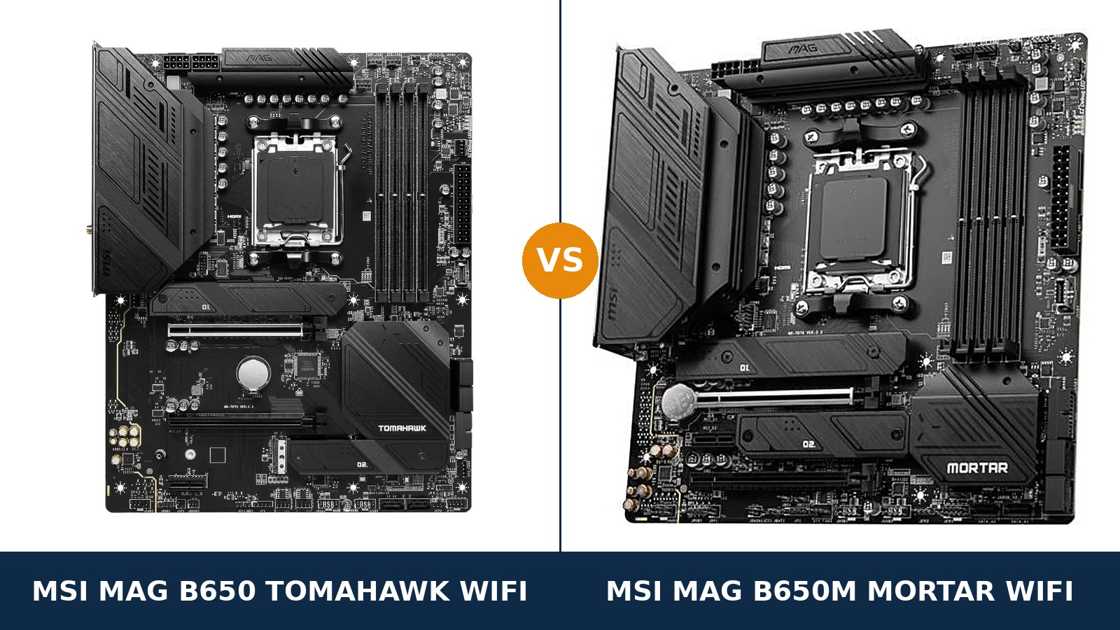
Same brand. Same chipset. Same socket, same memory, same audio chip, same networking.
MSI sells two MAG boards for AM5 that look, on a quick spec scan, like the same motherboard in two sizes. One is the full-ATX MAG B650 Tomahawk WiFi. The other is the micro-ATX MAG B650M Mortar WiFi.
Size is the obvious difference. It is not the only one. Storage count, expansion wiring, rear ports and fan headers all part company once you read past the headlines — each board was trimmed in a different place. This guide reads MSI's own specifications line by line and tells you which trim fits your build.
Key Takeaways
- The Tomahawk is the more complete board. Three M.2 slots, ten rear USB ports, eight fan headers and the stronger VRM.
- The Mortar strikes back on expansion. Its second PCIe slot runs at x4 — double the Tomahawk's x2 — which is the better wiring for a serious add-in card.
- Memory, audio and networking are genuine ties. Same DDR5 ceiling, same ALC4080 audio, same 2.5 GbE LAN and Wi-Fi 6E. Do not let either board be sold to you on those.
- Both boards share the same CPU limits. Fit a Ryzen 8500G and the second M.2 slot switches off on both — the processor's lane count, not a board fault.
- Case size settles most of it. Micro-ATX case: the Mortar is your board. ATX case: the Tomahawk earns its extra room.
Quick Verdict
Buy the MSI MAG B650 Tomahawk WiFi for most ATX builds. It is the more complete motherboard.
Its 14+2+1 power design carries the most VRM headroom in MSI's B650 MAG line, it fits three M.2 drives, and it offers ten rear USB ports plus headers for a serious cooling setup.
If your case takes ATX and your build will grow over time, this is the safer foundation — storage and cooling are what gaming PCs outgrow first.
Buy the MSI MAG B650M Mortar WiFi if your case is micro-ATX — or if you will actually use a second expansion card.
It keeps the same 80-amp power stages, audio, networking and memory support in a smaller footprint — and its second PCIe slot is wired at x4, twice the Tomahawk's x2, so a capture card or fast network card runs at full speed. For a compact build that will never hold more than two SSDs, the Mortar gives up remarkably little.
The Scorecard
Scores below are derived directly from the manufacturer specifications compared in this guide — phase counts, slot counts, port counts and supported standards. They are a reading aid, not benchmark results.
| Category | B650 Tomahawk WiFi | B650M Mortar WiFi | ||
|---|---|---|---|---|
| Power delivery | 9 / 10 | 8 / 10 | ||
| Expansion | 7 / 10 | 8 / 10 | ||
| Storage | 9 / 10 | 7 / 10 | ||
| Memory | 9 / 10 | 9 / 10 | ||
| Networking & audio | 9 / 10 | 9 / 10 | ||
| USB connectivity | 9 / 10 | 8 / 10 | ||
| Overall | 8.6 / 10 | 8.1 / 10 | ||
The pattern is simple. The Tomahawk wins on capacity — storage, ports, headers, power headroom. The Mortar wins the one category about wiring rather than counting: expansion.
At a Glance: Who Each Board Fits
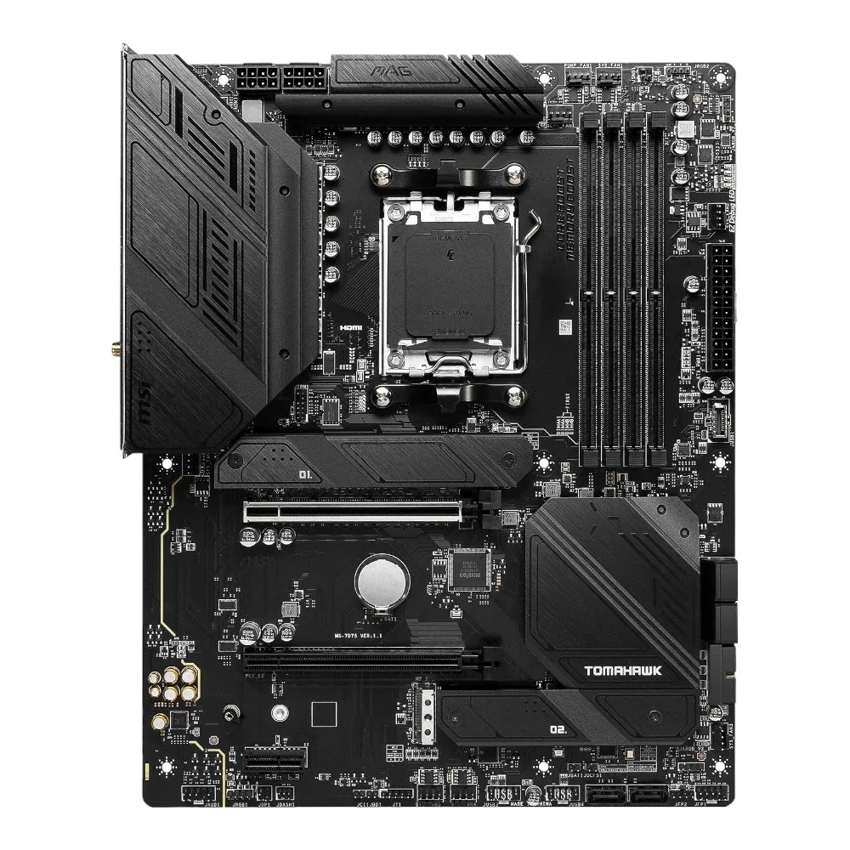
MSI MAG B650 Tomahawk WiFi
- 14+2+1 Duet Rail VRM, 80A stages, dual 8-pin CPU power
- Three M.2 slots, all PCIe 4.0 x4
- Ten rear USB ports, including 20 Gbps Type-C
- Eight fan headers for bigger cooling setups
- Full ATX — needs an ATX-capable case
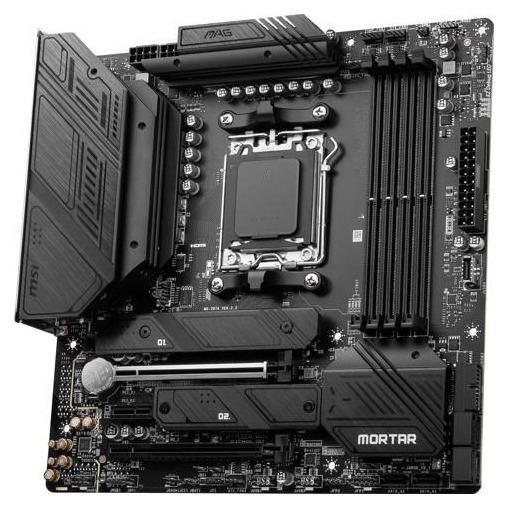
MSI MAG B650M Mortar WiFi
- 12+2+1 Duet Rail VRM, same 80A stages, dual 8-pin
- Second PCIe slot wired at x4 for add-in cards
- Two M.2 slots, both CPU-connected PCIe 4.0 x4
- Same ALC4080 audio, 2.5 GbE LAN and Wi-Fi 6E
- Micro-ATX — fits compact cases
Choose the B650 Tomahawk WiFi if…
Your case is ATX or larger. There is no reason to buy the smaller board and leave the room empty.
You run, or plan to run, three NVMe drives — and you are tired of retiring SSDs to make room.
You are building around a Ryzen 9, or cooling a high-core-count system with a full fan array. The Tomahawk has the VRM margin and the headers for both.
Choose the B650M Mortar WiFi if…
Your case is micro-ATX. The Tomahawk physically does not fit, and the Mortar was built for exactly this build.
You will fit a second serious expansion card — capture card, 10-gigabit adapter, storage controller. On the Mortar it runs at x4; on the Tomahawk, x2.
Or your build is a two-drive, single-GPU machine and always will be. Then the Mortar's missing third M.2 slot is a feature you were never going to use, and the saving is money back.
As an Amazon Associate I earn from qualifying purchases at no extra cost to you.
Specifications: The Specs That Actually Matter
Every figure below is taken from MSI's published specifications for these two exact models, cross-checked against MSI's product pages and datasheets.
Where MSI's own materials disagree — launch datasheets against current specification pages — the table follows the specification page, and the notes below explain each case.
| Specification | MSI MAG B650 Tomahawk WiFi | MSI MAG B650M Mortar WiFi |
|---|---|---|
| Form factor | ATX, 30.5 × 24.4 cm | Micro-ATX, 24.4 × 24.4 cm |
| Socket / chipset | AMD AM5 / B650 | AMD AM5 / B650 |
| CPU support | Ryzen 9000, 8000, 7000 series | Ryzen 9000, 8000, 7000 series |
| VRM design | 14+2+1 Duet Rail, 80A Smart Power Stages, 8+8-pin | 12+2+1 Duet Rail, 80A Smart Power Stages, 8+8-pin |
| PCB | 6-layer, 2 oz thickened copper | 6-layer, 2 oz thickened copper |
| Memory | 4 × DDR5, up to 256 GB, 7600+ MT/s (O.C.), EXPO | 4 × DDR5, up to 256 GB, 7600+ MT/s (O.C.), EXPO |
| Graphics slot | PCIe 4.0 x16, Steel Armor | PCIe 4.0 x16, Steel Armor |
| Other expansion | PCIe 4.0 x16 slot (x2 wired) + PCIe 3.0 x1 | PCIe 4.0 x16 slot (x4 wired) + PCIe 3.0 x1 |
| M.2 storage | 3 slots, all PCIe 4.0 x4; first slot also takes 22110 drives | 2 slots, both PCIe 4.0 x4 from the CPU, 2280/2260 |
| SATA | 6 × SATA 6 Gb/s, RAID 0/1/10 | 6 × SATA 6 Gb/s, RAID 0/1/10 |
| Display outputs (iGPU) | HDMI 2.1 (4K 60Hz), DisplayPort 1.4 (8K 60Hz) | HDMI 2.1 (4K 60Hz), DisplayPort 1.4 (8K 60Hz) |
| LAN | Realtek RTL8125BG 2.5 GbE | Realtek RTL8125B 2.5 GbE |
| Wireless | Wi-Fi 6E, Bluetooth 5.3 | Wi-Fi 6E (AMD module), Bluetooth 5.3 |
| Audio | Realtek ALC4080, 7.1, optical S/PDIF out | Realtek ALC4080, 7.1, optical S/PDIF out |
| USB (rear) | 10 ports: 2 × USB 2.0, 4 × 5 Gbps A, 3 × 10 Gbps A, 1 × 20 Gbps C | 8 ports: 4 × 5 Gbps A, 3 × 10 Gbps A, 1 × 20 Gbps C |
| Front USB-C header | USB 3.2 Gen 2, 10 Gbps | USB 3.2 Gen 2, 10 Gbps |
| Fan headers | 8 (1 CPU + 1 pump + 6 system) | 5 (1 CPU + 1 pump + 3 system) |
| BIOS flashing | Flash BIOS Button (rear panel) | Flash BIOS Button (rear panel) |
| Debug aids | 4 × EZ Debug LED | 4 × EZ Debug LED |
Capacity and Bluetooth notes: MSI's current specification pages list 256 GB maximum memory and Bluetooth 5.3 for both boards. Launch-era materials said 128 GB and Bluetooth 5.2 — the DDR5 market grew up around these boards, and more than one Wi-Fi module has been fitted across their production runs, which is why both sets of numbers circulate. The table uses the current figures.
Processor lane note: on both boards, the second M.2 slot is unavailable with a Ryzen 8500G or 8300G fitted, and the graphics slot drops to x4 with those processors. That is the CPU's lane budget, identical on both boards. With Ryzen 7000 and 9000 processors, everything runs at full width on both.
Sharing note: on the Tomahawk, the third M.2 slot and the second PCIe slot share bandwidth — populate both and each runs at x2. The Mortar has no equivalent compromise; its second slot is x4 from the chipset, full stop.
The Differences That Actually Matter
1. Form factor — the decision that comes before all the others
The Tomahawk is a full ATX board, 30.5 cm deep. The Mortar is micro-ATX, 24.4 cm deep. Everything else in this comparison hangs off that one measurement.
If your case is micro-ATX, this guide is already over. The Tomahawk does not fit. Buy the Mortar with confidence — the rest of this page explains why that is not a consolation prize.
If your case takes ATX, the Mortar still fits — micro-ATX boards mount in ATX cases. Then you are choosing it on its merits: price, and one wiring advantage we will get to.
What does the Tomahawk's extra 6 cm buy? Room — a third M.2 slot, two more rear USB ports, three more fan headers, slots spaced for thick graphics cards. Nothing about the Mortar's smaller size makes it slower. It makes it fuller, sooner. One cosmetic footnote: in a large ATX case, the smaller board leaves the bottom of the tray exposed. Window builders notice; nobody else should care.
2. Power delivery — two extra phases, honestly weighed
The Tomahawk runs a 14+2+1 Duet Rail design; the Mortar runs 12+2+1. Both use the same 80-amp Smart Power Stages, dual 8-pin CPU connectors, and MSI's extended heatsinks with 7 W/mK thermal pads.
Translate that into practice: either board runs any AM5 processor AMD sells — including the 16-core Ryzen 9 7950X and 9950X — at full stock performance, and handles PBO tuning. The 80-amp stage rating, not the phase count, sets the current ceiling, and it is the same on both.
So what do the Tomahawk's two extra phases buy? Margin. The load spreads across fourteen stages instead of twelve, each works less hard, and the VRM runs cooler under sustained all-core loads. That matters in exactly one scenario — a Ryzen 9 rendering or compiling for hours at a time. For gaming loads, which spike cores rather than saturating them, you will never measure the difference.
Verdict on this round: a real Tomahawk win, but smaller than the phase counts suggest. Do not buy it for the VRM alone unless a 16-core chip and all-core work are genuinely planned.
3. Storage — three M.2 slots against two
This is the Tomahawk's clearest hardware win: three M.2 drives against two. Speed is not the separator — every slot on both boards runs at PCIe 4.0 x4, and no Gen5 slot exists on either board.
The wiring underneath differs, though. Both of the Mortar's M.2 slots connect directly to the CPU. The Tomahawk's first two do the same; its third runs from the chipset, which is why it shares bandwidth with the second PCIe slot.
Two details favour the Tomahawk further: its primary slot accepts longer 22110 drives as well as 2280, and both boards cool their primary slot with MSI's M.2 Shield Frozr heatsink, so neither throttles a fast Gen4 drive.
SATA is a dead tie: six ports each, same RAID support, same quirk — the A1/A2 pair sits out of RAID arrays on both. And the third M.2 slot? For a boot drive plus one game drive, it does not matter at all. It matters the year a third drive follows you home: on the Mortar, that means replacing a drive instead of adding one.
4. Expansion — the round the Mortar wins
Now the counterpunch. Below the graphics slot, the Mortar is the better-wired board.
Both boards give your graphics card a full PCIe 4.0 x16 slot with Steel Armor reinforcement, running at full width with Ryzen 7000 or 9000 processors — the Mortar does not split its graphics lanes to feed its second slot.
The second slots are where they divide. The Mortar's runs at PCIe 4.0 x4 from the chipset. The Tomahawk's runs at x2 — and shares lanes with its third M.2 slot when both are populated.
An x4 slot is where serious add-in cards live: a capture card, a 10-gigabit network adapter, an NVMe expansion card. At x2, a Gen4 NVMe adapter loses half its bandwidth on day one. At x4, all of them run as designed.
Both boards round out the layout with a single PCIe 3.0 x1 slot for small cards. No difference there.
Be honest about which buyer you are. Most gaming PCs never hold a second card, and for them this section is trivia. If a second card is in your plan, it outweighs the storage round: slots cannot be added later; drives can always live in SATA ports or an enclosure.
5. USB and the rear panel — ten ports against eight
The Tomahawk's rear panel carries ten USB ports; the Mortar's carries eight. The fast ports are identical — three 10 Gbps Type-A and one 20 Gbps Type-C on each — so for external SSDs and fast peripherals, the boards are equals.
The difference is at the slow end: the Tomahawk adds two USB 2.0 ports, alongside the four 5 Gbps Type-A ports both boards share.
USB 2.0 sounds like an insult in a spec table. In practice it is where keyboards, mice, headset dongles and UPS leads belong — devices that gain nothing from a fast port and waste one when they take it. Ten rear ports keep them off your fast ports and off a hub; eight means a hub joins the build sooner. A small, daily, unglamorous Tomahawk win.
Everything else matches: HDMI 2.1 and DisplayPort, the 2.5 GbE port, antenna fittings, optical S/PDIF, a Flash BIOS Button, and a 10 Gbps front USB-C header on both — so a case front Type-C port runs at full speed on either.
6. Memory, networking and audio — the honest ties
Whole sections of these two spec sheets photocopy. Start with memory: four DDR5 slots on each board, up to 256 GB per MSI's current specification pages, the same 7600+ MT/s overclocked ceiling, and AMD EXPO support on both.
The per-configuration limits underneath match too, because they come from the processors' memory controllers, not the boards.
So the memory buying advice is shared: a two-stick 32 GB or 64 GB kit around DDR5-6000 remains the AM5 sweet spot on either board. Chasing the 7600+ headline is a lottery on both equally; it depends on your individual processor far more than on the PCB under it.
Audio is the same story: the Realtek ALC4080 codec with Audio Boost 5 treatment and an optical S/PDIF output on both. Through a headset or desktop speakers they are indistinguishable — because they are the same hardware.
Networking completes the set: 2.5-gigabit Ethernet from Realtek's RTL8125 family on both boards, Wi-Fi 6E and Bluetooth on both, with MSI naming an AMD module on the Mortar. Nobody should choose between these boards on memory, audio or networking — there is nothing there to choose.
What does differ in daily use is fan headers — eight on the Tomahawk (CPU, pump, six system) against five on the Mortar (CPU, pump, three system) — and that belongs to the build rather than the spec sheet. Everything else is shared MAG DNA: the same 6-layer PCB recipe, EZ Debug LEDs, pre-installed I/O shields, Flash BIOS Button. MSI did not cheapen the Mortar's fundamentals. It shrank them.
CPU Pairing Guide
The fastest way to choose is to start from your processor — this table is the whole comparison in one view.
| Your processor | B650 Tomahawk WiFi | B650M Mortar WiFi | Our call |
|---|---|---|---|
| Ryzen 5 7600 / 9600X | Excellent | Excellent | Dead heat — let case size decide |
| Ryzen 7 7700X / 9700X | Excellent | Excellent | Either; Tomahawk if the case is ATX |
| Ryzen 7 7800X3D / 9800X3D | Excellent | Excellent | Identical gaming results — size decides |
| Ryzen 9 7900X / 7950X / 9950X | Excellent — full VRM headroom | Very good — handles stock and PBO | Tomahawk, for sustained all-core margin |
| Ryzen 7 8700G (APU) | Excellent | Excellent | Tie — same display outputs; GPU slot runs x8 on both |
| Ryzen 5 8500G / 8300G | Good — second M.2 off, GPU slot x4 | Good — exactly the same limits | Neither board is the limit; the CPU is |
Read the last row carefully: the 8500G's lane budget switches off the second M.2 slot and narrows the graphics slot to x4 on both boards. No motherboard fixes that — it is cast into the processor.
Ready to check today’s price?
Both boards sell through Amazon. Prices move, so check the live figure on the board that fits your build.
View on Amazon — B650 Tomahawk WiFiView on Amazon — B650M Mortar WiFiThe 30-Second Decision
| If this sounds like you… | Buy this |
|---|---|
| “My case is micro-ATX.” | B650M Mortar WiFi — the Tomahawk does not fit |
| “ATX case, Ryzen 9, drives keep multiplying.” | B650 Tomahawk WiFi |
| “I stream — a capture card is going in the second slot.” | B650M Mortar WiFi (x4 slot) |
| “Two SSDs, one GPU, done. Forever.” | B650M Mortar WiFi |
| “My desk setup has a forest of USB devices.” | B650 Tomahawk WiFi (10 rear ports) |
| “Compact case today, ATX case next year.” | B650M Mortar WiFi — it fits both |
What You Gain. What You Give Up.
MSI MAG B650 Tomahawk WiFi
You gain: a third M.2 slot for storage that grows. Two extra VRM phases of headroom for Ryzen 9 all-core work. Ten rear USB ports. Eight fan headers. Room to spread a thick graphics card across a full ATX layout.
You give up: micro-ATX cases, entirely. And second-slot bandwidth — your add-in card runs at x2 here, half the Mortar's x4, and shares lanes with the third M.2 slot when both are filled. Plus, usually, a higher price for the privilege.
MSI MAG B650M Mortar WiFi
You gain: the compact footprint, and a second PCIe slot wired at x4 that embarrasses its bigger sibling. The same 80A power stages, audio codec, networking and memory ceiling, in a board that fits cases the Tomahawk cannot enter — and typically costs less.
You give up: the third M.2 slot, so storage growth means swapping drives, not adding them. Three fan headers' worth of cooling room, two rear USB ports, and a slice of VRM margin under sustained 16-core loads — none of which affects a two-drive gaming build today.
Pros and Cons
B650 Tomahawk WiFi — Pros
- Three M.2 slots, all PCIe 4.0 x4
- 14+2+1 VRM with 80A stages — most headroom here
- Ten rear USB ports, 20 Gbps Type-C included
- Eight fan headers; full ATX layout room
- 22110 support in the primary M.2 slot
Cons
- Second PCIe slot only x2, and shares lanes with M.2_3
- No micro-ATX or smaller cases
- Usually the pricier of the two
- No PCIe 5.0 anywhere — same as the Mortar
B650M Mortar WiFi — Pros
- Second PCIe slot wired at x4 — best in this pairing
- Same 80A power stages, audio, LAN and Wi-Fi 6E
- Both M.2 slots connect straight to the CPU
- Fits micro-ATX cases, and ATX cases too
- Typically the cheaper board
Cons
- Only two M.2 slots — storage caps out sooner
- Five fan headers total
- Eight rear USB ports, none of them USB 2.0
- Two fewer VRM phases for sustained Ryzen 9 loads
- No PCIe 5.0 anywhere — same as the Tomahawk
Check the Exact Model, Not Just the Name
Check for the non-WiFi Mortar. MSI also sells a MAG B650M Mortar without the WiFi suffix — the same board minus the wireless module and the antennas in the box.
Listings shorten names. If Wi-Fi matters to you, confirm the full “MAG B650M Mortar WiFi” on the box and the product page before money moves. The board in this comparison is the WiFi model.
Check the wireless details on the listing. MSI's current specification page lists Wi-Fi 6E with Bluetooth 5.3 for the Mortar, with an AMD module named. Launch materials said Bluetooth 5.2, and module fitments vary across production runs.
If a specific Bluetooth version matters to your peripherals, verify it on the actual listing rather than a launch-era spec dump — the Tomahawk's materials have carried both numbers too.
Ignore stale capacity figures. Retailer databases still circulate launch data for both boards: 128 GB maximum memory, 6400 MT/s ceilings. MSI's current specification pages say 256 GB and 7600+ MT/s for both — the DDR5 market grew up around the boards, and the pages were updated.
Check the bundle basics. Both boxes are practical mid-range fare: the board, Wi-Fi antennas on the WiFi models, SATA cables and documentation. No luxury extras — and if you buy open-box, make sure the antennas are in there.
Buy on your non-negotiable. Case size first — it eliminates one board outright. Second-card plans second — they crown the Mortar. Storage appetite third — it crowns the Tomahawk.
The Upgrade Path Test
AM5 is a young platform with years of processors ahead of it, and both boards are built to ride it: both already support Ryzen 9000 alongside the 7000 series they launched with, through ordinary BIOS updates. Whichever you buy, your next CPU upgrades are a BIOS flash, not a rebuild.
Where the paths diverge is everything around the CPU. The Tomahawk's future is roomier: a third M.2 slot waiting empty, fan headers to spare, VRM margin for a top-end chip dropped in years from now. The Mortar's future is narrower but not closed — its x4 second slot is arguably the most future-proof single feature here, since fast add-in cards keep getting cheaper and x4 is the width they ask for.
One shared ceiling deserves honesty: neither board offers PCIe 5.0, for graphics or storage. Today's cards lose nothing meaningful on a Gen4 x16 slot, and Gen4 SSDs remain fast by any sane measure — but if Gen5 readiness is non-negotiable, the skip-both section is for you.
When to Skip Both
Honesty cuts both ways. Some builders are served by neither of these boards.
Skip both if PCIe 5.0 is a genuine requirement — a Gen5 SSD you already own, or a platform-maximalist build. Look at B650E, X670E or the newer B850 boards instead.
Skip both if you need more than three M.2 slots, or a stack of full-bandwidth expansion slots for a workstation. That is X670E territory.
Skip both if your case is mini-ITX — neither board fits.
And skip the Mortar specifically — not both — if three-plus NVMe drives are already on your desk. Skip the Tomahawk specifically if your case is micro-ATX. For everyone else, one of these two is the right answer, and by now you know which.
Final Verdict
The MSI MAG B650 Tomahawk WiFi is the board we would build on — when the case allows it.
It wins the way complete boards usually do: not with one headline feature, but by having more of everything a growing PC consumes — a third M.2 slot, two more rear USB ports, three more fan headers, two more phases of VRM margin.
None of those wins is dramatic on day one. All of them are the kind of capacity you cannot retrofit on day three hundred.
Buy the Tomahawk for ATX builds, Ryzen 9 processors, multi-drive storage plans, and any PC you intend to expand rather than replace.
View on Amazon — B650 Tomahawk WiFi
Buy the Mortar if your case is micro-ATX — where it wins by default and deserves to — or if a second expansion card at full x4 width is genuinely in your build plan.
It concedes nothing on audio, networking, memory or CPU performance. For the compact two-drive gaming build it was designed for, it is not the lesser board — it is the correctly sized one.
View on Amazon — B650M Mortar WiFi
Watch Out: Similar Names, Different Boards
MSI's MAG naming is a trap for the hurried buyer. Three warnings belong in every version of this guide.
First: the MAG B650M Mortar and the MAG B650M Mortar WiFi are different products — only the WiFi model carries the wireless module and antennas, and it is the board in this comparison.
Second: the B550 Tomahawk and B550M Mortar are AM4 boards for Ryzen 5000 and DDR4 memory. They share these names and nothing else — different socket, different memory, total incompatibility with an AM5 build. A bargain listing with a 5 where the 6 should be is not a bargain.
Third: MSI now sells B850 successors, including a MAG B850M Mortar WiFi with Wi-Fi 7 and PCIe 5.0. If a listing's spec sheet mentions Wi-Fi 7, you are looking at the B850 board, not this one.
Slow down on the product page. Match the full model name, chipset first, then the suffix — in that order.
Case, Power and Cabling Notes
The Tomahawk needs an ATX-capable case. The Mortar fits micro-ATX and ATX cases alike — in an ATX case it simply leaves the lower tray visible, which bothers some window-builders and no one else.
Both boards take a standard 24-pin main connector and dual 8-pin EPS CPU connectors. Connect both if your power supply offers them — high-core-count Ryzen chips appreciate the full feed under all-core loads.
Front-panel connections are equally easy: each board provides a 10 Gbps USB-C header, USB 3.2 Gen 1 headers for front Type-A ports, and USB 2.0 headers for the rest. A modern case's full front panel works on either, at full speed.
Fan planning is the one place to count before you buy. The Mortar's three system headers suit a typical compact build; the Tomahawk's six suit a full ATX cooling array without splitters.
Both boards ship with pre-installed I/O shields and rear Flash BIOS Buttons — no shield to forget, and no CPU needed to recover a failed BIOS update.
BIOS and Long-Term Support
These boards launched with Ryzen 7000 and now support Ryzen 9000 through BIOS updates. AMD has committed to the AM5 socket for years, and MSI services that commitment with AGESA updates on both models.
Both boards sit on MSI's standard support pages: BIOS releases, drivers, and a per-model CPU support list. The EZ Debug LED strip on each is the other half of long-term ownership — when a build fails to boot in year three, those LEDs tell you which component to reseat before you spend anything.
One habit worth keeping: update the BIOS before a CPU upgrade, not after. The Flash BIOS Button makes it a ten-minute job with nothing but a power supply connected.
Warranty terms vary by region on MSI boards, so check the term for your market on the listing. The platform underneath it is the real longevity story — identical under both boards.
Frequently Asked Questions
Is the B650 Tomahawk WiFi better than the B650M Mortar WiFi?
For most ATX builds, yes: a stronger VRM (14+2+1 against 12+2+1, same 80A stages), three M.2 slots against two, ten rear USB ports against eight, eight fan headers against five. The Mortar fights back with a better-wired second PCIe slot (x4 against x2), a smaller footprint and a usually lower price.
Can the Mortar handle a Ryzen 9 7950X or 9950X?
Yes. Its 12+2+1 design uses the same 80A Smart Power Stages as the Tomahawk, with dual 8-pin CPU power input. It runs 16-core chips at full stock performance and handles PBO tuning; the Tomahawk's extra phases buy margin for sustained all-core work, not basic capability.
Which board is better for a capture card or second expansion card?
The Mortar. Its second PCIe slot runs at PCIe 4.0 x4 from the chipset, while the Tomahawk's second slot runs at x2 and shares bandwidth with its third M.2 slot. On both boards the graphics card keeps its full x16 connection with Ryzen 7000 and 9000 processors.
How many M.2 SSDs can each board take?
Three on the Tomahawk, two on the Mortar — every slot at PCIe 4.0 x4, with no PCIe 5.0 slot on either board. The Tomahawk's primary slot also accepts 22110 drives; the Mortar's take 2280 and 2260. Both add six SATA ports.
What happens if I fit a Ryzen 5 8500G?
The same thing on both boards, because the limit is the processor's lane count: the graphics slot narrows to x4 and the second M.2 slot is disabled. With Ryzen 7000, 9000 and the larger 8000-series chips, everything runs at full width.
Is memory support really identical on both boards?
Yes. Four DDR5 slots, up to 256 GB per MSI's current specification pages, the same 7600+ MT/s ceiling, and AMD EXPO support on both. What a kit actually runs at depends on the processor's memory controller far more than on which board holds it.
Do both boards support Ryzen 9000 processors?
Yes — MSI lists Ryzen 9000, 8000 and 7000 support for both. A board that has sat in a warehouse may need a BIOS update first, and both models have a rear-panel Flash BIOS Button that updates with no CPU installed.
Sources & Verification
MSI MAG B650 TOMAHAWK WIFI specifications, us.msi.com • MSI MAG B650M MORTAR WIFI specifications, msi.com • MSI product pages for both boards (Duet Rail power designs, M.2 Shield Frozr) • MSI MAG B650M MORTAR WIFI datasheet • Amazon listing data for both models, used for ASIN verification only. Specifications verified November 2026.

James Wilson
James has been building and benchmarking PCs for over a decade and writes Honestly Compared's motherboard and component guides. His rule for every comparison: the verdict has to survive the spec sheet, not the marketing page.