
MSI PRO B660M-A WIFI DDR4 vs PRO B760M-A WIFI DDR4: Which Should You Buy?
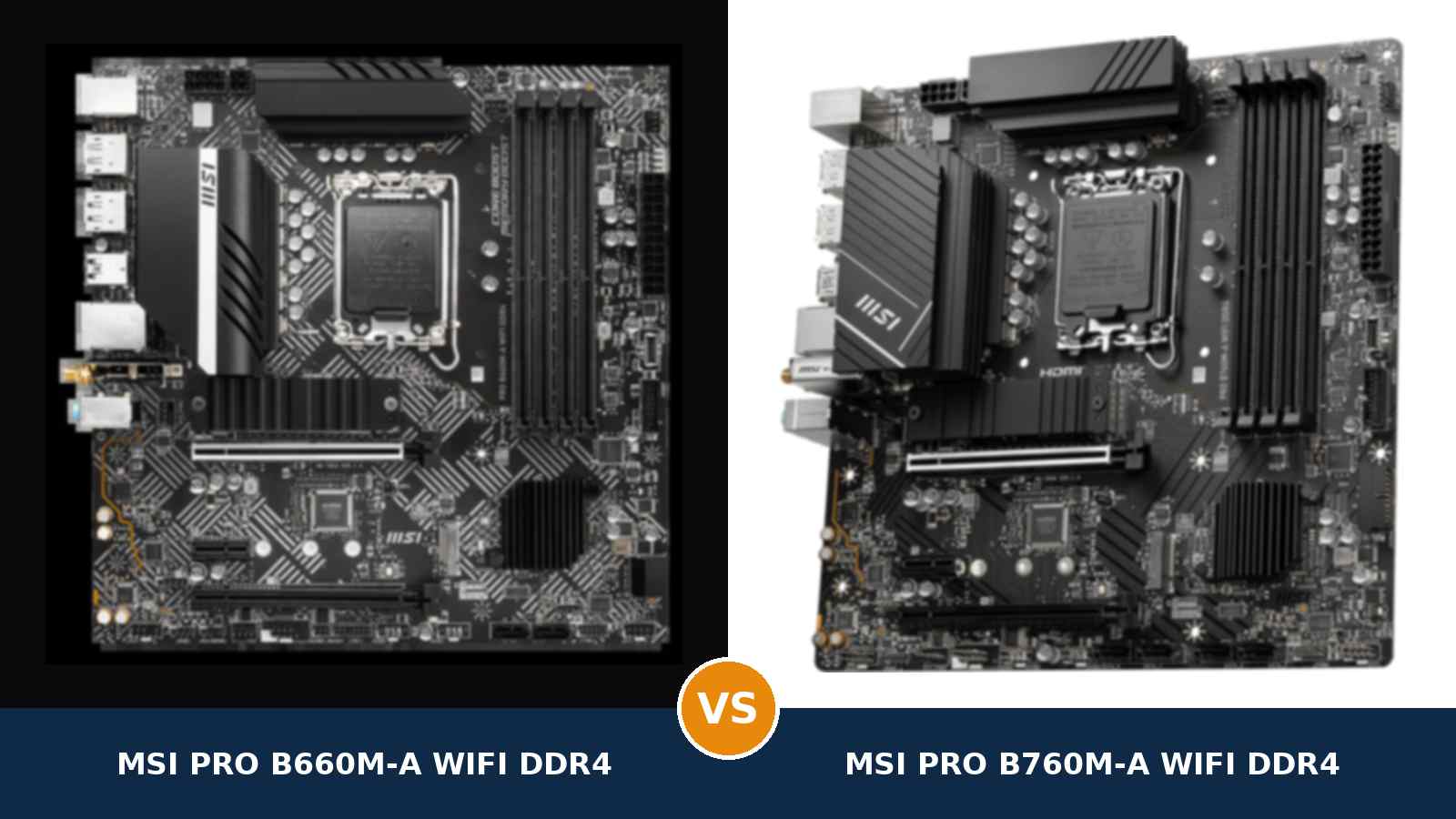
Two boards. Same socket. Same size. Same memory. One Intel generation apart.
MSI's PRO B660M-A DDR4 and PRO B760M-A DDR4 are the sensible, no-nonsense micro-ATX boards of their respective launches: strong power design, fast networking, every port a working PC needs.
Because they share so much, the choice comes down to a handful of specifics: which processors each runs out of the box, how far each pushes DDR4, and a few small upgrades on the newer board. This guide settles all of it from MSI's own published specifications.
Which boards are we actually comparing?
MSI's PRO naming needs one paragraph of honesty before anything else. Under the PRO B660M and PRO B760M umbrellas sit several boards — the full-featured -A models, cut-down -P, -E and -G variants, and separate DDR4 and DDR5 versions of the same names.
The boards buyers mean by the unqualified names are the -A DDR4 pair — the mainstream versions, with four memory slots, 2.5-gigabit LAN, two Gen4 M.2 slots and the PRO line's strongest power design.
In the US, these boards are sold as the WIFI DDR4 versions — the non-WiFi PRO B760M-A DDR4 has no regular Amazon.com listing at all, and the wireless models are otherwise identical motherboards with a Wi-Fi module fitted. So this guide compares the MSI PRO B660M-A WIFI DDR4 against the MSI PRO B760M-A WIFI DDR4. Every specification below except the wireless rows applies word-for-word to the non-WiFi versions too.
And the memory warning, up front: both boards here are DDR4 boards. MSI also sells near-identically named DDR5 versions, and DDR5 memory does not fit a DDR4 slot — the notch sits in a different place. Check the name on the box ends in DDR4 before ordering the board or the memory kit.
Key Takeaways
- The PRO B760M-A WIFI DDR4 is the better buy for a new build. It runs 12th- and 13th-generation processors out of the box, pushes DDR4 further, and adds Wi-Fi 6E.
- The PRO B660M-A WIFI DDR4 is the value pick. Same storage, same 2.5G LAN, same audio, same display outputs — usually for less money, especially with a 12th-gen CPU.
- CPU support is the real dividing line. The B660 board launched for 12th-gen only; 13th- and 14th-gen chips need a BIOS update first, and neither board has BIOS flashback.
- Both boards are DDR4. Neither takes DDR5. Do not let a near-identical product name sell you the wrong memory.
- Neither board overclocks a K-series CPU, and neither has a PCIe 5.0 slot — whatever one listing title claims.
Quick Verdict
Buy the MSI PRO B760M-A WIFI DDR4 for most new builds. It is the more complete board, and it asks fewer questions.
It runs 12th- and 13th-generation Intel processors the day you build. Its memory ceiling is higher, its second expansion slot runs at Gen4 speed, its wireless is Wi-Fi 6E, and it doubles the front-panel USB 3.2 headers.
None of those wins is dramatic. Together, they are the difference between a board that merely works and a board that never makes you work around it.
Buy the MSI PRO B660M-A WIFI DDR4 if you are building around a 12th-generation processor and it is meaningfully cheaper. With a Core i5-12400F in the socket, the older board gives up almost nothing in daily use.
Storage, networking, audio and display outputs are identical. If the saving buys you a bigger SSD or a better graphics card, take the saving.
The Scorecard
Scores below are derived directly from the manufacturer specifications compared in this guide — slot counts, port counts and supported standards. They are a reading aid, not benchmark results.
| Category | PRO B660M-A WIFI DDR4 | PRO B760M-A WIFI DDR4 | ||
|---|---|---|---|---|
| CPU support & platform | 7 / 10 | 9 / 10 | ||
| Power delivery | 8 / 10 | 8 / 10 | ||
| Memory | 8 / 10 | 9 / 10 | ||
| Expansion | 7 / 10 | 8 / 10 | ||
| Storage | 9 / 10 | 9 / 10 | ||
| USB & connectivity | 8 / 10 | 9 / 10 | ||
| Networking & audio | 8 / 10 | 9 / 10 | ||
| Overall | 7.9 / 10 | 8.7 / 10 | ||
Read the pattern, not just the totals. The B760 wins on platform currency and small conveniences. It does not win on storage, audio, wired networking or displays — those are ties.
At a Glance: Who Each Board Fits
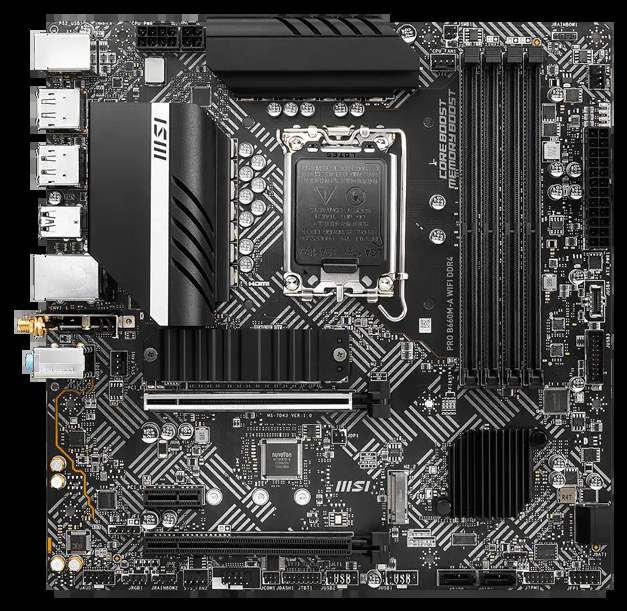
MSI PRO B660M-A WIFI DDR4
- Intel B660, LGA1700 — native 12th-gen support
- 4 × DDR4 slots, up to 128 GB, 4800+ MT/s (OC)
- Two PCIe 4.0 x4 M.2 slots, Shield Frozr heatsink
- Realtek 2.5GbE LAN, Intel Wi-Fi 6, Bluetooth 5.2
- 2 × HDMI 2.1 and 2 × DisplayPort 1.4 outputs
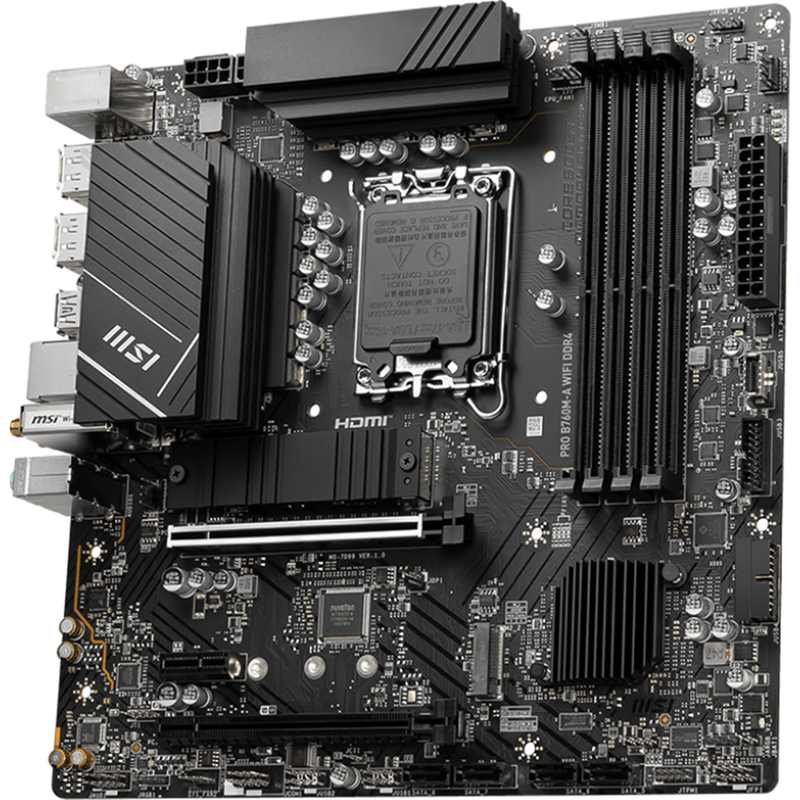
MSI PRO B760M-A WIFI DDR4
- Intel B760, LGA1700 — native 12th- and 13th-gen support
- 4 × DDR4 slots, up to 128 GB, 5333+ MT/s (OC)
- 12+1+1 Duet Rail power design, 8+4-pin CPU power
- Realtek 2.5GbE LAN, Intel Wi-Fi 6E, Bluetooth 5.3
- Second x16 slot wired PCIe 4.0 x4
Choose the PRO B660M-A WIFI DDR4 if…
You are building around a 12th-generation processor — a Core i5-12400F, i3-12100F or i7-12700 — and the board is cheaper than its successor when you order. Or you found one discounted or used; as the older board, it is the one that turns up in sales.
Either way, you keep your existing DDR4 kit and the platform essentials, without paying for headroom you will never use.
Choose the PRO B760M-A WIFI DDR4 if…
You are buying a 13th- or 14th-generation processor and want it to work the day the parts arrive, with no BIOS errands.
You want the faster wireless standard, the higher DDR4 ceiling, and the extra front-panel USB headers — or you simply want the newer board with the longer support runway. That instinct is correct here.
As an Amazon Associate I earn from qualifying purchases at no extra cost to you.
Specifications: The Specs That Actually Matter
Every figure below is taken from MSI's published specifications, datasheets and user manuals for these two boards, cross-checked against MSI's product data. Where the two boards match exactly, the table says so — there are more of those rows than the marketing suggests.
| Specification | MSI PRO B660M-A WIFI DDR4 | MSI PRO B760M-A WIFI DDR4 |
|---|---|---|
| Form factor | Micro ATX, 24.4 × 24.4 cm | Micro ATX, 24.4 × 24.4 cm |
| Socket / chipset | LGA1700 / Intel B660 | LGA1700 / Intel B760 |
| CPU support | 12th Gen native; 13th/14th Gen via BIOS update | 12th/13th Gen native; 14th Gen via BIOS update |
| Power design | Core Boost digital design, extended heatsink, 8+4-pin CPU power | 12+1+1 Duet Rail design, extended heatsink, 8+4-pin CPU power |
| Memory | 4 × DDR4 DIMM, up to 128 GB, 4800+ MT/s (OC), XMP | 4 × DDR4 DIMM, up to 128 GB, 5333+ MT/s (OC), XMP |
| Graphics outputs (iGPU) | 2 × HDMI 2.1, 2 × DisplayPort 1.4, up to 4K@60 | 2 × HDMI 2.1, 2 × DisplayPort 1.4, up to 4K@60 |
| Expansion slots | PCIe 4.0 x16 + PCIe 3.0 x16 slot (x4) + PCIe 3.0 x1 | PCIe 4.0 x16 + PCIe 4.0 x16 slot (x4) + PCIe 3.0 x1 |
| M.2 storage | 2 slots, both PCIe 4.0 x4 (second also SATA), Shield Frozr | 2 slots, both PCIe 4.0 x4 (second also SATA), Shield Frozr |
| SATA | 4 × SATA 6 Gb/s, RAID 0/1/5/10 | 4 × SATA 6 Gb/s, RAID 0/1/5/10 |
| LAN | Realtek RTL8125BG 2.5GbE | Realtek RTL8125BG 2.5GbE |
| Wi-Fi / Bluetooth | Intel Wi-Fi 6, Bluetooth 5.2 | Intel Wi-Fi 6E, Bluetooth 5.3 |
| Audio | Realtek ALC897, 7.1 HD, Audio Boost | Realtek ALC897, 7.1 HD, Audio Boost |
| USB (rear) | 2 × USB 2.0, 2 × USB 3.2 Gen 1, 2 × USB 3.2 Gen 2 Type-A | 2 × USB 2.0, 2 × USB 3.2 Gen 1, 2 × USB 3.2 Gen 2 Type-A |
| USB (front headers) | 1 × USB 3.2 Gen 1 Type-C, 2 × Gen 1 Type-A, 4 × USB 2.0 | 1 × USB 3.2 Gen 1 Type-C, 4 × Gen 1 Type-A, 4 × USB 2.0 |
| Fan headers | 4 (CPU, pump, 2 × system) | 4 (CPU, pump, 2 × system) |
| BIOS | 256 Mb UEFI AMI, Click BIOS 5, EZ Debug LED | 256 Mb UEFI AMI, Click BIOS 5, EZ Debug LED |
Two honest footnotes. First, MSI publishes a full 12+1+1 phase breakdown for the B760 board; for the B660 board it publishes the design family (Core Boost, fully digital) and the same 8+4-pin layout, but no phase count — so this table does not invent one.
Second, one retail listing for the B760 board advertises “PCIe 5.0” in its title. MSI's own specification says the graphics slot is PCIe 4.0 x16, and that is the figure to trust. Neither board has any PCIe 5.0 slot.
The Differences That Actually Matter
1. CPU support — the one difference that can stop a build
This is the section that decides most purchases. Read it before you fall in love with either price tag.
The PRO B660M-A WIFI DDR4 launched with the 12th generation — its manual lists 12th-gen support, all that existed at the time.
MSI's current support lists go further. With a BIOS update, the board runs 13th- and 14th-generation processors too. The socket was never the limitation — the firmware was.
The PRO B760M-A WIFI DDR4 launched a generation later. It runs 12th- and 13th-generation chips out of the box, and takes 14th-generation processors with a BIOS update of its own, depending on the BIOS version the individual board ships with.
Here is the catch, and it applies to both boards: neither has BIOS flashback. There is no way to update the firmware without a supported processor already installed. Pair a B660 board carrying an early BIOS with a 13th-gen chip and the build simply will not start — you would need a 12th-gen processor on hand for the update, or a seller who has already done it.
Planning a 13th- or 14th-gen build from new parts? The B760 board removes that whole category of risk — more than any spec-sheet line, that is what its premium buys.
One shared limitation belongs here too: both chipsets lock CPU multiplier overclocking. A K-series processor runs perfectly well on either board — at stock settings. Overclocking needs a Z-series board.
2. Memory — same DDR4, different ceiling
Both boards take four DDR4 DIMMs, up to 128 GB, in dual channel, with XMP profiles. If you are carrying a DDR4 kit over from an older build, it works in both. That is the main event, and it is a tie.
The difference is at the top end. MSI rates the B660 board's overclocked ceiling at 4800+ MT/s with a single-rank kit in two slots; the B760 board stretches that to 5333+, with higher published ceilings in every configuration — two ranks, four slots, all of them.
Who cares? Honestly, a narrow slice of builders — anyone overclocking memory for integrated-graphics performance or tight timings gets more room from the B760. For everyone else, a good DDR4-3200 or DDR4-3600 kit is the sensible buy on either board; your processor's memory controller, not the board's ceiling, decides what the kit runs at.
3. Power delivery — a genuine tie at this level
Start with what matches: an 8-pin plus 4-pin CPU power layout on both boards, and extended VRM heatsinks with high-conductivity thermal pads over the MOSFETs. For the B760 board, MSI publishes the full recipe — a 12+1+1 Duet Rail design (twelve phases for the CPU cores, one auxiliary, one for the graphics core) on a 6-layer, 2 oz copper PCB.
For the B660 board, MSI publishes the design family — Core Boost, fully digital power — but no phase count in its specification or manual. We score what is published, so this category is a tie rather than a guessing contest.
In use, both boards run any processor they support at stock settings, Core i7 included. Sustained all-core Core i9 work is where this price class looks ordinary — both boards do it at stock, neither is the ideal tool, and the pairing table below marks that honestly.
4. Expansion — one slot runs a generation faster
Your graphics card gets the same deal on both boards: a steel-reinforced PCIe 4.0 x16 slot wired to the processor. The second full-length slot is where they split — PCIe 3.0 x4 on the B660 board, PCIe 4.0 x4 on the B760, double the bandwidth.
That matters for exactly the cards that move serious data: a quad-NVMe adapter, a high-speed capture card, a fast network card for a home server. For a sound card in the small x1 slot both boards provide, the difference never appears. Know which kind of builder you are.
5. Storage and displays — the honest ties
Storage matches line for line. Two M.2 slots, both PCIe 4.0 x4 — one from the processor, one from the chipset that also accepts SATA drives. A Shield Frozr heatsink over the primary slot. Four SATA ports with RAID 0/1/5/10. Identical storage plans fit both boards; do not let anyone sell you one over the other on storage.
Display outputs tie too. Both boards provide two HDMI 2.1 and two DisplayPort 1.4 outputs for processors with integrated graphics, each rated to 4K at 60 Hz. The one curiosity: the older board's DisplayPort link is technically wider (HBR3 against HBR2) — at 4K/60 you will never see the difference.
6. Wireless and USB — small upgrades, real convenience
The B660 board's wireless is Intel Wi-Fi 6 with Bluetooth 5.2 — fast, modern, entirely adequate. The B760 board moves to Wi-Fi 6E with Bluetooth 5.3; the headline is the 6 GHz band, emptier and faster over short range if your router offers it.
Wired networking is identical — the same Realtek RTL8125BG 2.5-gigabit controller — and so is the rear panel, port for port, including the two 10 Gbps USB 3.2 Gen 2 sockets.
The front panel is the quiet upgrade. The B660 board offers two Gen 1 Type-A ports on one header, plus the front Type-C header. The B760 board doubles that to four Gen 1 ports across two headers — if your case has four front USB-A ports, only the newer board lights all of them up. Total USB: 13 against 15.
7. The small stuff — audio, lighting and workshop details
Audio is the same Realtek ALC897 7.1 implementation with Audio Boost on both boards — through any sane headset or speakers, there is nothing to choose between them.
Both carry MSI's EZ Debug LEDs, EZ M.2 clips and the PRO line's office-friendly legacy touches, including a serial port connector. The B760 board's addressable lighting headers move to MSI's Gen2 standard (A-RAINBOW V2); the B660 uses the first-generation headers — a footnote for lit builds.
Fan control ties: one CPU header, one pump header and two system headers each, managed through MSI Center.
CPU Pairing Guide
The fastest way to choose between these boards is to start from your processor. This table is the whole comparison in one view.
| Your processor | PRO B660M-A WIFI DDR4 | PRO B760M-A WIFI DDR4 | Our call |
|---|---|---|---|
| Core i3-12100 / 12100F (12th Gen) | Excellent — native support | Excellent — native support | Buy whichever is cheaper |
| Core i5-12400 / 12400F (12th Gen) | Excellent — native support | Excellent — native support | Buy on price; the B660 loses nothing here |
| Core i7-12700 / 12700F (12th Gen) | Excellent — native support | Excellent — native support | Either; take the cheaper board |
| Core i5-13400 / 13400F (13th Gen) | Works — BIOS update required first | Excellent — native support | PRO B760M-A WIFI DDR4 |
| Core i5-14400 / 14400F (14th Gen) | Works — BIOS update required first | Good — may need a BIOS update depending on shipped version | PRO B760M-A WIFI DDR4 |
| Core i7-13700 / 14700 | Workable — update first, runs at stock | Better fit — newer native support | PRO B760M-A WIFI DDR4 |
| Core i9-13900 / 14900 | Workable at stock, not ideal | Workable at stock, not ideal | Neither is the right class — step up |
| Pentium Gold / Celeron (12th Gen) | Excellent, board is overqualified | Excellent, board is overqualified | The B660, on price |
Two notes. First, K-series processors (13600K, 14700K and friends) run at stock boost behaviour on both boards — B-series chipsets do not unlock multiplier overclocking on either side of this comparison.
Second, the B660 rows marked “BIOS update required” are a logistics problem, not a defect: with no flashback, the update needs a supported processor fitted. Solve it before the parts arrive, or buy the B760.
Ready to check today’s price?
Both boards sell through Amazon. Prices and stock move — the older board especially — so check the live figure on the board that fits your processor.
View on Amazon — B660M-A WIFI DDR4View on Amazon — B760M-A WIFI DDR4The 30-Second Decision
| If this sounds like you… | Buy this |
|---|---|
| “I have a 13th- or 14th-gen CPU and want it to boot first try.” | PRO B760M-A WIFI DDR4 |
| “I have a 12th-gen CPU and the older board is on sale.” | PRO B660M-A WIFI DDR4 |
| “I am reusing a DDR4 kit and want to keep it.” | Either — both are DDR4; let the CPU decide |
| “My router has a 6 GHz band and I want to use it.” | PRO B760M-A WIFI DDR4 (Wi-Fi 6E) |
| “My case has four front USB-A ports.” | PRO B760M-A WIFI DDR4 |
| “Cheapest solid board for an office or family PC.” | PRO B660M-A WIFI DDR4, on price |
What You Gain. What You Give Up.
MSI PRO B660M-A WIFI DDR4
You gain: the same platform essentials — dual Gen4 M.2, 2.5G LAN, four DDR4 slots, four display outputs — usually for less money, and with a 12th-gen processor you give up almost nothing you can feel.
You give up: native 13th/14th-gen support, and there is no flashback if the BIOS is old. A slower second expansion slot, Wi-Fi 6 instead of 6E, a lower memory ceiling, and half the front USB 3.2 headers.
MSI PRO B760M-A WIFI DDR4
You gain: out-of-the-box support for the two newest LGA1700 generations the platform will ever have. A 5333+ memory ceiling, a Gen4 second slot, Wi-Fi 6E, and front-panel USB that matches modern cases.
You give up: nothing on the spec sheet — but you pay the newer board's price for a platform whose ceiling (DDR4, PCIe 4.0, LGA1700) is exactly the same as the older board's.
Pros and Cons
PRO B660M-A WIFI DDR4 — Pros
- Usually the cheaper route to the same essentials
- Dual PCIe 4.0 x4 M.2 with heatsink, RAID support
- 2.5GbE LAN and Wi-Fi 6 as standard
- Four display outputs for iGPU builds
- Full 13th/14th-gen support once the BIOS is updated
Cons
- 13th/14th-gen chips need a BIOS update first — no flashback
- Second x16 slot is PCIe 3.0 x4
- Lower DDR4 ceiling (4800+ vs 5333+)
- Only two front USB 3.2 Gen 1 Type-A ports
PRO B760M-A WIFI DDR4 — Pros
- Native 12th/13th-gen support; the safer new-build buy
- Published 12+1+1 power design, 8+4-pin feed
- Higher DDR4 ceiling at 5333+ MT/s
- Wi-Fi 6E and Bluetooth 5.3
- Second x16 slot at PCIe 4.0 x4; four front Gen 1 ports
Cons
- Pays a newer-board premium for the same platform ceiling
- Still no BIOS flashback for 14th-gen updates
- No PCIe 5.0 anywhere, despite one listing's title
- Only two M.2 slots, same as the older board
Check the Suffix and the BIOS, Not Just the Board
Check the suffix first. “PRO B660M-A” and “PRO B760M-A” each name more than one product. The boards in this guide are the DDR4 versions; the DDR5 versions drop the suffix and take DDR5 memory only. A DDR5 kit will not fit these boards, and a DDR4 kit will not fit those — match the standard in the title, the spec list and your RAM order.
Check for the wireless. Non-WiFi versions of both boards exist and are otherwise identical; in the US the B760 board is stocked mainly as the WIFI DDR4 version. A wired-only board is the same motherboard minus the module — a fair buy if the price reflects it.
Check the BIOS story on the B660. Buying it for a 13th- or 14th-gen processor? Confirm the seller has updated the BIOS, or make sure a 12th-gen chip is available for the update. Neither board can flash without a supported CPU fitted.
Check the listing against MSI, once. At least one marketplace title for the B760 board advertises PCIe 5.0. MSI's specification says PCIe 4.0 — for the graphics slot and both M.2 slots. Trust the manufacturer.
Check for a revision suffix. MSI has also shipped a PRO B760M-A DDR4 II — a later revision of the same DDR4 board line. If a listing carries the “II”, verify the chipset (B760), the memory standard (DDR4) and the wireless spec in the listing's own spec table before ordering.
The Upgrade Path Test
Both boards live on LGA1700, and 14th generation is that socket's final act. Judge them on what they do with the platform that exists.
Buy the B660 board with a Core i5-12400F today, and a real upgrade path remains: update the BIOS, drop in a 13th- or 14th-gen Core i7 tomorrow. Board, memory and cooler all carry over.
Buy the B760 board and you start at that destination. The remaining upgrades are the shared ones: a second M.2 drive, more DDR4, a faster graphics card in the PCIe 4.0 slot — still ample bandwidth for current GPUs.
The honest summary: the B760 board's upgrade advantage is convenience, not ceiling. Both boards top out at the same processors, memory standard and graphics bandwidth — one just arrives there with less faff.
When to Skip Both
Honesty cuts both ways. Some builders should walk past this entire comparison.
Skip both if you want to overclock a K-series processor — that needs a Z690 or Z790 board. Skip both if you are moving to DDR5, or if a PCIe 5.0 graphics slot is a genuine requirement rather than a listing headline.
Skip both if you need more than two M.2 slots, more than four fan headers, a full-ATX layout, or a board for sustained all-core Core i9 work. For the mainstream builds most people actually assemble — Core i3 to Core i7, DDR4, one graphics card — one of these two is the right answer; the only question is which generation your processor belongs to.
Final Verdict
The MSI PRO B760M-A WIFI DDR4 is the board we would buy new.
Not because it transforms anything. Its wins are small, sensible things: native support for the newest processors this socket will ever see, a higher DDR4 ceiling, a faster second slot, Wi-Fi 6E, and front-panel USB that matches a modern case.
Small, sensible things are what separate a board you forget about from a board that makes you open the case and swear at it. The B760 board is the forgettable one, and that is a compliment.
Buy the PRO B760M-A WIFI DDR4 for any new 13th- or 14th-generation build, and for 12th-gen builds where the price gap is small.
View on Amazon — PRO B760M-A WIFI DDR4
Buy the PRO B660M-A WIFI DDR4 if you are building around a 12th-generation processor and it is clearly cheaper. You keep the same storage, wired networking, audio and display outputs — spend the saving where it shows, on a bigger SSD or better GPU. Just confirm the BIOS version first if a newer CPU is in its future.
View on Amazon — PRO B660M-A WIFI DDR4
Watch Out: Similar Names, Different Boards
MSI's PRO range is a naming minefield. Four warnings belong in every version of this guide.
First: the PRO B660M-A WIFI without “DDR4” in the name is a DDR5 board. So is the equivalent B760 model. The four letters at the end of the name are the most important part of it.
Second: the non-WiFi versions are the same motherboards minus the wireless module — same specs, same layout. Buy them knowing exactly what is missing.
Third: the -P, -E and -G variants are different, cheaper boards wearing a similar name. The PRO B760M-P DDR4, for example, drops to gigabit LAN and a lower memory ceiling. If the price looks too good for an “-A”, check which letter is actually on the box.
Fourth: a PRO B760M-A DDR4 II revision exists alongside the original. It is still a B760 DDR4 board, but revisions can shuffle minor hardware — match the full name on the box to the spec table you read.
Slow down on the product page. Match the full model name, then the memory standard, then the price — in that order.
Case, Power and Cabling Notes
Both boards are micro-ATX, 24.4 × 24.4 cm. They fit micro-ATX and full ATX cases alike, and leave generous cable room in larger ones.
Both take a standard 24-pin main power connector plus 8-pin and 4-pin CPU power connectors. Check an older power supply has both CPU cables before you order — that extra 4-pin catches people out on PSU swaps.
Both provide a front-panel USB Type-C header running at USB 3.2 Gen 1 speed — a case front Type-C port works on either board, at Gen 1 speed, not Gen 2. Front USB-A is where they differ: two Gen 1 ports from the B660 board, four from the B760. Count your case's front ports and buy accordingly.
Both keep the PRO series' practical extras: a TPM connector, a serial port header, and EZ Debug LEDs that turn a first-boot failure into a ten-second diagnosis.
BIOS and Long-Term Support
LGA1700 is a finished platform, and that cuts in both boards' favour: the BIOS is mature, the drivers stable, the surprises already found and fixed.
Both boards sit on MSI's standard support pages: BIOS updates, drivers, and a CPU support list stating exactly which BIOS version each processor needs. Expect future updates to be security patches and edge-case fixes rather than features — on a platform at end-of-life, that is what you want.
One habit matters more here than anywhere: update the BIOS before a processor swap, while a supported CPU is still in the socket. With no flashback on either board, order of operations is everything.
Frequently Asked Questions
What is the difference between the MSI PRO B660M-A and PRO B760M-A?
The chipset generation and everything that flows from it. The B760 board supports 13th-gen processors natively (the B660 needs a BIOS update first), raises the DDR4 ceiling from 4800+ to 5333+ MT/s, runs its second x16 slot at PCIe 4.0 x4 instead of 3.0 x4, upgrades Wi-Fi 6 to Wi-Fi 6E, and doubles the front USB 3.2 Gen 1 Type-A headers. Storage, wired LAN, audio and display outputs are identical.
Does the PRO B660M-A WIFI DDR4 support 13th- and 14th-gen processors?
Yes, with a BIOS update. MSI's current CPU support list covers 13th- and 14th-generation chips on this board. The catch is that the board has no BIOS flashback, so the update needs a supported 12th-gen processor installed — or buy from a seller who has already done it.
Are these boards DDR4 or DDR5?
DDR4 — both of them. That is what the DDR4 in their names means, and it is why they suit builders reusing an existing DDR4 kit. MSI sells DDR5 versions under near-identical names without the DDR4 suffix, so check the full product name before ordering the board or the memory.
Can I use DDR5 memory in the PRO B660M-A or B760M-A DDR4?
No. DDR5 modules are keyed differently and will not fit DDR4 slots, on these boards or any others. Memory standard is a board-level decision — DDR4 boards with a DDR4 kit, DDR5 models with DDR5.
Which board is better for a Core i5-13400F or 14400F?
The PRO B760M-A WIFI DDR4. It supports the 13400F natively, while the B660 board needs a BIOS update before that processor will boot — an update that itself requires a 12th-gen CPU to perform. For a 14400F, check the B760 board's shipped BIOS against MSI's CPU support list.
Do either of these boards support PCIe 5.0?
No. Both boards are PCIe 4.0 throughout: the graphics slot, the second x16 slot (Gen4 on the B760, Gen3 on the B660) and both M.2 slots. At least one marketplace listing title claims PCIe 5.0 for the B760 board; MSI's own specification says otherwise, and the manufacturer's figure is the one to trust.
What is the difference between the WIFI DDR4 and non-WiFi versions?
The wireless module and its antenna connectors — nothing else. The non-WiFi versions share the same layout, power design, slots and ports as the WIFI DDR4 boards compared here. Buy wired if it is cheaper and your PC lives next to the router.
Can I overclock a K-series processor on these boards?
No. Intel's B660 and B760 chipsets do not support CPU multiplier overclocking, so a 13600K or 14700K runs at stock settings on both boards. Memory overclocking through XMP profiles does work on both. For CPU overclocking, look at Z690 or Z790 boards instead.
Sources & Verification
MSI PRO B660M-A WIFI DDR4 official product page, datasheet and user manual (msi.com / storage-asset.msi.com) • MSI PRO B760M-A WIFI DDR4 official product page, datasheet and user manual • MSI CPU support lists for both boards • Retail listings cross-checked against MSI model numbers and UPCs. Specifications verified November 2026.

James Wilson
James has been building and benchmarking PCs for over a decade and writes Honestly Compared's motherboard and component guides. His rule for every comparison: the verdict has to survive the spec sheet, not the marketing page.