
MSI Z790 Gaming Plus WiFi vs MSI MAG Z790 Tomahawk WiFi: Which Should You Buy?
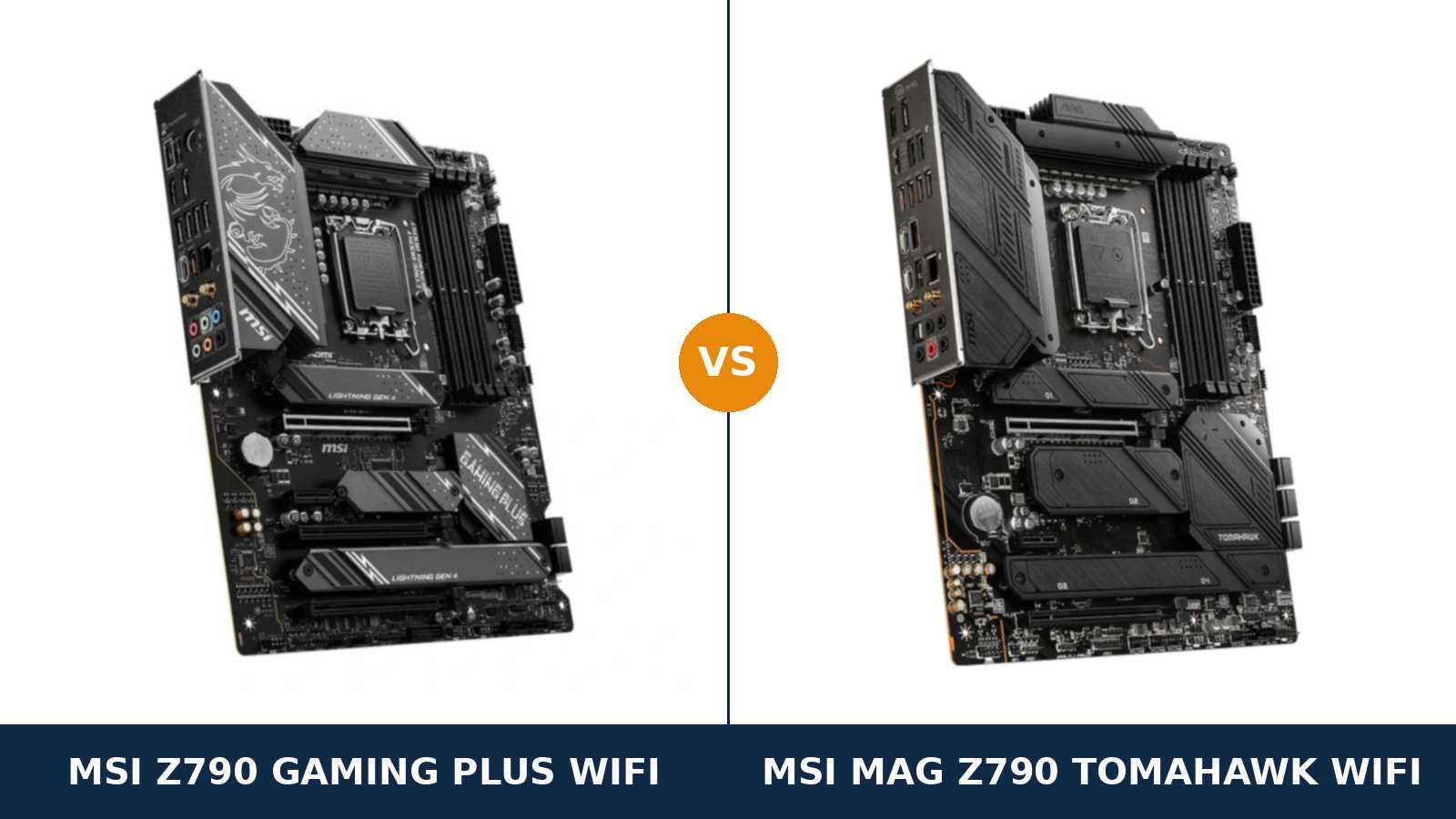
Same brand. Same chipset. Same socket, same memory rating, same Wi-Fi, same four M.2 slots.
Put the MSI Z790 Gaming Plus WiFi and the MSI MAG Z790 Tomahawk WiFi side by side and the spec sheets look like photocopies. They are not. The Tomahawk costs more, and the extra money buys specific, identifiable hardware — a stronger power section, a far better audio codec and a faster rear panel.
What the extra money does not buy is just as important. It does not buy faster memory support. It does not buy more storage. It does not buy better networking. Those are identical, line for line.
So this comparison comes down to a clean question: are the Tomahawk’s three real upgrades worth anything to your build? For an overclocked Core i9, yes. For a Core i5 gaming PC, almost certainly not.
Every specification below comes from MSI’s own published product pages and datasheets. Just the hardware, compared honestly.
Key Takeaways
- The Tomahawk’s VRM is the headline upgrade. 16+1+1 phases with 90A smart power stages, against the Gaming Plus’s 14+1+1 DrMOS design. It matters for Core i9 overclocking, not for stock gaming.
- Storage, memory and networking are dead ties. Four PCIe 4.0 M.2 slots, DDR5 support to 7200+(OC), Intel 2.5G LAN and Wi-Fi 6E on both boards.
- Audio is a rout. The Tomahawk’s ALC4080 codec with optical S/PDIF output is a class above the Gaming Plus’s ALC897.
- The rear panel splits the same way. Ten fast USB ports on the Tomahawk; the Gaming Plus still gives you four USB 2.0 ports at the back, though it counters with more fast front-panel USB.
- Mind the names. A Wi-Fi 7 “WIFI7” refresh of the Gaming Plus and a Tomahawk MAX WiFi both exist. They are different boards from the two compared here.
Quick Verdict
Buy the MSI MAG Z790 Tomahawk WiFi if you are building around a Core i9 or an overclocked Core i7. Its 16+1+1 power design with 90A stages is built for exactly that workload.
You also get the better ownership experience around the edges. A rear panel with no slow ports. Proper USB audio with an optical output. A Clear CMOS button when an overclock goes wrong.
Buy the MSI Z790 Gaming Plus WiFi for a gaming build at stock settings. It keeps every platform essential: PCIe 5.0 graphics, four Gen4 M.2 slots, DDR5 to 7200+(OC), Wi-Fi 6E and 2.5G Ethernet.
Under a Core i5-13600K or a stock Core i7-13700K, the Tomahawk’s advantages simply never get used. Save the difference and spend it on the graphics card, where it will show up in every frame.
The Scorecard
Scores below are derived directly from the manufacturer specifications compared in this guide — phase counts, stage ratings, slot and port counts and supported standards. They are a reading aid, not benchmark results.
| Category | Z790 Gaming Plus WiFi | MAG Z790 Tomahawk WiFi | ||
|---|---|---|---|---|
| Power delivery | 8 / 10 | 9 / 10 | ||
| Expansion | 8 / 10 | 7 / 10 | ||
| Storage | 9 / 10 | 9 / 10 | ||
| Memory | 9 / 10 | 9 / 10 | ||
| USB & rear I/O | 7 / 10 | 9 / 10 | ||
| Audio | 6 / 10 | 9 / 10 | ||
| Networking | 9 / 10 | 9 / 10 | ||
| Overall | 7.9 / 10 | 8.9 / 10 | ||
The shape of this matchup is unusual. Three categories are exact ties, and the Tomahawk wins the rest on component quality rather than feature count. Whether it wins your money depends entirely on whether you will use those components.
At a Glance: Who Each Board Fits
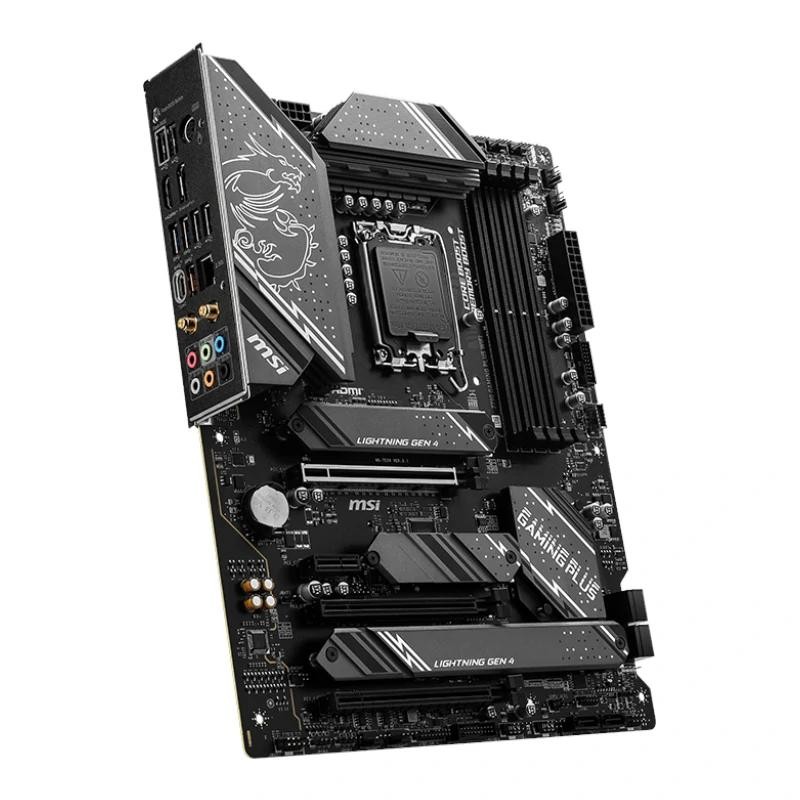
MSI Z790 Gaming Plus WiFi
- 14+1+1 Duet Rail VRM with DrMOS, dual 8-pin CPU power
- PCIe 5.0 x16 graphics slot with Steel Armor
- Four M.2 Gen4 x4 slots and six SATA ports
- Extra full-length PCIe slot for add-in cards
- Intel Wi-Fi 6E and 2.5G LAN
- Realtek ALC897 7.1 HD audio
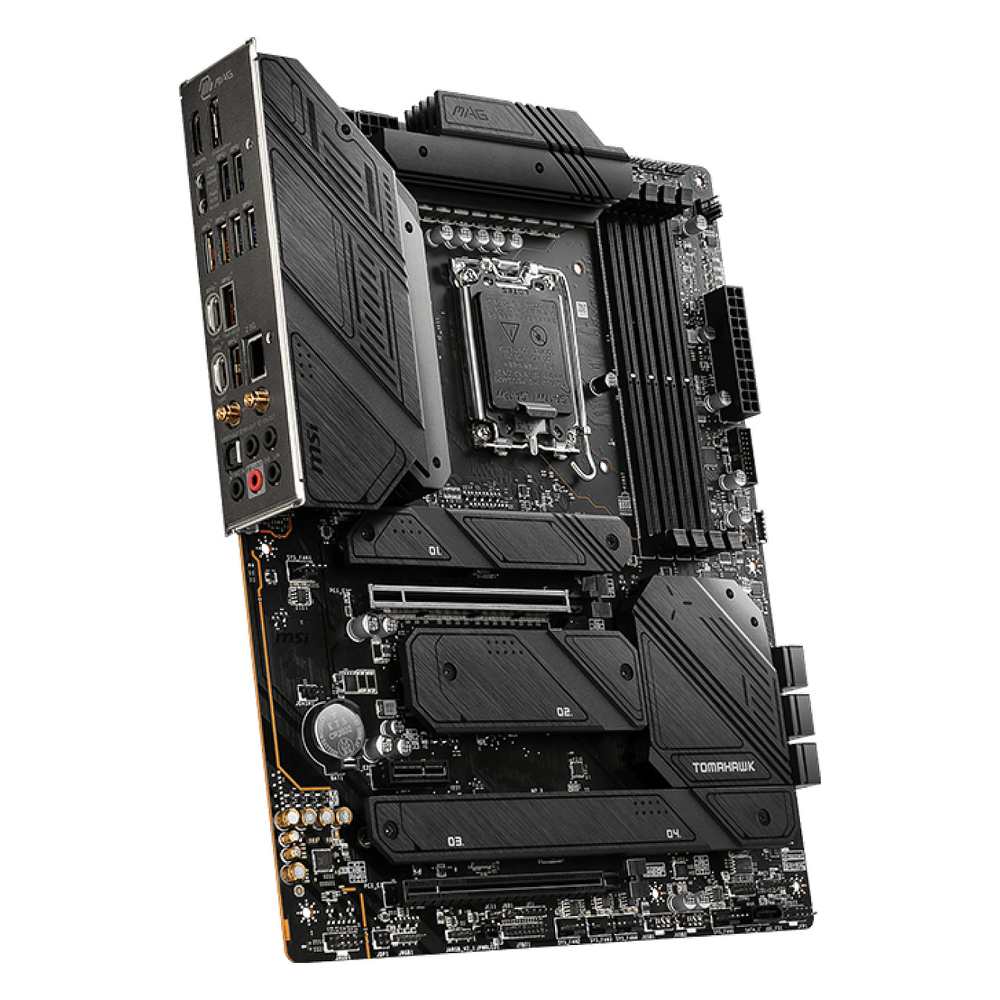
MSI MAG Z790 Tomahawk WiFi
- 16+1+1 Duet Rail VRM with 90A smart power stages
- Four M.2 Gen4 x4 slots and seven SATA ports
- Realtek ALC4080 USB audio with optical S/PDIF output
- Ten rear USB ports, all 5Gbps or faster, two of them Type-C
- Clear CMOS and Flash BIOS buttons on the rear panel
- Intel Wi-Fi 6E and 2.5G LAN
Choose the Z790 Gaming Plus WiFi if…
You are building a gaming PC around a Core i5 or Core i7 and running it at stock settings, or with a light, sensible overclock.
You would rather put the price gap into the GPU, the SSD or the monitor. On this board, nothing a gaming build actually needs has been cut.
You want the extra full-length slot. A capture card, a sound card or a future network card physically fits without crowding the graphics card.
Choose the MAG Z790 Tomahawk WiFi if…
You are fitting a Core i9-13900K or 14900K, or you intend to overclock a Core i7 properly and hold all-core loads for hours.
You care about sound. A good pair of headphones, a desktop DAC or a soundbar on optical — the Tomahawk’s audio section is built for you, and the Gaming Plus’s is not.
You plug a lot into the back of the PC. Ten fast ports, no USB 2.0 stragglers, and a Clear CMOS button when tuning goes wrong.
As an Amazon Associate I earn from qualifying purchases at no extra cost to you.
Specifications: The Specs That Actually Matter
Every figure below is taken from MSI’s published specifications and datasheets for these two exact models — the DDR5, Wi-Fi 6E originals. Refresh models with similar names are covered in the notes under the table.
| Specification | MSI Z790 Gaming Plus WiFi | MSI MAG Z790 Tomahawk WiFi |
|---|---|---|
| Form factor | ATX, 243.84 × 304.8 mm, 6-layer PCB (2 oz copper) | ATX, 243.84 × 304.8 mm |
| Socket / chipset | Intel LGA1700 / Z790 | Intel LGA1700 / Z790 |
| CPU support | Core 14th / 13th / 12th Gen, Pentium Gold, Celeron | Core 14th / 13th / 12th Gen, Pentium Gold, Celeron |
| VRM design | 14+1+1 Duet Rail power system, DrMOS | 16+1+1 Duet Rail power system, 90A Smart Power Stages |
| CPU power connectors | 2 × 8-pin | 2 × 8-pin |
| Memory | 4 × DDR5 DIMM, up to 256 GB, 7200+(OC) MT/s, XMP 3.0 | 4 × DDR5 DIMM, up to 256 GB, 7200+(OC) MT/s, XMP 3.0 |
| Graphics outputs (iGPU) | HDMI 2.1 (4K 60Hz), DisplayPort 1.4 (4K 60Hz) | HDMI 2.1 (4K 60Hz), DisplayPort 1.4 (8K 60Hz) |
| Expansion slots | PCIe 5.0 x16 + PCIe 4.0 x16 (x4) + 2 × x1-class slots (one full-length) | PCIe 5.0 x16 + PCIe 4.0 x16 (x4) + PCIe 3.0 x1 |
| M.2 storage | 4 slots, all PCIe 4.0 x4; two also accept SATA drives | 4 slots, all PCIe 4.0 x4; one also accepts SATA drives |
| SATA | 6 × SATA 6 Gb/s | 7 × SATA 6 Gb/s (two ports excluded from RAID) |
| RAID | RAID 0/1/5/10 for SATA and M.2 NVMe | RAID 0/1/5/10 for SATA and M.2 NVMe |
| LAN | Intel 2.5Gbps Ethernet | Intel 2.5Gbps Ethernet |
| Wireless | Intel Wi-Fi 6E (up to 2.4 Gbps), Bluetooth 5.3 | Intel Wi-Fi 6E (up to 2.4 Gbps), Bluetooth 5.3 |
| Audio | Realtek ALC897, 7.1 HD audio | Realtek ALC4080, 7.1 USB audio, S/PDIF output, 32-bit/384 kHz front panel |
| USB (rear) | 4 × USB 2.0, 2 × 5Gbps Type-A, 1 × 10Gbps Type-A, 1 × 20Gbps Type-C | 4 × 5Gbps Type-A, 4 × 10Gbps Type-A, 1 × 10Gbps Type-C, 1 × 20Gbps Type-C |
| USB (front headers) | 4 × USB 2.0, 4 × 5Gbps Type-A, 1 × 10Gbps Type-C | 4 × USB 2.0, 2 × 5Gbps Type-A, 1 × 10Gbps Type-C |
| Fan headers | 8 (CPU + pump + 6 system) | 8 (CPU + pump + 6 system) |
| Troubleshooting | 4 × EZ Debug LED, rear Flash BIOS button | 4 × EZ Debug LED, rear Flash BIOS and Clear CMOS buttons |
Model note: MSI later released a Z790 Gaming Plus WIFI7 with Wi-Fi 7, and a MAG Z790 Tomahawk MAX WiFi that adds Wi-Fi 7 and a PCIe 5.0 M.2 slot. Both are different, pricier boards. There is also a DDR4 version of the Tomahawk. Everything in this comparison describes the original DDR5 Wi-Fi 6E models named in the title.
Memory capacity note: MSI’s current specification pages list 256 GB maximum memory for both boards. The Gaming Plus’s launch manual and several early listings say 192 GB. The difference reflects 64 GB DDR5 modules arriving after launch, not a hardware change — but if maximum capacity matters to you, MSI’s current page is the figure to trust.
The Differences That Actually Matter
1. Power delivery — the one upgrade with real consequences
The Tomahawk runs a 16+1+1 Duet Rail power system built from 90A Smart Power Stages. On most manufacturers’ ranges, that specification headlines a flagship. Here it is the step-up board.
The Gaming Plus runs a 14+1+1 Duet Rail design with DrMOS stages. MSI pairs it with an extended heatsink, quality thermal pads and dual 8-pin CPU power connectors — the same dual connectors the Tomahawk carries.
What does the gap mean in practice? For a Core i5-13600K or i7-13700K at stock settings: nothing you will ever measure. Both VRMs are loafing.
For a Core i9-14900K under a sustained all-core render, both boards hold stock behaviour. Push into manual overclocking and long, hot, current-heavy loads, and the Tomahawk’s extra phases and higher-rated stages run cooler with more margin. That margin is what you are paying for.
The honest rule: the VRM is the one part of a motherboard you can never upgrade. If a flagship CPU and overclocking are even a future possibility, buy the Tomahawk’s headroom now. If they are not, the Gaming Plus’s power section is not a compromise — it is correctly sized.
2. Audio — the widest gap on either spec sheet
The Tomahawk uses Realtek’s ALC4080, a USB-interface codec a full class above conventional HD audio chips. MSI specifies 32-bit/384 kHz playback on the front panel, and the rear panel carries an optical S/PDIF output.
The Gaming Plus uses the ALC897. It is a competent, mainstream 7.1 HD codec — the same tier found on most mid-range boards. Through a gaming headset, it does its job without complaint.
Who should care? Anyone running quality wired headphones straight from the board. Anyone feeding a soundbar, receiver or desktop DAC over optical. Anyone who records or streams and wants a cleaner analogue path.
Who should not? Anyone whose headset is USB or wireless — your audio never touches the codec at all. For those builders, this entire section scores zero, and it is one of the Tomahawk’s headline advantages.
3. The rear panel — fast ports against cheap ports
Count the Tomahawk’s rear USB ports: ten. Four at 5Gbps, four at 10Gbps, a 10Gbps Type-C and a 20Gbps Type-C. There is not a single USB 2.0 port on the back of the board.
The Gaming Plus offers eight rear ports, and four of them are USB 2.0. For a keyboard and mouse that is fine. For external SSDs, capture devices and fast flash drives, you will be picking your ports carefully.
The Gaming Plus claws one point back at the front panel. It provides headers for four front 5Gbps Type-A ports against the Tomahawk’s two, alongside the same 10Gbps Type-C front header both boards carry.
So the split is real but narrower than the headline suggests: the Tomahawk owns the rear panel, the Gaming Plus is friendlier to a case with a busy front panel. Most builders live at the rear panel. Point to the Tomahawk.
4. Storage — a tie wearing two small disguises
Both boards give you four M.2 slots, every one of them PCIe 4.0 x4. Both put the first slot on CPU lanes with room for a 22110 drive. Both cover their slots with M.2 Shield Frozr heatsinks, and both support RAID 0/1/5/10 across SATA and NVMe.
The Tomahawk adds a seventh SATA port against six. Useful for a hoarder of hard drives; irrelevant to almost everyone else. And two of its seven ports sit outside RAID support, which trims the advantage further.
The Gaming Plus answers with flexibility: two of its M.2 slots accept SATA-mode drives, against one on the Tomahawk. If you are migrating older M.2 SATA SSDs into the new build, that is the more useful trick.
Call storage what it is — a draw. Neither board has a PCIe 5.0 M.2 slot, and that shared limitation matters more than any of the differences above. It gets its own discussion in the upgrade-path section.
5. Expansion slots — the Gaming Plus’s quiet win
Both boards give the graphics card the same PCIe 5.0 x16 slot from the CPU. Both add a second full-length slot wired at PCIe 4.0 x4 from the chipset. For GPUs and fast add-in cards, they are equals.
Below that, the Gaming Plus fits one more full-length slot. It runs at PCIe 3.0 x1 electrically — slow — but its physical size means full-length cards fit, slot spacing stays flexible, and a card can sit clear of a thick graphics card’s fans.
The Tomahawk’s third slot is a short x1. Fine for a sound card or a Wi-Fi card; useless when the card you own is full-length and the GPU has swallowed the neighbouring slots.
This is a niche advantage. Most gaming builds never populate a third slot. But it is a genuine one, and it belongs to the cheaper board.
6. Memory and networking — identical, and we will not pretend otherwise
Both boards: four DDR5 slots, official overclocking support to 7200+(OC), the same per-configuration ceilings underneath (two sticks overclock further than four, as always on this platform), and Intel XMP 3.0.
Both boards: Intel 2.5-gigabit Ethernet, Intel Wi-Fi 6E with Bluetooth 5.3, the module pre-installed in the Key-E slot. Not similar — the same parts, from the same supplier, at the same speeds.
Do not let a product page sell you the Tomahawk on memory overclocking or wireless performance. There is nothing there to buy. The premium lives in the VRM, the audio and the rear panel, nowhere else.
7. Living with the board — buttons, lights and little mercies
Both boards carry MSI’s four EZ Debug LEDs and a rear Flash BIOS button, so a BIOS update for a newer CPU needs no processor installed at all. That matters on a platform spanning three CPU generations.
The Tomahawk adds a rear Clear CMOS button. Trivial on paper; genuinely valuable the first time an ambitious memory overclock refuses to POST and the alternative is opening the case to hunt a jumper.
Its DisplayPort output is also rated to 8K 60Hz against the Gaming Plus’s 4K 60Hz. Only integrated-graphics users will ever see that difference, but workstation builders running an iGPU should know it exists.
Fan control is a tie — eight headers each, including a pump header. RGB headers split trivially, three addressable plus one classic on the Tomahawk, two plus two on the Gaming Plus. None of this should decide a purchase. All of it confirms the pattern: the Tomahawk is the Gaming Plus, finished better.
CPU Pairing Guide
Start from the processor and this comparison mostly answers itself. The board that fits your CPU is the one whose VRM headroom you will actually use.
| Your processor | Z790 Gaming Plus WiFi | MAG Z790 Tomahawk WiFi | Our call |
|---|---|---|---|
| Core i9-14900K / 13900K | Good — comfortable at stock | Excellent — headroom to overclock | Tomahawk WiFi |
| Core i7-14700K / 13700K | Excellent at stock | Excellent, plus overclocking margin | Tomahawk for overclockers; Gaming Plus for stock |
| Core i5-14600K / 13600K | Excellent | Excellent | Gaming Plus WiFi — save the difference |
| Core i5-14400 / 13400, Core i3 | Very good — more board than these chips need | Overkill | Gaming Plus WiFi; honestly, look at B760 too |
| Core 12th Gen (12900K / 12700K / 12600K) | Excellent | Excellent | Whichever suits the budget; Gaming Plus on value |
| Pentium Gold / Celeron | Works, but far more board than the CPU | Works, even more so | Neither is the sensible buy — see When to Skip Both |
Read the Core i9 row carefully. The Gaming Plus is not incapable with a 14900K — at stock settings it is perfectly comfortable. The Tomahawk’s case rests on overclocking and sustained-load margin, and it is a strong case. Just know precisely which benefit you are paying for.
Ready to check today’s price?
Both boards sell through Amazon, and the gap between them moves around. Check the live figure on the board that fits your build.
View on Amazon — Z790 Gaming Plus WiFiView on Amazon — MAG Z790 Tomahawk WiFiThe 30-Second Decision
| If this sounds like you… | Buy this |
|---|---|
| “Core i9, overclocked, long renders and heavy all-core work.” | MAG Z790 Tomahawk WiFi |
| “Gaming build, Core i5 or i7 at stock, money matters.” | Z790 Gaming Plus WiFi |
| “Good headphones or a soundbar — sound quality is a priority.” | MAG Z790 Tomahawk WiFi (ALC4080 + optical) |
| “My headset is USB or wireless.” | Z790 Gaming Plus WiFi — the audio gap no longer exists for you |
| “External SSDs and fast drives live on my rear panel.” | MAG Z790 Tomahawk WiFi |
| “I need room for a full-length add-in card beside the GPU.” | Z790 Gaming Plus WiFi (extra full-length slot) |
What You Gain. What You Give Up.
MSI Z790 Gaming Plus WiFi
You gain: the full Z790 platform — PCIe 5.0 graphics, four Gen4 M.2 slots, DDR5 to 7200+(OC), Wi-Fi 6E, 2.5G LAN — at the lower price of the two. Plus an extra full-length expansion slot and richer front-panel USB headers.
You give up: VRM headroom for serious Core i9 overclocking. The ALC4080’s cleaner audio and optical output. A rear panel with no slow ports, and a Clear CMOS button.
MSI MAG Z790 Tomahawk WiFi
You gain: a 16+1+1 VRM with 90A stages that treats a 14900K overclock as a normal day. ALC4080 USB audio with optical S/PDIF. Ten fast rear USB ports. A seventh SATA port and a Clear CMOS button.
You give up: money — the premium is real, and it buys nothing in memory, storage speed or networking. The Gaming Plus’s extra full-length slot. And two of its front-panel 5Gbps headers.
Pros and Cons
Z790 Gaming Plus WiFi — Pros
- Every platform essential kept: PCIe 5.0, 4× Gen4 M.2, Wi-Fi 6E
- 14+1+1 VRM with dual 8-pin power — plenty at stock settings
- Extra full-length PCIe slot for add-in cards
- Four front-panel 5Gbps USB headers’ worth of ports
- The cheaper route to the same memory and networking
Cons
- ALC897 audio is a class below the Tomahawk
- Four of eight rear USB ports are USB 2.0
- No Clear CMOS button
- Less overclocking margin for Core i9
MAG Z790 Tomahawk WiFi — Pros
- 16+1+1 VRM with 90A stages — proper i9 overclocking headroom
- ALC4080 USB audio with optical S/PDIF output
- Ten rear USB ports, all 5Gbps or faster
- Clear CMOS button on the rear panel
- Seven SATA ports for drive-heavy builds
Cons
- Costs more for identical memory, storage speed and networking
- No extra full-length expansion slot
- Two of its SATA ports sit outside RAID support
- Fewer front-panel 5Gbps USB ports than the cheaper board
Buy the Exact Model — This Family Is a Name Trap
Check the wireless generation. MSI sells a Z790 Gaming Plus WIFI7 with Wi-Fi 7 and Bluetooth 5.4. It is a later refresh, not this board. This comparison covers the original Wi-Fi 6E model (MSI model code 7E06).
Check the Tomahawk suffix. The MAG Z790 Tomahawk MAX WiFi adds Wi-Fi 7, faster memory support and a PCIe 5.0 M.2 slot. The board in this comparison is the original Tomahawk WiFi. There is also a Tomahawk WiFi DDR4 — same name, different memory, incompatible with your DDR5 kit.
Check the memory twice. Both boards here are DDR5-only. DDR4 from an older build does not fit, physically or electrically. If reusing DDR4 is the plan, neither board works — a DDR4 variant is a separate purchase decision.
Check the BIOS before the CPU goes in. Both boards support 12th, 13th and 14th Gen processors, but early stock may carry a BIOS older than 14th Gen support. Both have a rear Flash BIOS button, so updating needs only a USB stick and a power supply — no spare CPU. Confirm the exact processor on MSI’s CPU support list for either board before ordering.
Check the listing type. Both boards appear as new, renewed and marketplace listings at very different prices. A renewed board at a bargain figure is a different proposition from a new one with MSI’s full warranty; compare like with like.
The Upgrade Path Test
LGA1700 is a finished platform. That is not an insult — it means three mature CPU generations, stable BIOS releases, and no surprises left. Both boards share that story completely.
Within the platform, your upgrade path is generous: start on a Core i5-12400F, finish on a 14900K. The Tomahawk makes that final step safer for overclockers; the Gaming Plus makes it cheaper to start.
The shared ceiling is storage. Neither board has a PCIe 5.0 M.2 slot, so the fastest Gen5 SSDs will run at Gen4 speeds in either. If Gen5 storage is on your roadmap, neither board belongs on it — MSI’s own Tomahawk MAX WiFi exists for exactly that buyer.
Your DDR5 kit, at least, outlives the platform. Memory bought for either of these boards carries forward to a future build. The boards themselves do not — the next Intel platform uses a new socket. Judge both as end-of-line purchases and the Gaming Plus’s lower price gets easier to defend, while the Tomahawk’s case rests on using its extra hardware during this build’s life, not the next one.
When to Skip Both
Skip both if you need a PCIe 5.0 M.2 slot today — step up to boards built around one, including MSI’s Tomahawk MAX WiFi. Skip both if you want Wi-Fi 7; the WIFI7 refresh and the MAX cover that.
Skip both if you are reusing DDR4 memory. Skip both if your case is micro-ATX or mini-ITX — these are full ATX boards sharing the same footprint.
And skip both if your processor is a locked Core i3 or i5 and overclocking holds no interest. A good B760 board delivers the same gaming experience for noticeably less money, and honesty requires saying so in a Z790 comparison.
Final Verdict
The MSI MAG Z790 Tomahawk WiFi is the better motherboard.
It wins where component quality differs: a 16+1+1 VRM with 90A stages, the ALC4080 audio section with optical output, and a rear panel with ten fast ports and a Clear CMOS button. For a Core i9 build, an overclocked Core i7, or a sound-first system, it is the correct purchase and the premium is honestly earned.
Buy the Tomahawk WiFi for flagship CPUs, overclocking, serious audio, and rear-panel-heavy setups.
View on Amazon — MAG Z790 Tomahawk WiFi
Buy the Z790 Gaming Plus WiFi for everything else. A stock Core i5 or i7 gaming build loses nothing on it — not memory speed, not storage, not networking, not a single frame.
It is the smarter spend for the majority of builders, and the saving belongs in the graphics card budget. Buy it knowing exactly which three upgrades you declined, and that your build never needed them.
View on Amazon — Z790 Gaming Plus WiFi
Watch Out: Similar Names, Different Boards
MSI’s Z790 range is a naming minefield. Four warnings belong in every version of this guide.
First: the Z790 Gaming Plus WIFI7 is a Wi-Fi 7 refresh of the Gaming Plus. Different wireless, different board. A listing that just says “Gaming Plus WiFi” needs its model code checked — 7E06 is the Wi-Fi 6E original in this comparison.
Second: the MAG Z790 Tomahawk MAX WiFi is not a trim level of the Tomahawk WiFi. It is a later, higher board with Wi-Fi 7, DDR5 support rated to 7800+(OC) and a Gen5 M.2 slot.
Third: the MAG Z790 Tomahawk WiFi DDR4 takes DDR4 memory. It looks near-identical in listings and is completely incompatible with a DDR5 kit.
Fourth: do not confuse the Z790 Gaming Plus WiFi with the Z890 Gaming Plus WiFi. The Z890 board fits Intel’s newer socket and none of the processors in this guide.
Slow down on the product page. Match the full model name, then the wireless generation, then the memory type — in that order.
Case, Power and Cabling Notes
Both boards are standard ATX, 243.84 × 304.8 mm, and fit the same cases with the same standoff pattern. Neither will trouble a mid-tower.
Both take a 24-pin main power connector and two 8-pin EPS CPU connectors. Fit both CPU cables — the dual connectors are there to share load on high-core-count processors, and a quality modern power supply includes them.
Cooling capacity is identical: eight fan headers apiece, including a dedicated pump header for liquid cooling. A multi-fan case or an AIO build is equally at home on either.
One shared nicety: both boards route a 10Gbps USB Type-C header to the front panel, so a modern case’s front Type-C port works on either. One shared gap: neither offers a second front Type-C, and the Gaming Plus’s rear panel is where its USB 2.0 ports will remind you it is the cheaper board.
BIOS and Long-Term Support
Both boards carry MSI’s three-year motherboard warranty (US terms; regions vary). Both sit on actively maintained support pages, and MSI has continued to ship BIOS updates for this family — including the Intel microcode updates issued for 13th and 14th Gen stability.
That last point matters. If you run a 13th or 14th Gen Core i7 or i9, update either board to a current BIOS and use Intel’s default power profiles, on the Gaming Plus exactly as on the Tomahawk. The update process is painless on both thanks to the rear Flash BIOS button.
Beyond that, expect the platform’s maturity to be the feature: stable drivers, complete CPU support lists, and no early-adopter tax left to pay. For a build bought today, both boards are fully current.
Frequently Asked Questions
Is the MAG Z790 Tomahawk WiFi worth the extra money over the Gaming Plus WiFi?
Only if you will use what it buys: VRM headroom for Core i9 overclocking, ALC4080 audio with optical output, and a faster rear panel. For a stock Core i5 or i7 gaming build, the platforms are identical where it counts and the Gaming Plus is the better spend.
Can the Z790 Gaming Plus WiFi handle a Core i9-14900K?
Yes, at stock settings. Its 14+1+1 DrMOS design with dual 8-pin power connectors is built for the full LGA1700 range. The Tomahawk earns its premium when you overclock the i9 or hold heavy all-core loads for long periods, where its 90A stages and extra phases run with more margin.
Do both boards work with 14th Gen processors out of the box?
Both support 12th, 13th and 14th Gen on MSI’s CPU support lists. A board from early stock may need a BIOS update before a 14th Gen chip will boot — and both boards have a rear Flash BIOS button, so the update takes a USB stick and a power supply, with no older CPU required.
Which board is better for DDR5 overclocking?
Neither — this is a genuine tie. Both are rated to 7200+(OC) with the same per-configuration ceilings: two single-rank sticks go furthest, four sticks run slower. Your memory kit and your CPU’s memory controller decide the result, not the choice between these boards.
Does either board have a PCIe 5.0 M.2 slot?
No. All eight M.2 slots across both boards are PCIe 4.0 x4. A Gen5 SSD will work in either board at Gen4 speeds. If Gen5 storage matters to you, look at the MAG Z790 Tomahawk MAX WiFi instead — it adds exactly that slot.
Can I use my DDR4 memory with either board?
No. Both boards in this comparison are DDR5-only, and DDR4 modules do not fit the slots. MSI sells a separate MAG Z790 Tomahawk WiFi DDR4 variant for DDR4 builds; there is no DDR4 version of the Gaming Plus WiFi in this comparison.
What is the difference between the Gaming Plus WiFi and the Gaming Plus WIFI7?
The WIFI7 is a later refresh with Wi-Fi 7 and Bluetooth 5.4 replacing the original’s Wi-Fi 6E and Bluetooth 5.3. The platform underneath — chipset, VRM class, slots and storage — is closely related, but they are distinct models with distinct listings. Check the model name and code before buying.
Which board should a home-server or storage-heavy build choose?
The Tomahawk, narrowly. Its seventh SATA port gives one more hard drive, and both boards support RAID 0/1/5/10 across SATA and NVMe. Note that two of the Tomahawk’s SATA ports sit outside RAID support, and the Gaming Plus counters with two SATA-capable M.2 slots against one — for most home servers, either board is honestly sufficient.
Sources & Verification
MSI Z790 GAMING PLUS WIFI official specifications, msi.com • MSI-US Official Store product data for Z790 GAMING PLUS WIFI (14+1+1 Duet Rail, 6-layer 2 oz PCB, 3-year warranty) • MSI MAG Z790 TOMAHAWK WIFI official specifications, msi.com • MSI MAG Z790 TOMAHAWK WIFI datasheet (16+1+1 Duet Rail, 90A Smart Power Stages), storage-asset.msi.com • MSI Z790 GAMING PLUS WIFI user manual (memory capacity as launched). Specifications verified November 2026.

James Wilson
James has been building and benchmarking PCs for over a decade and writes Honestly Compared’s motherboard and component guides. His rule for every comparison: the verdict has to survive the spec sheet, not the marketing page.